Paired Result Swap
Due risultati si scambiano di posto — si muove il confronto, non la tua memoria
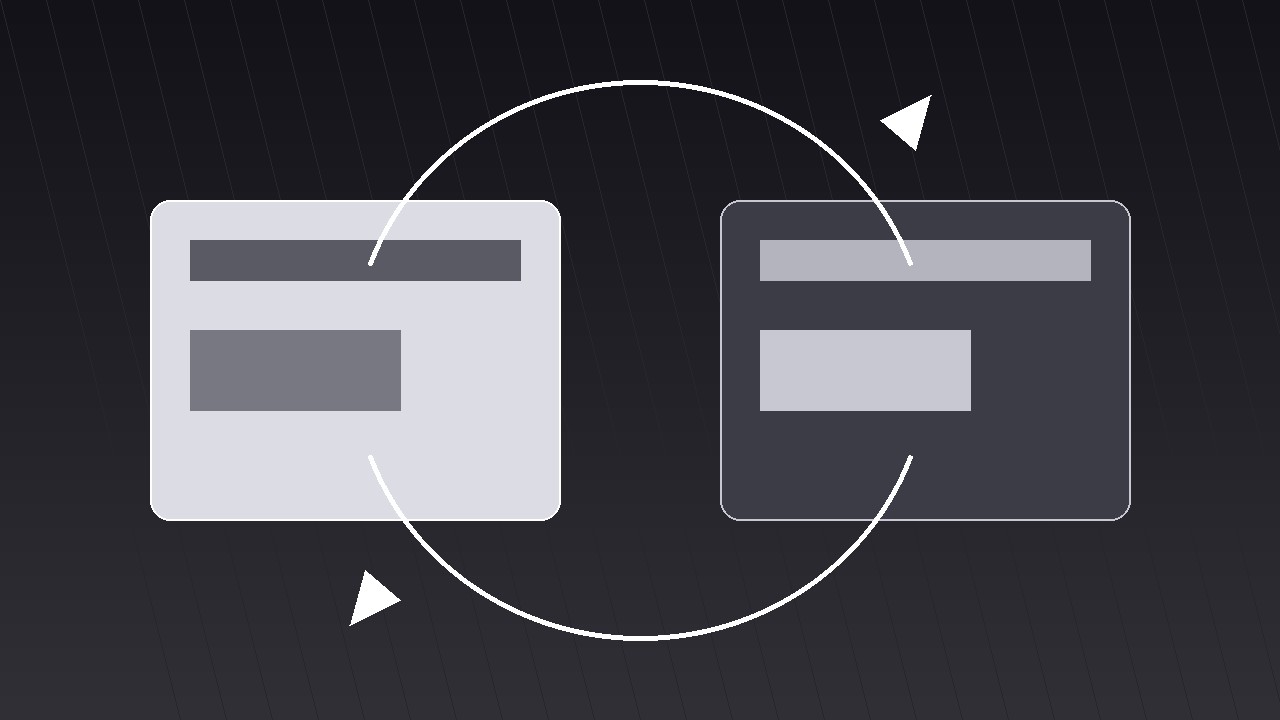
Trasforma la tua AI in un regista di motion graphics per il pattern «scambio di risultati accoppiati» — posiziona due risultati fianco a fianco, poi scambia le loro posizioni sullo schermo, così chi guarda li confronta attraverso il movimento, non la memoria.
Installala in 3 passaggi
Nessuna registrazione. Nessuno strumento da riga di comando. Scegli la tua AI, copia una riga e incollala.
Preferisci fare da te? Acquista la skill ($4.99), scarica lo ZIP dalla conferma d'acquisto, decomprimilo nella cartella mostrata sopra e riavvia la sessione della tua AI — stesso risultato. L'hai già acquistata? Il tuo assistente AI può scaricarla per te.
Cosa contiene
Un file SKILL.md (la guida operativa) + un modello di partenza. Un'anteprima:
Paired Result Swap
When to use
- Your video compares two results — before/after, A/B test, old vs. new, plan A vs. plan B — and a static side-by-side lets viewers forget the first result before they read the second
- A product demo where the same task run two ways produces two outcomes that must be weighed against each other
- A data story where swapping the positions of two bars, cards, or scores is itself the insight ("watch what happens when we sort by the other metric")
- A decision explainer where the viewer must feel the trade-off, not just see two numbers
- A hook that opens with two contenders and promises a winner
Workflow
- Define the pair (input: your comparison → output: two result cards)
Write the two results as a matched pair: same metric, same units, same time window, same framing. "Checkout time: 4 min 12 s vs. 1 min 48 s" is a pair; "Checkout felt slow vs. the new flow is great" is not, because only one side has a number. Give each result a short label (1–3 words: "Before" / "After," "Control" / "Variant," "Plan A" / "Plan B") and one number or visual each. If the two results cannot share a metric, they are not a pair — reframe the comparison or pick a different pattern. - Stage the pair side by side (input: result cards → output: paired layout)
Place the two cards side by side with equal size, equal type, and a clear gap or center line between them. Identical card skeletons: label on top, big result in the middle, one supporting line underneath. The only deliberate asymmetry is the content itself — if one card is bigger, brighter, or higher, the layout has already declared a winner before the swap. On narrow frames, stack the pair vertically instead of squeezing them side by side; the swap then runs top-to-bottom rather than left-to-right, and the choreography in step 4 flips axis but keeps its timing. - Hold the pair before swapping (input: layout → output: pre-swap hold)
Hold the static pair for 1.5–2.5 s — long enough to read both results. This hold is not dead air: it is the baseline the swap will be measured against. During the hold, keep both cards at full brightness and still. Do not preview the swap with a wiggle or a hint arrow; the swap must arrive as one clean event. If the voiceover needs to set up the swap, it does so here ("Same task, two ways — now watch them trade places"). - Choreograph the swap (input: held pair → output: timed swap)
The swap is the shot's signature move, and it must be legible as a swap, not a shuffle. Standard choreography, 0.8–1.1 s, ease-in-out-cubic: the two cards arc past each other — one dips slightly down and around while the other rises slightly up and around — so they never overlap into an unreadable pile at the midpoint. At the midpoint the cards are at their smallest vertical separation and highest relative speed; keep both cards fully readable through it by limiting the arc depth to ~15% of card height and keeping both cards at full opacity. A faint motion trail or a thin connecting line between the cards during the swap helps the eye track which card went where. Never swap by fading one card out and the other in: a crossfade is a replacement, and the viewer will read it as "the results changed," not "the results traded places." - Land and annotate (input: swapped pair → output: annotated frame)
On landing, add a small settle cue — a 2–3 px overshoot correction, a soft shadow pulse — then hold for 2–3 s. Now annotate the difference: a delta badge between the cards ("−58% time," "+31% conversion"), an arrow pointing at the winner, or a single verdict line under the pair. The annotation appears after the swap, never before: announcing the winner before the swap makes the swap decorative. If there is no winner (a genuine trade-off), the annotation states the trade-off in one line ("Faster, but costs more") rather than crowning a card. - Exit or repeat (input: annotated frame → output: final clip)
End one of two ways: cut to a close-up of the winning card (the video now follows the winner), or swap back to the original positions over 0.7 s and hold — the round trip proves the pair is symmetric and the comparison is fair. A second swap is allowed only if the second swap means something new (e.g. re-sorting by a different metric); swapping back and forth for rhythm alone makes viewers seasick. Total clip: 6–9 s. Check on a phone: both cards readable at half width, the swap direction trackable, and the delta badge readable without pausing.
Anteprima del modello
Paired Result Swap — Starter Template
Two results, one swap. Make the pair truly comparable before animating anything.
The pair (same metric, same units, same window)
Pair check: if the two results cannot share a metric, they are not a pair — reframe or pick another pattern. ☐
Layout
- Arrangement: side by side ☐ / vertical stack (narrow frames) ☐
- Card skeleton (identical both sides): label on top, big result middle, one supporting line
- Gap / center line between cards: {gap px / line}
- Delta badge (appears AFTER swap): "{−58% time / +31% conversion / trade-off line}"
Motion plan
Il pacchetto della skill (SKILL.md + modello) è scritto in inglese.


