Issue to Resolution
Da rotto a risolto — la soluzione, mostrata passo dopo passo.
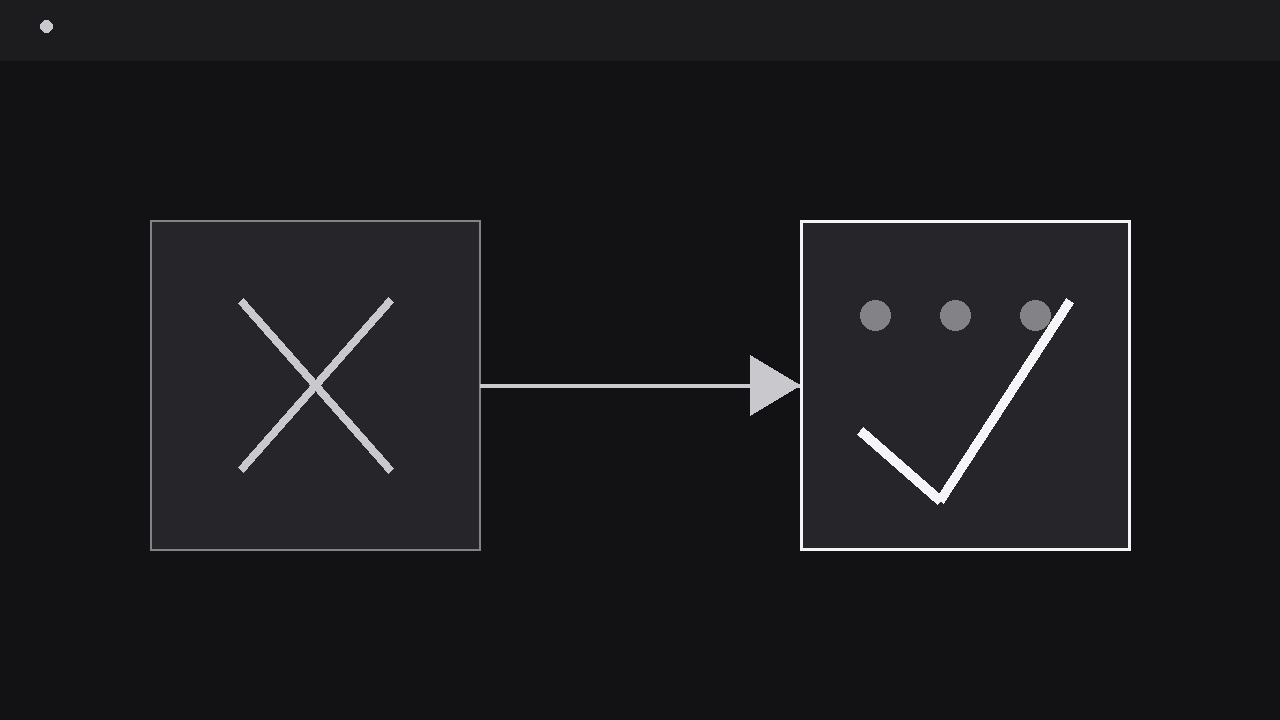
Trasforma la tua AI in un regista di motion graphics per archi da problema a risoluzione: prende un problema, lo mostra chiaramente nel suo stato rotto, percorre la soluzione passo dopo passo e atterra su uno stato visibilmente risolto che il pubblico può confrontare con l'apertura. Per video esplicativi di supporto, video di bug fix, guide alla risoluzione dei problemi e qualsiasi storia in cui la soluzione deve essere creduta.
Installala in 3 passaggi
Nessuna registrazione. Nessuno strumento da riga di comando. Scegli la tua AI, copia una riga e incollala.
Preferisci fare da te? Acquista la skill ($4.99), scarica lo ZIP dalla conferma d'acquisto, decomprimilo nella cartella mostrata sopra e riavvia la sessione della tua AI — stesso risultato. L'hai già acquistata? Il tuo assistente AI può scaricarla per te.
Cosa contiene
Un file SKILL.md (la guida operativa) + un modello di partenza. Un'anteprima:
Issue to Resolution
When to use
- A support or troubleshooting video shows a user hitting an error, a failure, or a broken state and needs the fix to feel proven rather than asserted
- A product update video demonstrates that a known problem is now fixed, and the audience must see the before and after of the same scene
- A tutorial walks through a repair, a debugging session, or a workaround where each step changes the state visibly
- A pitch or demo video tells a "we heard the complaint, here is the fix" story and needs the resolution to land with evidence
- A training clip teaches a diagnosis: recognise the issue, apply the fix, verify the result — in that order, with no step skipped
Workflow
- State the issue in one shot (input: problem to fix → output: issue statement)
Open on the broken state, not on an explanation of it. Show the error message, the failed load, the leaking pipe, the wrong number — the issue itself, full frame, for at least two seconds, with a short label naming it in plain language ("Checkout fails on card payment", "Report shows last month's numbers"). Write the issue as one sentence before animating, and make the opening frame prove it: if the audience cannot see what is broken, they cannot judge whether the fix worked. Resist the urge to open with context, branding, or backstory — the issue is the hook, and every second before it appears is a second the viewer spends wondering what the video is about. If the issue has a visible symptom and a hidden cause, show the symptom now and save the cause for the diagnosis step; confusing the two up front makes the fix look like guesswork. - Diagnose on screen (input: issue statement → output: diagnosis beat)
After the issue has held, name the cause with one visual beat: a highlight, a zoom, or a callout that points at the culprit — the misconfigured setting, the blocked field, the stale cache, the cracked seal. The diagnosis is one claim ("The API key expired on Friday") shown, not just said: the callout points at the actual expired date, the actual toggle, the actual line. Keep this beat short — 1–2 seconds of pointing, one label, no branching into secondary causes. If there are genuinely two candidate causes, show the ruled-out one being dismissed first (a quick cross-out or dim) and then the real one; a diagnosis that never considers alternatives reads as a script, while a visibly ruled-out alternative reads as an investigation. Never diagnose with a wall of text. One cause, one pointer, one label. - Apply the fix step by step (input: diagnosis → output: fix sequence)
Show the fix as a short sequence of visible actions — two to five steps, each one a concrete change the audience can watch: a toggle flips, a value is retyped, a part is swapped, a command runs and its output changes. Each step gets its own beat: the action happens over 300–500 ms, then a 500 ms hold so the change registers before the next step begins. Number the steps on screen ("1 · 2 · 3") so the audience can follow the order and retry it themselves later. Do not montage the fix into a fast-forward blur — a fix the audience cannot copy is entertainment, not instruction. If a step requires waiting (a restart, a rebuild, a download), show the wait honestly with a progress indicator rather than cutting past it; cutting past a wait teaches the audience that the fix is instant, and they will conclude they did it wrong when theirs takes a minute. - Show the failure clearing (input: fixed state → output: clearing beat)
Between the fix and the resolution, show the failure itself clearing — the error message dissolving, the red badge flipping, the wrong number correcting, the leak stopping. This is the most-skipped beat in the pattern and the one that makes the resolution believable: without it, the video jumps from "fix applied" to "everything fine" and the audience fills the gap with doubt. The clearing takes 400–600 ms: the broken element visibly transitions (error banner slides away, status flips from red to neutral, stale value ticks to the correct one) rather than cutting to a new scene. If the fix has a verification action — refresh the page, re-run the test, reopen the report — show it happening here, in real time, as the trigger for the clearing. The clearing beat is the proof; protect it from being trimmed for pace. - Land the resolved state (input: cleared failure → output: resolved frame)
End on the resolved state in the same framing as the opening issue shot — same angle, same layout, same scale — so the audience can compare the two frames directly. The resolved frame holds for at least three seconds: this is the longest hold in the pattern, because it carries the verdict. Mark the resolution with one calm indicator: a check mark, a "Resolved" tag, or a green status — one, not a fireworks display. Add a single recap line under the frame ("Fixed: API key renewed — checkout working") that pairs the cause with the outcome, so the audience can retell the story in one sentence. If the video offers a prevention note ("Set a renewal reminder"), it appears after the resolved hold, as a separate beat, never crowding the verdict. Do not end on the fix action — end on the working result. - Verify the arc is checkable (input: finished sequence → output: verified export)
Watch the sequence muted and ask: can I point to what was broken, what caused it, what changed, and what works now? Then compare the opening and closing frames side by side — they should match in framing so the difference (broken vs. working) is the only difference. Check that no step was faked: the fix actions must be real screen actions or real physical changes, not a cut from a broken prop to a working prop. At phone scale, the issue label, the diagnosis pointer, and the resolution mark must all stay legible. Do not loop an issue-to-resolution arc: a loop that re-breaks the fixed state makes the fix look temporary. End on the held resolved frame.
Anteprima del modello
Issue to Resolution — Starter Template
One issue, one cause, visible fix, proven resolution.
The issue (one sentence)
{Example: "Checkout fails when customers pay by card."}
The arc
Ruled-out alternative (optional): {candidate cause shown dismissed, e.g. crossed out} Waits in the fix: {e.g. restart ~40 s — show progress honestly} Prevention note (separate beat after resolution): {e.g. "Set a renewal reminder." / none}
Framing
- Opening shot: {describe angle/layout/scale}
- Closing shot: {same as opening — confirm match}
- Demo data: {generic / sample account / test card — never a real customer's data}
Timing
- Issue hold: {≥2 s} | Diagnosis beat: {1–2 s}
Il pacchetto della skill (SKILL.md + modello) è scritto in inglese.


