Folder Grid Filing
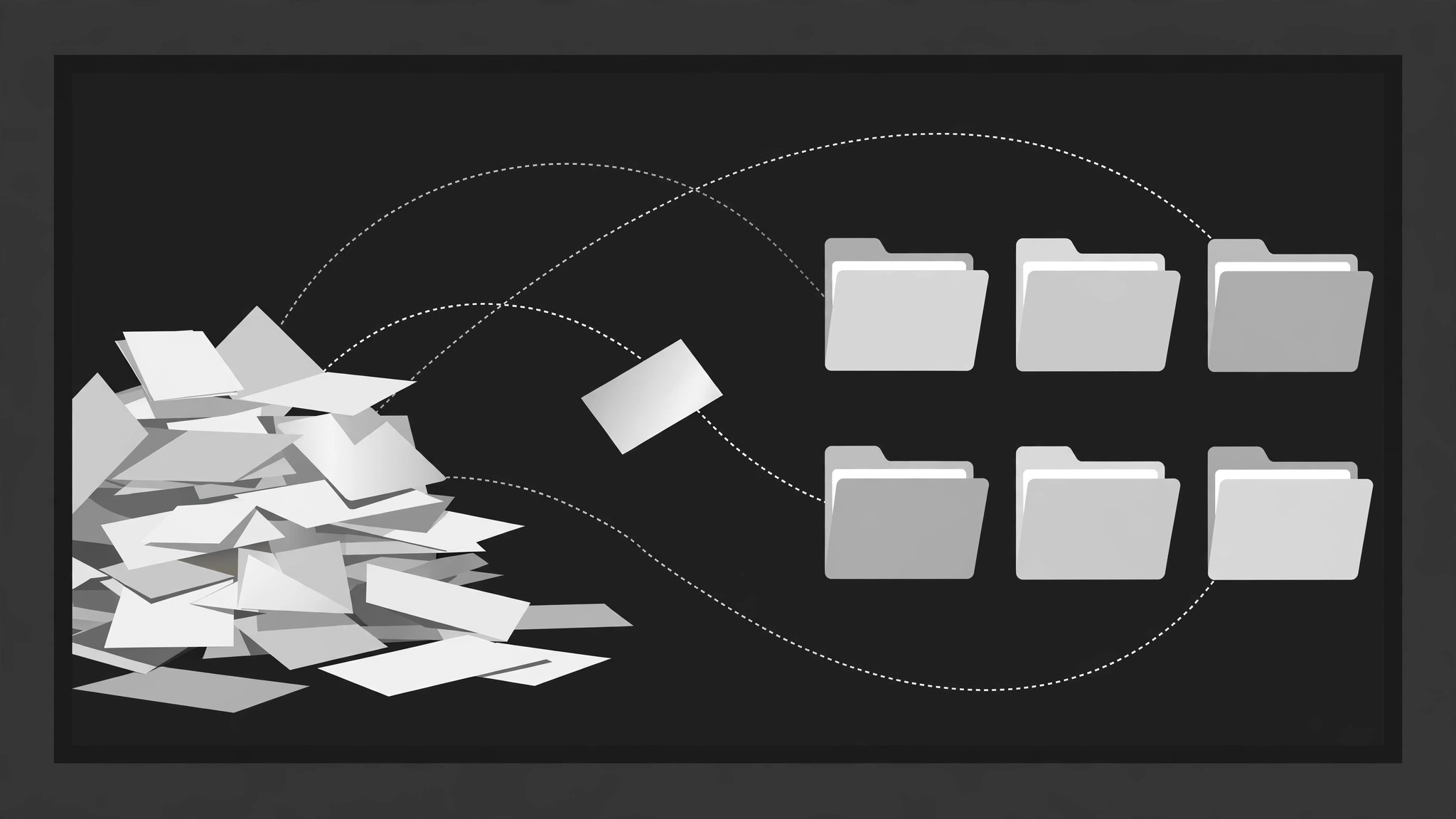
Una pila disordinata si archivia da sola in una griglia ordinata.
File, schede e clip sciolti volano uno alla volta lungo archi dolci in una griglia di cartelle etichettate, con il badge del conteggio di ogni cartella che sale a ogni atterraggio, finché la pila sparisce e il sistema si rivela. Pensato per video esplicativi sull'organizzazione e sul decluttering digitale.
Installala in 3 passaggi
Nessuna registrazione. Nessuno strumento da riga di comando. Scegli la tua AI, copia una riga e incollala.
Preferisci fare da te? Acquista la skill ($4.99), scarica lo ZIP dalla conferma d'acquisto, decomprimilo nella cartella mostrata sopra e riavvia la sessione della tua AI — stesso risultato. L'hai già acquistata? Il tuo assistente AI può scaricarla per te.
Cosa contiene
Un file SKILL.md (la guida operativa) + un modello di partenza. Un'anteprima:
Folder Grid Filing
When to use
- A digital declutter or organisation video shows a messy pile of files becoming a tidy system
- A tutorial explains a filing structure (by project, by client, by year) by filing example items into it
- A recap or case-study video sorts scattered assets — clips, docs, screenshots — into categories
- A product video demonstrates auto-filing, smart folders, or tagging by filing items on screen
- An explainer introduces a taxonomy: the folders are the categories, the filing is the proof
- You have 6–16 loose items and 3–6 categories, and the transformation from pile to system is the point
Workflow
- Define the folders and the items (input: your material → output: filing plan)
Define 3–6 folders, each with a short tab label (1–3 words: "Receipts", "Contracts", "Photos"). Then list 6–16 items, each assigned to exactly one folder before animating — no item files into two folders, no item is left unfiled. Each item gets a 2–5 word label and a visual type (doc, image, clip, note) with a distinct icon or thumbnail. If an item genuinely fits two folders, decide the primary one now and say so in the narration — the animation must not imply an ambiguity you have not resolved. - Stage the mess (input: filing plan → output: pile layout)
Open on the pile: items scattered in a loose heap on one side of the frame (left or bottom), at random rotations of −12° to +12°, overlapping, slightly messy but every item ≥60% visible. The folder grid sits on the other side: folders in a clean grid (2 columns × 2–3 rows, or 3 × 2), equal size, closed, tabs visible, labels legible. The contrast between the messy pile and the tidy grid is the setup — keep the grid visibly empty at the start so the filing has somewhere to go. - File one item at a time (input: pile layout → output: filing choreography)
File items one at a time, 450–650ms apart, in an order that teaches the system (all of one folder's items in a run, or one item per folder cycling — pick one pattern and keep it). Each item's flight has three beats over 400ms, ease-in-out: (a) the item lifts — scale 1.0 → 1.08, shadow deepens, rotation straightens to 0° over 120ms; (b) it flies along a gentle arc (never a straight diagonal — an arc reads as "picked up and placed") to its folder over 280ms; (c) it shrinks to slot size and drops into the folder with a 100ms settle (translateY +4px → 0). The target folder opens as the item approaches — its tab lifts and its mouth opens 150ms before arrival — and closes 150ms after the item lands, with a tiny 80ms folder jiggle (rotate ±1°) on close. Never file two items at once: simultaneous flights look like a magnet, not filing. - Stack visibly inside each folder (input: filing choreography → output: stack rules)
Filed items do not vanish: each folder shows a growing stack — the last-filed item's label peeks out from the folder's mouth, plus a count badge ("3") on the tab that increments on each landing. The stack inside the folder is represented by a small fan of 2–3 item thumbnails visible above the folder edge, or by the count badge alone if the grid is small. The badge pop is 120ms scale 1 → 1.4 → 1 with each increment. A folder that swallows items invisibly is a black hole, not a filing system. - Sweep the last item and reveal the system (input: stack rules → output: reveal beat)
After the last item files, hold 500ms on the full grid: every folder closed, tabs labelled, count badges showing the totals. Then the reveal: each folder opens in turn (left to right, 200ms apart) to flash its contents — a quick fan of its items spreading 12px apart for 400ms — then closes. Or, if the grid is the end state, a single summary line fades in below the grid ("16 files → 5 folders"). Hold the final grid ≥1.2s. The pile area is now empty — if a stray item remains there, it is a filing error; every item must have a folder. - Check the system reads as a system (input: finished motion → output: verified animation)
Freeze the final grid and ask: can a viewer name each folder's category and count from the badges alone? If a folder's items are invisible and its badge is the only trace, the filing feels like deletion — add the thumbnail fan. Check the flight arcs: if two arcs cross, stagger the timing or reroute — crossing flights read as collisions. Check on a phone screen: folders smaller than ~120px wide make tab labels unreadable; on vertical video, use a 2-column grid and a smaller pile.
Anteprima del modello
Folder Grid Filing — Starter Template
Fill in every {placeholder}. Every item gets exactly one folder before animating — no item files twice, none left behind.
Filing plan
Folders (3–6)
Items (6–16)
- Filing order pattern (pick one, keep it): {all_of_one_folder_per_run | one_per_folder_cycling}
- Filing order: {item sequence, e.g. 1 → 4 → 2 → 5 → 3 → 6}
Pile layout (the mess)
- Pile position: {left | bottom} · Grid position: {opposite_side}
- Item rotations: {−12° to +12°} each · Overlapping, every item ≥{60%} visible
- Grid: {2_columns × 2–3_rows | 3 × 2} · Folders equal size, closed, tabs visible, labels legible
- Grid at start: {visibly_empty}
Il pacchetto della skill (SKILL.md + modello) è scritto in inglese.


