EV System Exploded View
Un unico diagramma che mostra l'intera EV — dalla batteria al motore, pezzo per pezzo
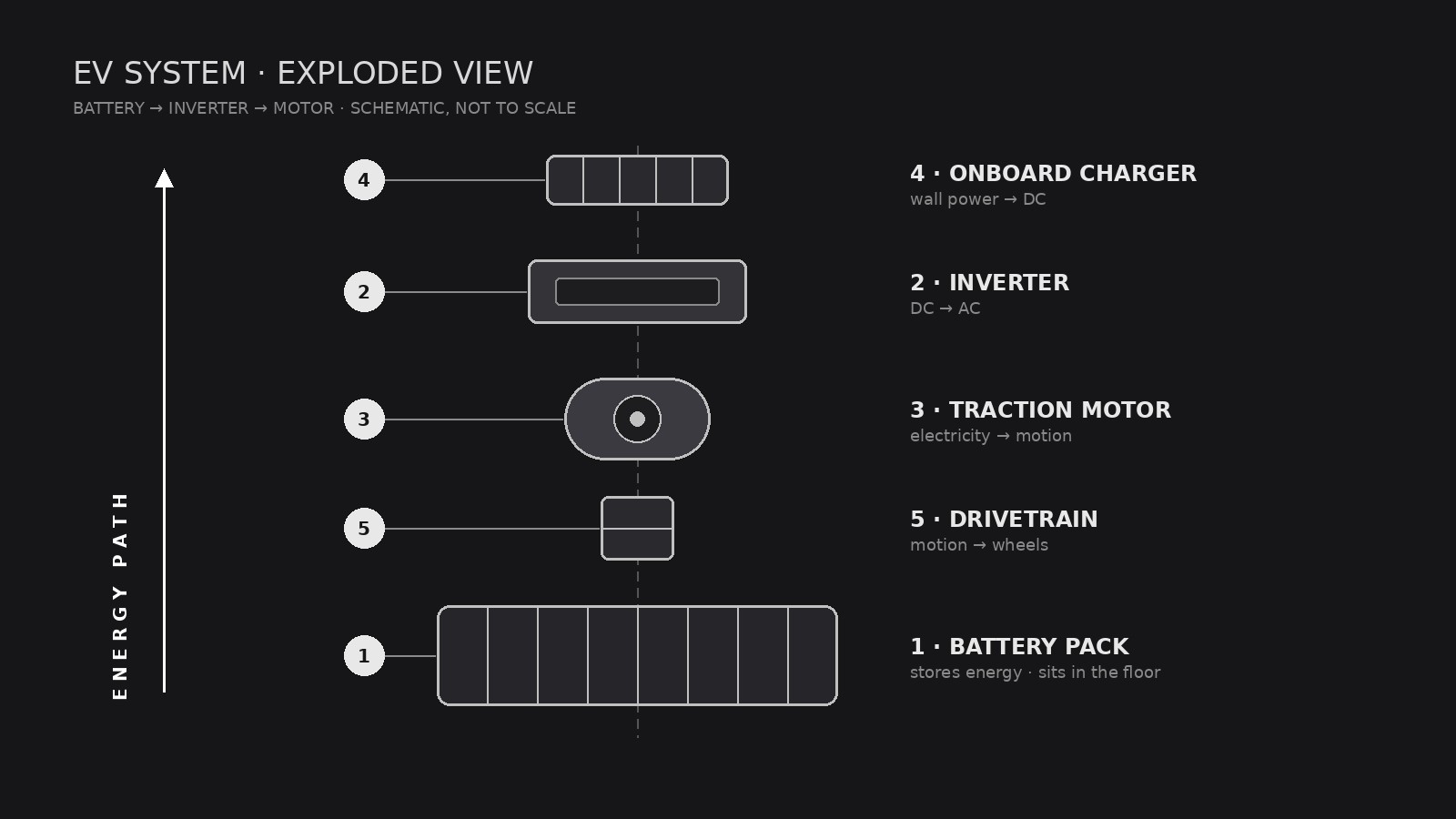
Trasforma la tua AI in un assistente di illustrazione tecnica che dispone trasmissione, batteria ed elettronica di potenza di un veicolo elettrico in una vista esplosa pulita, con richiami numerati che chiunque può leggere.
Installala in 3 passaggi
Nessuna registrazione. Nessuno strumento da riga di comando. Scegli la tua AI, copia una riga e incollala.
Preferisci fare da te? Acquista la skill ($4.99), scarica lo ZIP dalla conferma d'acquisto, decomprimilo nella cartella mostrata sopra e riavvia la sessione della tua AI — stesso risultato. L'hai già acquistata? Il tuo assistente AI può scaricarla per te.
Cosa contiene
Un file SKILL.md (la guida operativa) + un modello di partenza. Un'anteprima:
EV System Exploded View
When to use
- You are explaining how an EV drivetrain fits together to students, customers, or new hires and a photo of the assembled car hides everything
- A pitch deck, manual, or museum display needs one diagram that shows battery, motor, inverter, and charger in relation
- Your engineering team wants a shared reference poster for a teardown or design review
- You are writing an article about EV architecture and need a diagram that labels parts without drowning readers in jargon
- A sales page needs to show what is inside the vehicle without revealing proprietary detail
Workflow
- Define the system boundary (input: vehicle or subsystem → output: parts list scope)
Decide what the diagram covers: the full vehicle (battery, motor, inverter, onboard charger, thermal system, drivetrain) or one subsystem (for example, the battery pack only). A full-vehicle view gets 8–14 parts; more than that and labels collide. Write the scope down before drawing — it decides everything else. - Inventory the parts (input: scope → output: numbered parts list)
List every part that will appear, in assembly order, with its plain-language name and one-line function: for example, "Battery pack — stores energy; sits in the floor." Use generic component names the reader already knows. If a part's function is uncertain, leave it out or mark it as unchecked — never label a guess as fact. - Set the explosion axis (input: parts list → output: layout sketch)
Choose one explosion direction — usually vertical (stacked along the car's height) or along the drivetrain line (front to back). Parts slide apart along that axis with even gaps; nothing rotates, nothing overlaps. Sketch boxes in order first, then draw the real shapes inside the boxes. Consistent gaps are what make the diagram read as "exploded" instead of "scattered." - Draw and label (input: layout sketch → output: finished diagram)
Draw each part in the same visual language: same line weight, same shading, same level of detail. Number every part and connect it to its label with a thin leader line — labels sit in a clean margin, never on top of parts. Use one accent color at most, reserved for the energy path (battery → inverter → motor). - Check readability (input: finished diagram → output: approved file)
Shrink the diagram to the size it will actually be shown at and read every label. Check: can a non-engineer name each part and say where it sits? Do any leader lines cross? Is the energy path traceable with a finger? Fix crossings and crowding before shipping.
Output spec
Anteprima del modello
EV System Exploded View — Template
Fill this in before any drawing starts. One diagram = one system boundary.
System: {full vehicle / battery pack / motor + inverter / other}
Vehicle type: {battery-electric / hybrid / dual-motor} | Audience: {students / customers / engineers / general readers}
Parts list (assembly order, 8–14 parts)
Parts left out (and why): {too detailed / unconfirmed / out of scope}
Layout
Explosion axis: {vertical / front-to-back} Energy path (accent color): {battery → inverter → motor} Diagram ratio: {16:9 / poster}
Legend (one line per part)
- {Part} — {function}
- {Part} — {function}
Il pacchetto della skill (SKILL.md + modello) è scritto in inglese.


