Chapter Label Stack
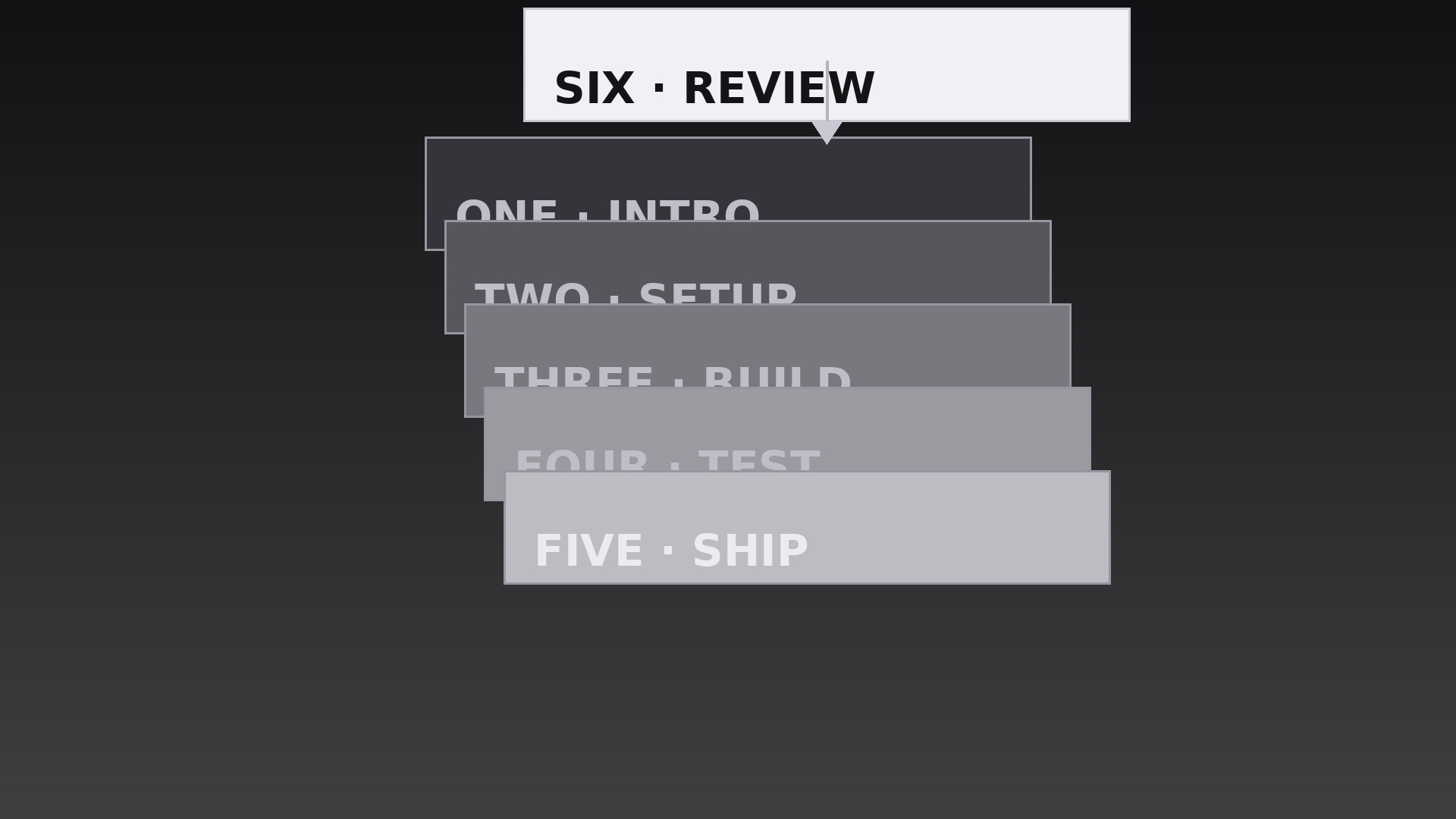
Ogni etichetta di capitolo cade su una pila crescente — la pila stessa mostra a che punto sei.
Insegna alla tua AI a impilare le etichette dei capitoli come un mazzo di carte, con atterraggi di caduta e assestamento, una pila ferma, regole per l'eccesso e un pulito momento di chiusura.
Installala in 3 passaggi
Nessuna registrazione. Nessuno strumento da riga di comando. Scegli la tua AI, copia una riga e incollala.
Preferisci fare da te? Acquista la skill ($4.99), scarica lo ZIP dalla conferma d'acquisto, decomprimilo nella cartella mostrata sopra e riavvia la sessione della tua AI — stesso risultato. L'hai già acquistata? Il tuo assistente AI può scaricarla per te.
Cosa contiene
Un file SKILL.md (la guida operativa) + un modello di partenza. Un'anteprima:
Chapter Label Stack
When to use
- A video recap where each completed chapter's label lands on a pile, showing progress at a glance
- An agenda reveal where upcoming sessions stack up one by one as the host previews the day
- A multi-part tutorial where the stack grows with each finished step and stays visible as a progress record
- A documentary with accumulating themes where each segment adds its label to the pile
- A course module intro where the stack previews the lessons that will pile up across the module
- A countdown or ranking video where each revealed item lands on the stack before the next is announced
Workflow
- Write the labels as a deck (input: chapter list → output: ordered label strings)
Write one label per chapter: 1–4 words, plus a small chapter number. Order them in the sequence they will land — usually the order chapters appear, but a recap may stack in reverse so the most recent chapter lands on top. Keep every label roughly the same visual length; a deck of wildly different widths looks sloppy when stacked. If a label is much longer than the rest, shorten it — the stack's neatness depends on consistent label sizes. - Design the pile (input: labels → output: stack layout spec)
The pile sits in one fixed spot — lower third, center-frame, or one side — and never moves. Each label is a card: solid fill, one typeface, generous padding, a thin border or soft shadow so cards read as separate layers. Cards land with a small, consistent offset — 6–10px down and 4–8px to the right per card — so the edges of the cards beneath peek out and the pile reads as a stack rather than a single thick card. Cap the visible stack at 6–8 cards; beyond that, the offset pile spills off the frame or buries the early cards. - Choreograph the landing (input: stack spec → output: landing timeline)
Each new label enters from above the pile: it drops 120–180px over 0.35s with an ease-in curve (accelerating downward, like a real card falling), then lands with a 0.12s settle — a 2% scale squash (1.00 → 0.98 → 1.00) and a tiny shadow bloom as it meets the pile. Landings are spaced 0.45–0.60s apart so each card is seen arriving before the next drops. The pile itself never bounces or shifts when a card lands — only the arriving card moves. A bouncing pile reads as a toy; a still pile with crisp landings reads as a record being kept. - Keep the pile readable (input: landing timeline → output: readability rules)
Only the top card is fully legible — that is the point of a stack. The cards beneath show just their peeking edges plus, at most, their chapter numbers in a small tab on the exposed edge. If the viewer needs to read an earlier label, do not unstack the pile mid-video; instead, cut to a flat list view (all labels in a column, no overlap) for the recap moment, then cut back to the stack. Never tilt cards at random angles to fake a "casual" pile — one consistent offset direction, or the stack looks like a dropped deck. - Handle long stacks (input: full chapter list → output: overflow behavior)
When the stack passes 6–8 cards, pick one overflow rule and stick to it: either compress the offset (cards slide 2px closer together as the pile grows, keeping the total pile height constant) or archive the bottom cards (the oldest card slides out from the bottom and fades as a new one lands, with a small "+N earlier" counter appearing on the pile). Compressing suits recaps where the pile's height is the message; archiving suits long series where only recent chapters matter. Never let the pile grow past the frame edge — a stack that slides off-screen looks like a layout bug. - End the stack (input: complete pile → output: closing behavior)
When the final chapter's label lands, hold the full pile still for at least 1.5s — the completed stack is the payoff and deserves a beat. Then either fade the whole pile out over 0.4s as the final chapter begins, or leave the pile in place as a persistent corner graphic at 70% scale for the rest of the video. If it persists, freeze it: no more landings, no drift, no pulsing. A stack that keeps micro-moving after completion nags the viewer for the rest of the runtime.
Anteprima del modello
Chapter Label Stack — Starter Template
Fill in every {placeholder}, then hand this spec to your video tool or motion designer.
Project
- Video title: {video_title}
- Frame size: {width}x{height} @ {fps}fps
- Stack purpose: {recap / agenda_reveal / progress_record / ranking}
- Stack order: {chapter_order / reverse_chronological — most recent on top}
Labels (in landing order)
(Add rows as needed. Keep all labels roughly the same visual length.)
Stack layout
- Pile position (fixed, never moves): {position — lower third / center-frame / one side}
- Card format: solid fill {card_color}, typeface {typeface}, generous padding, thin border or soft shadow
Il pacchetto della skill (SKILL.md + modello) è scritto in inglese.


