Chapter Grid Pan
La camera viaggia sulla mappa dei capitoli e si ferma su ogni tessera — un tour, non una slideshow.
Insegna alla tua AI a muovere una camera virtuale su una griglia di capitoli ferma, con movimenti a tempo, fermate immobili, percorsi a serpentina e passaggi puliti di zoom in avanti o indietro.
Installala in 3 passaggi
Nessuna registrazione. Nessuno strumento da riga di comando. Scegli la tua AI, copia una riga e incollala.
Preferisci fare da te? Acquista la skill ($4.99), scarica lo ZIP dalla conferma d'acquisto, decomprimilo nella cartella mostrata sopra e riavvia la sessione della tua AI — stesso risultato. L'hai già acquistata? Il tuo assistente AI può scaricarla per te.
Cosa contiene
Un file SKILL.md (la guida operativa) + un modello di partenza. Un'anteprima:
Chapter Grid Pan
When to use
- A course overview where the narrator walks the viewer across the chapter map, one chapter at a time
- A series or season guide where the camera travels the episode grid and pauses on each episode
- A workshop agenda walkthrough where the host tours the day's sessions in order
- A documentary preview where the camera sweeps the segment map and settles on each segment's tile
- A compilation intro where the grid holds every segment and the camera visits each before the show starts
- A portfolio or curriculum map where the viewer needs to feel the scale of the whole grid and the detail of each tile
Workflow
- Build the grid as one canvas (input: chapter list → output: single large grid canvas)
Lay out all chapter tiles on one large canvas — 3×3 or 4×3 for nine to twelve chapters — with consistent tile size, gutters, and one tile per chapter (number + short title + one visual cue). The canvas is bigger than the frame: the camera sees only a portion at a time, roughly 2×2 tiles per view. Build the canvas at 2× the delivery resolution so pans stay sharp when the virtual camera zooms. Unlike a flip grid, tiles here never move — the camera does all the travelling, and the tiles stay perfectly still. - Plan the camera path (input: grid canvas → output: keyframed camera path)
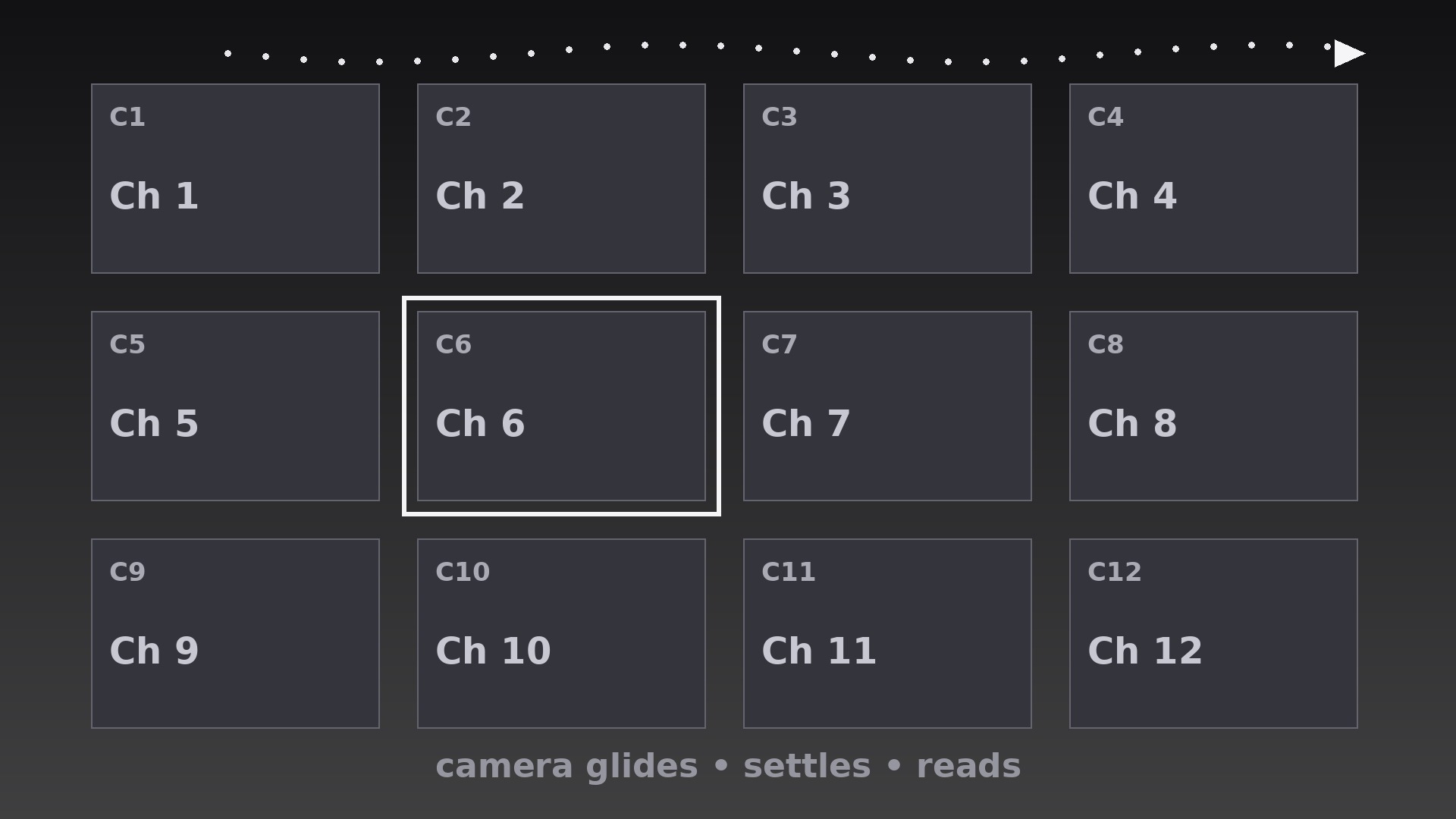
Plot one smooth path that visits the tiles in reading order (left to right, top to bottom), with a keyframe at each tile: the camera centers on the tile, holds, then moves to the next. Path segments between tiles should be straight lines or gentle curves — never zigzags that double back, and never a path that crosses its own earlier route. If the grid is wider than one screen, snake the path row by row (left-to-right on row one, right-to-left on row two) so the camera never jumps back to the left edge mid-tour. - Set the pan and settle timing (input: camera path → output: move/settle timeline)
Each move between tiles takes 0.7–1.0s with ease-in-out (slow start, steady middle, gentle stop). Each settle — camera fully still, tile centered — lasts 0.9–1.4s, long enough for the viewer to read the tile's title and for narration to name the chapter. The settle is the point of the technique: a pan with no settle is a screensaver; a pan that settles is a tour. Total tour time is (moves × ~0.85s) + (settles × ~1.1s) — for 8 tiles, roughly 15s, so reserve this pattern for overviews, not for transitions between every chapter. - Frame each settle (input: timeline → output: framing spec)
At every settle, the featured tile sits centered with its full title visible and at least a sliver of its neighbors visible at the frame edges — the neighbors prove the tile belongs to a larger map. Scale the camera so the featured tile fills 45–60% of frame width: larger and the grid context vanishes; smaller and the title is unreadable. Keep the camera level — no rotation, no tilt, no Dutch angles. A rotating camera over a grid makes viewers seasick; the grid is a map, and maps do not tilt. - Add the chapter handoff (input: framed tour → output: handoff behavior)
When the tour reaches a tile and that chapter begins, transition with a short push-in: the camera scales from the settle framing to full-frame on that tile over 0.5s, then cuts to the chapter content on the final frame. When the tour is only a preview, end with a pull-back: the camera eases out over 1.0s to reveal the whole grid, holds 1.2s, then cuts. Never cut mid-pan — a cut while the camera is moving feels like the video tripped. Every cut lands on a settle or on the completed push-in/pull-back. - Export and verify (input: finished tour → output: checked renders)
Render from the high-resolution canvas at the source frame rate with motion blur set low (a hint of blur on pans, none on settles — blur during a settle makes the tile look out of focus). Verify by watching at 1× speed: at every settle the tile must be pixel-still and centered; if it drifts by even a few pixels, the settle keyframes need flattening. Check the smallest target screen: tile titles must be legible at settle framing — if not, shorten titles or reduce the tiles-per-view, never zoom the camera further in and lose the grid context.
Anteprima del modello
Chapter Grid Pan — Starter Template
Fill in every {placeholder}, then hand this spec to your video tool or motion designer.
Project
- Video title: {video_title}
- Frame size: {width}x{height} @ {fps}fps
- Tour purpose: {overview_preview / guided_walkthrough}
Grid canvas (tiles NEVER move — only the camera moves)
- Canvas size: {canvas_width}x{canvas_height}px (build at 2× delivery resolution so pans stay sharp)
- Grid dimensions: {columns}x{rows} (3×3 or 4×3 typical)
- Tile size: {tile_width}x{tile_height}px, gutters {gutter}px
- Tiles per camera view: ~2×2
- Tile content: chapter number + short title + one visual cue
Tiles (in tour order)
Camera path
Il pacchetto della skill (SKILL.md + modello) è scritto in inglese.


