Visual Builder OG Image
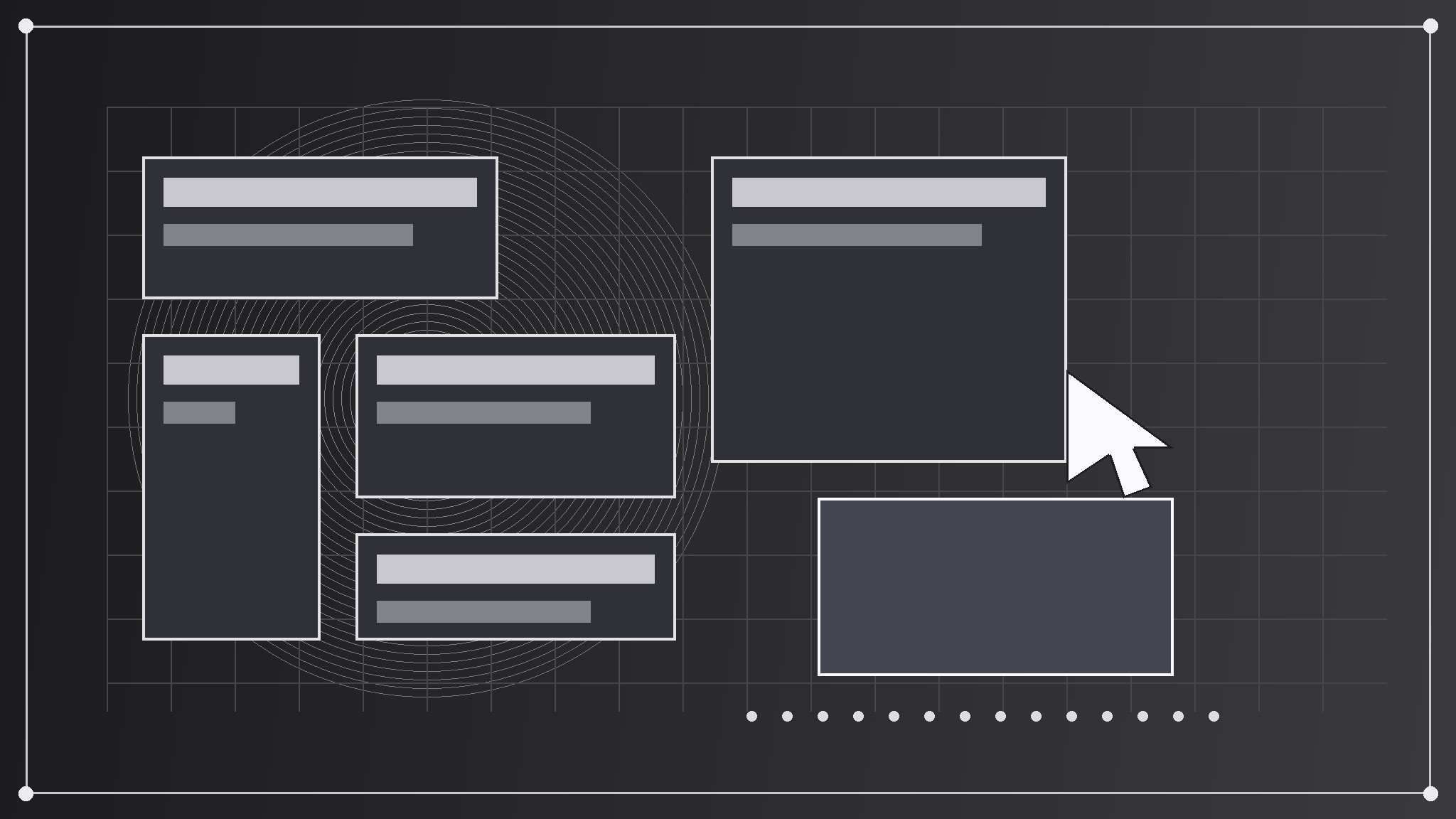
Glisser, déposer, en ligne — l'argument du builder en un seul aperçu.
Transforme votre IA en designer d'aperçus sociaux pour un créateur de sites visuel — crée une image de partage 1200×630 avec un motif de canevas glisser-déposer, une courte phrase sur la création d'un site sans écrire de code et une typographie qui reste lisible en miniature.
Installez-la en 3 étapes
Sans inscription. Sans outils en ligne de commande. Choisissez votre IA, copiez une ligne, collez-la.
Vous préférez le faire vous-même ? Achetez la compétence ($4.99), téléchargez le ZIP depuis votre confirmation d'achat, décompressez-le dans le répertoire indiqué ci-dessus, redémarrez votre session IA — même résultat. Vous l'avez déjà achetée ? Votre assistant IA peut la télécharger pour vous.
Contenu du pack
Un fichier SKILL.md (le guide pratique) + un modèle de départ. Aperçu :
Visual Builder OG Image
When to use
- Your visual website builder's shared links preview as a blank box, a cropped editor screenshot, or a generic logo that says nothing about building visually
- You are announcing a feature, a template drop, a performance improvement, or a pricing change and want the link preview to carry the news, not just the builder's name
- A docs page, template page, tutorial, or blog post about building a site gets shared, and the preview does not distinguish it from any other page
- Your builder publishes often and needs one repeatable preview format that works for launches, templates, docs, and posts alike
- A screenshot of the editor keeps failing as a preview because its tiny panels, handles, and property fields turn to noise at thumbnail size
Workflow
- Decide the one building line (input: the page → output: a one-line building message)
A builder preview carries one line about making a site visually, in eight words or fewer — "Drag it. Drop it. It's live," not "Our powerful visual development platform empowers creators to design, build, and launch professional websites without writing a single line of code." Read the page and find the sentence a user would repeat to a friend; that is the preview line. If the page is a general builder homepage, the line is the builder's core making promise; if it is a template or feature page, the line is that page's payoff. A list of features is not a building line, and a mission statement is not a building line — one concrete line is. - Pick the canvas-and-blocks motif (input: the building line → output: a single canvas motif idea)
Choose one visual-building gesture that embodies dragging blocks onto a canvas without pretending to be a screenshot: a large blank canvas with three bold blocks snapping into place and a cursor placing a fourth, a stack of layout blocks (hero, gallery, form) fanning out over a grid, a single block mid-drag with a dotted drop target beneath it. The motif is a symbol, not an editor — no property panels, no toolbar icons, no real template thumbnails, no tiny labels, no real user projects. Draw it big and flat, in one or two colors, occupying roughly a third to a half of the canvas. A real editor crammed into 1200×630 reads as static at thumbnail size; one clean canvas gesture reads as "build a site by arranging blocks." - Set the type (input: building line + motif → output: the type layout)
Set the building line in one large, bold typeface at a size that stays legible when the image is shown 240 pixels wide — few words, large size, generous line spacing. Put a small builder mark or name in one corner, never competing with the building line. Keep all text inside a safe margin (at least 60 pixels from every edge at 1200×630) because platforms crop previews differently, and keep essential text out of the bottom strip, where platforms overlay labels or play buttons. If the motif and the type compete for the same space, shrink the motif — the words carry the click. - Build to spec (input: type layout + motif → output: a finished 1200×630 image)
Produce the image at exactly 1200×630 pixels, exported as a JPEG or PNG under 1 MB so it loads fast in crawlers. Use flat colors and bold shapes — silver blocks and one bright drop target on a dark field, for example — rather than photographic detail or fine lines, which turn to mush at thumbnail size. Check contrast between text and background: light text on a dark field or dark text on a light field, never mid-tone on mid-tone. Export once at full size and once at 240 pixels wide to verify the thumbnail read. - Verify the preview (input: finished image → output: a confirmed working preview)
Wire the image into the page's social meta tags (the Open Graph image tag and its width/height companions) and check it with the platform's own link debugger or by pasting the link into a fresh post draft. Confirm three things: the image actually appears (not a cached old one), it is not cropped into unreadability, and the title and description beside it match the image's building line. If a stale preview persists, it is usually a cache — re-scrape the URL through the debugger rather than rebuilding the image.
Aperçu du modèle
Visual Builder OG Image — Brief Template
One page = one preview. Fill this in before building the image.
Page: {page title + URL}
Page type: {builder homepage / template / feature / tutorial / docs / blog post}
One building line (≤8 words)
> {the sentence a user would repeat to a friend}
Why this line: {what the page actually offers}
Canvas-and-blocks motif
Gesture: {blocks snapping onto a canvas with a cursor placing one / layout blocks fanning over a grid / block mid-drag over a dotted drop target} What it symbolizes: {the building line, abstractly} Colors: {field color} + {motif color} (one or two flat colors)
Type layout
Le pack de compétence lui-même (SKILL.md + modèle) est rédigé en anglais.
Vous aimerez aussi
 Images
Social Cover
Des couvertures de publication avec 3 recettes de composition — prêtes à l'emploi
 Images
Infographic
Transformez un paragraphe en une image — sans jamais inventer de données
 Images
Product Poster
Affiches e-commerce : arguments de vente, ancrage prix et appel à l'action en une fois