Typed Testimonial Row
Une preuve sociale qui se lit comme une transcription.
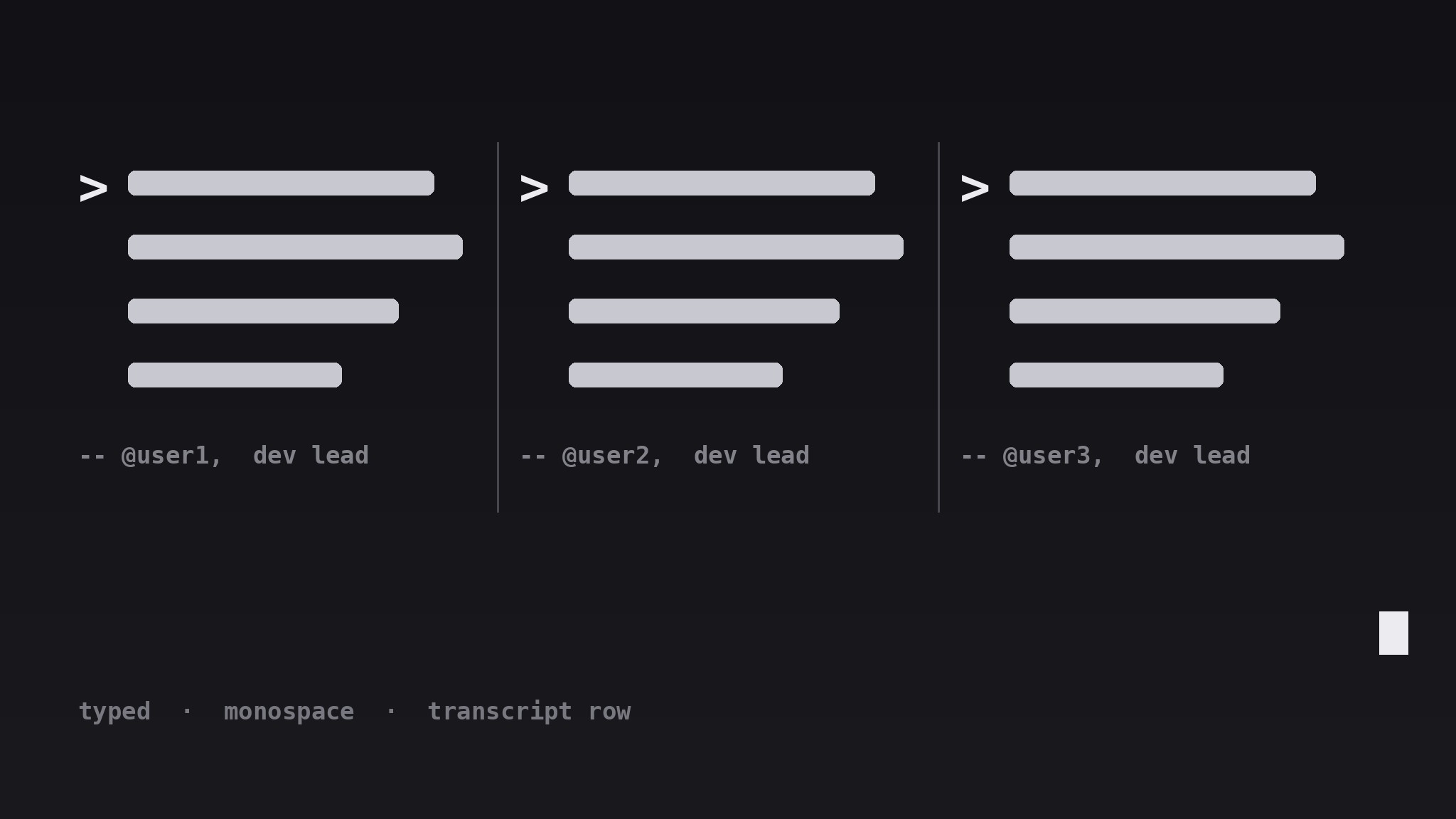
Transforme votre IA en designer de sections de témoignages qui dispose une rangée horizontale de courtes citations dans un traitement monospace style machine à écrire — marqueurs d'invite, curseur et rythme régulier — pour que la preuve sociale se lise comme la transcription d'un terminal en direct.
Installez-la en 3 étapes
Sans inscription. Sans outils en ligne de commande. Choisissez votre IA, copiez une ligne, collez-la.
Vous préférez le faire vous-même ? Achetez la compétence ($4.99), téléchargez le ZIP depuis votre confirmation d'achat, décompressez-le dans le répertoire indiqué ci-dessus, redémarrez votre session IA — même résultat. Vous l'avez déjà achetée ? Votre assistant IA peut la télécharger pour vous.
Contenu du pack
Un fichier SKILL.md (le guide pratique) + un modèle de départ. Aperçu :
Typed Testimonial Row
When to use
- Your product is aimed at developers, engineers, or technical teams who will smile at a terminal-styled section
- You have three to five short testimonials that are punchy enough to survive being set in monospace type
- Your page is visually quiet and needs one section with a distinct voice — a transcript, not another card grid
- You want social proof inside a docs site, a changelog page, or a developer landing page where a glossy marketing grid would feel wrong
- You have quotes that sound like things people actually typed — short, specific, a little informal — rather than polished press blurbs
Workflow
- Collect short, typeable quotes (input: your raw testimonials → output: 3–5 trimmed quotes)
Pick three to five quotes, each one sentence and under 25 words, each with a different angle (speed, reliability, ease of setup, support, one surprise). Trim them to how a person would type them in chat — keep contractions, keep the specific detail, cut the corporate polish. Anything that needs a paragraph to make sense does not belong in this row; save it for a case study. - Set the typewriter treatment (input: trimmed quotes → output: type style spec)
Set every quote in a monospace typeface at a comfortable reading size, with a prompt marker (such as>) before each quote and a block caret after the final line. Keep the line length short — the row should feel like lines being typed, not paragraphs being pasted. Use one accent color for the prompt markers and the caret only; the quote text itself stays in the main text color so it stays readable. - Lay out the horizontal row (input: style spec → output: row layout)
Arrange the quotes in a single horizontal row of three to five columns on desktop, separated by thin vertical dividers or generous gutters — no boxes, no shadows, no cards. Each column holds one quote, one attribution line, and nothing else. The row should read left to right like a transcript scrolling past: even rhythm, even weight, no column shouting louder than the others. - Write attributions like a transcript (input: row layout → output: finished section)
Attribute each quote on one line below it: a handle or name, a role, and a short context tag — e.g.— @maya, backend lead, ships with it daily. Keep attributions in a dimmer tone than the quotes so the words stay the stars. If a quote came from a public post, link the attribution to the original; if it was given privately, confirm the speaker is happy to be quoted before publishing. - Make it behave on small screens (input: finished section → output: responsive section)
On narrow screens, let the row become a vertical stack or a horizontal scroll with snap points — never shrink the monospace type below a readable size to force the row to fit. If you use a typing animation, keep it subtle: a caret blink is enough; never animate the quotes typing out on every page load, and always respect reduced-motion settings by showing the full text immediately.
Aperçu du modèle
Typed Testimonial Row — Template
A row of quotes that reads like a live transcript. Fill in the blanks, then lay out the row.
The quotes (3–5, one sentence each, ≤25 words, different angles)
Source for each: {public post link / privately given with permission — confirm before publishing}
Type style
- Typeface: {monospace}
- Quote size: {px, readable at all breakpoints}
- Prompt marker: {>} in accent color {hex}
- Caret: {block caret} after the final line, blink {on / off}
- Attribution tone: {dimmer than quote text}
Row layout
- Desktop: {3–5} even columns, separated by {thin dividers / wide gutters}
Le pack de compétence lui-même (SKILL.md + modèle) est rédigé en anglais.


