Roadmap Focus Push
Survolez la feuille de route, puis plongez sur le jalon qui compte
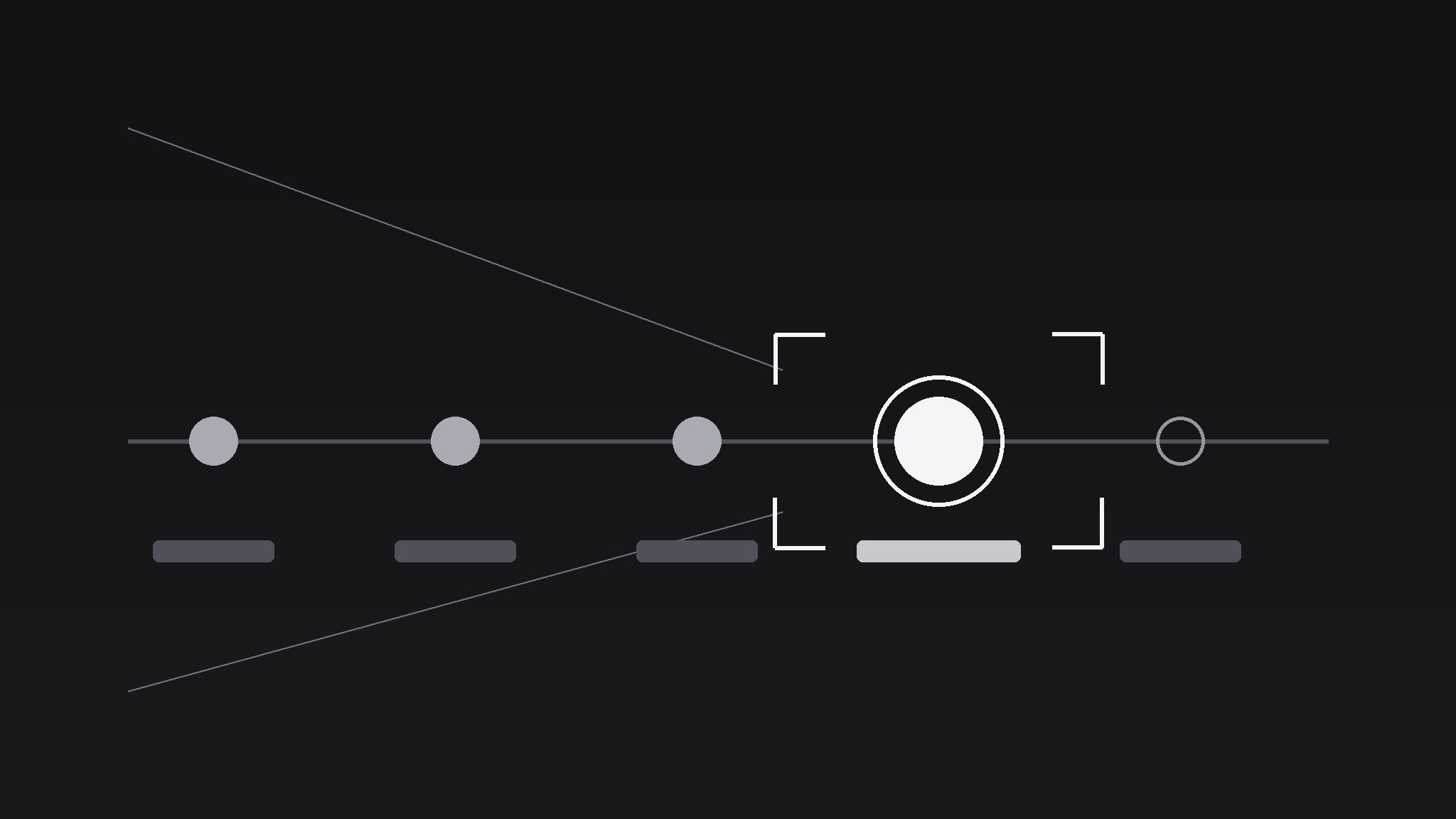
Transforme votre IA en réalisateur d’animations graphiques pour le motif de la poussée de focus sur feuille de route — il fait glisser la caméra le long d’une feuille de route produit et zoome sur un jalon, pour que le public ressente le parcours et atterrisse exactement sur la date qui compte.
Installez-la en 3 étapes
Sans inscription. Sans outils en ligne de commande. Choisissez votre IA, copiez une ligne, collez-la.
Vous préférez le faire vous-même ? Achetez la compétence ($4.99), téléchargez le ZIP depuis votre confirmation d'achat, décompressez-le dans le répertoire indiqué ci-dessus, redémarrez votre session IA — même résultat. Vous l'avez déjà achetée ? Votre assistant IA peut la télécharger pour vous.
Contenu du pack
Un fichier SKILL.md (le guide pratique) + un modèle de départ. Aperçu :
Roadmap Focus Push
When to use
- A launch video walks a roadmap and needs to land on the release date, not drift past it
- A pitch deck animates a timeline and one quarter carries the funding ask
- A changelog video recaps six milestones but only the next one needs the viewer's attention
- A strategy update shows a year of work, then pushes into the single bet for next quarter
- A tutorial timeline has one step where viewers always get lost — the push marks it as the one to remember
Workflow
- Lay the roadmap (input: milestone list → output: horizontal roadmap frame)
Lay milestones left to right on one horizontal spine: 4–7 nodes max, evenly spaced, each with a short label (≤3 words) and a date. Past milestones get a filled dot, future ones an outline dot, the target milestone a larger ring (1.5× the others) in the accent colour. Keep the spine at vertical centre and leave 12% headroom top and bottom — the camera will move, and a spine pinned to the edge breaks the illusion. If you have more than 7 milestones, group the rest into "Earlier" and "Later" clusters; a crowded spine kills the push. - Set the start frame (input: roadmap frame → output: wide establishing shot)
Open wide enough to show the full spine with 8–10% margin on both sides. Hold 0.8s so the viewer reads the shape of the journey: where we started, where we are, where we are going. The start frame is a promise — the audience should be able to point at the target node before the camera moves. If they cannot, the labels are too small or the spine is too crowded. - Push along the spine (input: wide shot → output: camera move)
Move the camera in two phases over 1.8–2.4s total. Phase 1 (0–1.2s): a lateral dolly along the spine toward the target node, ease-in-out, covering ~70% of the distance. Phase 2 (0.9–2.2s, overlapping the tail of Phase 1): a push-in (scale/zoom) from 100% to 165–185% centred on the target node, ease-out. The overlap is what sells it as one camera move rather than a pan followed by a zoom. Non-target nodes should drift out of frame or blur slightly (2–4px) as the push lands — depth of field does half the focusing work. - Land and hold on the milestone (input: pushed-in frame → output: focus hold)
On landing, the target node's ring draws or pulses once (single 0.3s scale pulse, 100% → 108% → 100%, ease-out — one pulse, never a loop). The milestone label enlarges to fill its new frame, and a one-line detail (≤10 words: the deliverable, the date, the number) fades in below it over 0.4s. Hold 2–3s. The hold is where the information lands; cutting early wastes the whole move. - Pull back or cut (input: held frame → output: clean exit)
Either pull back to the wide shot over 0.8s (ease-in-out, reverse of the push, no blur) to re-establish the journey, or hard-cut to the next scene from the held frame. Pull-back says "that milestone in context"; hard-cut says "now let's build it". Choose one per video and stay consistent — alternating exits feels indecisive.
Aperçu du modèle
Roadmap Focus Push — Template
One roadmap, one push, one milestone that matters.
The roadmap
Spine direction: {horizontal / vertical} Nodes (4–7, labels ≤3 words):
Grouped away: {extra milestones folded into "Earlier" / "Later"}
The target milestone
Node #: {n} — Label: {label} — Date: {date} Detail line (≤10 words): {the deliverable / date / number} Accent colour: {hex} — target ring at 1.5× node size
Camera move (1.8–2.4s)
Landing
Ring pulse: once, 0.3s, 100% → 108% → 100%, ease-out Detail line fade-in: 0.4s Hold: {2–3}s
Exit (pick one, use consistently)
[ ] Pull back to wide over 0.8s, ease-in-out
Le pack de compétence lui-même (SKILL.md + modèle) est rédigé en anglais.


