Line and Trend Draw
La ligne se dessine elle-même, et la tendance raconte l'histoire.
Transforme votre IA en motion designer pour les graphiques linéaires qui se dessinent — la ligne se trace à travers le cadre en synchronisation avec la narration, pour que la tendance soit visible avant qu'aucun chiffre n'apparaisse. Pour les explicatifs de données, les points d'activité et les présentations où la forme de l'histoire compte plus que le tableur.
Installez-la en 3 étapes
Sans inscription. Sans outils en ligne de commande. Choisissez votre IA, copiez une ligne, collez-la.
Vous préférez le faire vous-même ? Achetez la compétence ($4.99), téléchargez le ZIP depuis votre confirmation d'achat, décompressez-le dans le répertoire indiqué ci-dessus, redémarrez votre session IA — même résultat. Vous l'avez déjà achetée ? Votre assistant IA peut la télécharger pour vous.
Contenu du pack
Un fichier SKILL.md (le guide pratique) + un modèle de départ. Aperçu :
Line and Trend Draw
When to use
- A data explainer where the audience needs to feel the trend (rising, flat, collapsing) before hearing any numbers
- A business update or earnings recap where one line — revenue, users, costs — carries the quarter's story
- A presentation slide that would otherwise be a static chart the speaker reads aloud while the audience reads ahead
- A news or policy segment where a single series over time is the evidence for the argument
- A tutorial that teaches chart reading by showing the line being built, not by showing the finished chart
- A social clip where a chart screenshot would get skipped, but a line drawing itself in two seconds gets watched
Workflow
- Pick one line (input: your data → output: the single series)
One chart, one line. If the story needs two lines, it needs two charts in sequence — two lines drawing at once split the eye and neither trend registers. Choose the series that carries the claim (revenue, not revenue-plus-costs-minus-churn), and define its range honestly: the y-axis starts at zero unless you explicitly label a truncated axis, and the time range covers exactly the period the narration discusses. Cut the data to the story's window — a 10-year series for a story about the last 18 months buries the relevant movement in flat history. - Set the axes before the line (input: the single series → output: chart frame)
Draw the axes and gridlines first, static, before any line appears. The audience needs the frame's scale to judge the line's movement — a line that rises means nothing if the viewer does not know whether the axis runs 0–100 or 0–10,000. Label the y-axis with 3–5 ticks (round numbers only), label the x-axis with the time range, and keep gridlines faint — visible enough to read against, quiet enough that the line owns the frame. The axes appear with a simple 200ms fade, not a build; the line is the star, the frame is the stage. - Draw the line in sync with narration (input: chart frame + narration → output: draw-on keyframes)
The line draws itself left to right using a stroke-dashoffset (or trim-path) animation: the path is fully drawn in the file, then revealed progressively, so the line appears to be drawn by an invisible pen. Pace the draw to the narration — the line should reach each turning point at the moment the voice mentions it. Total draw time: 2–4 seconds for a simple line, up to 6 seconds for a long series with several turns. Use linear easing for the draw itself: ease-in-out on a draw makes the pen appear to speed up and slow down for no reason, and the audience reads that as the data hesitating. The pen tip may carry a small dot at the leading edge — a 6–8px dot in the line's colour — so the eye always knows where the drawing is. - Mark the turning points (input: draw-on keyframes → output: annotated line)
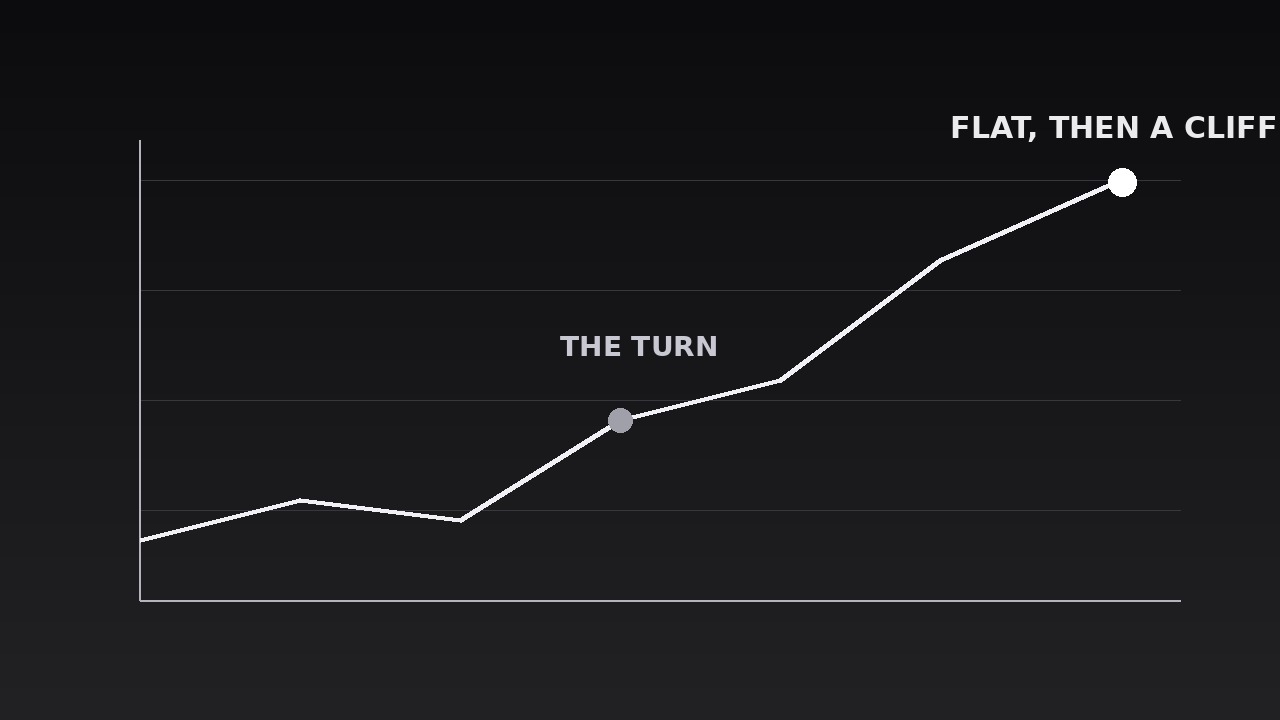
As the pen reaches each turning point — a peak, a trough, a sudden change of slope — drop a marker: a small node on the line plus a short label (≤4 words) and, only where the narration gives one, a number. Labels appear with a 150ms fade, placed above the line at peaks and below it at troughs so they never cover the line itself. Maximum three annotated points per line: the start, the one turning point that matters most, and the end. Annotating every wiggle turns the chart into a labelled mess; the audience remembers one turn, so mark one turn. The endpoint gets the largest marker and its final value — the number the narration lands on. - Name the trend (input: annotated line → output: trend callout)
Once the line is fully drawn, state the trend in words: a short callout (≤6 words — "Steady growth, then a cliff", "Flat for three years") placed in the chart's empty space, appearing with a 200ms fade after a 300ms beat of stillness. The callout describes the shape, not the numbers — numbers already live on the axis and the endpoint. If the trend callout and the line disagree (the line looks flat but the callout says "soaring"), the axis is lying; fix the axis, never the callout. The callout stays on screen for the rest of the beat, so a viewer who joins late still gets the takeaway. - Hold, then move on (input: trend callout → output: finished chart beat)
Hold the completed chart — line, annotations, trend callout — for 1.5–2 seconds of stillness so the audience can absorb it and check it against the narration. Then move on with a clean cut or a 250ms fade to the next beat; never erase the line backward or rewind the draw, which reads as the data being taken back. If the video needs a second series, build a second chart with the same frame and the same draw language — same line weight, same marker style, same callout position — so the two charts read as siblings, not strangers. Total beat: axes (200ms) + draw (2–6s) + callout (500ms) + hold (1.5–2s) ≈ 4.5–9 seconds.
Aperçu du modèle
Line and Trend Draw — Starter Template
One chart, one line. The trend must be visible before any number appears.
Chart: {title} | Series: {metric} | Period: {start} → {end}
Claim this line supports (one sentence): "{The shape shows...}"
Data (the story's window only)
Y-axis: starts at [ ] zero [ ] truncated at {value} — truncation labelled on axis: [ ] Y-ticks (3–5, round numbers): {0, ..., ..., ...} X-axis labels: {time range}
Annotations (max 3)
Trend callout (≤6 words, describes the shape, not the numbers)
> "{Flat, then a cliff. / Steady climb. / Rise, peak, collapse. / ...}"
Motion plan
Le pack de compétence lui-même (SKILL.md + modèle) est rédigé en anglais.


