Layered Material Cutaway
Voyez l'intérieur de tout ce qui est en couches — chaque couche étiquetée, dans l'ordre.
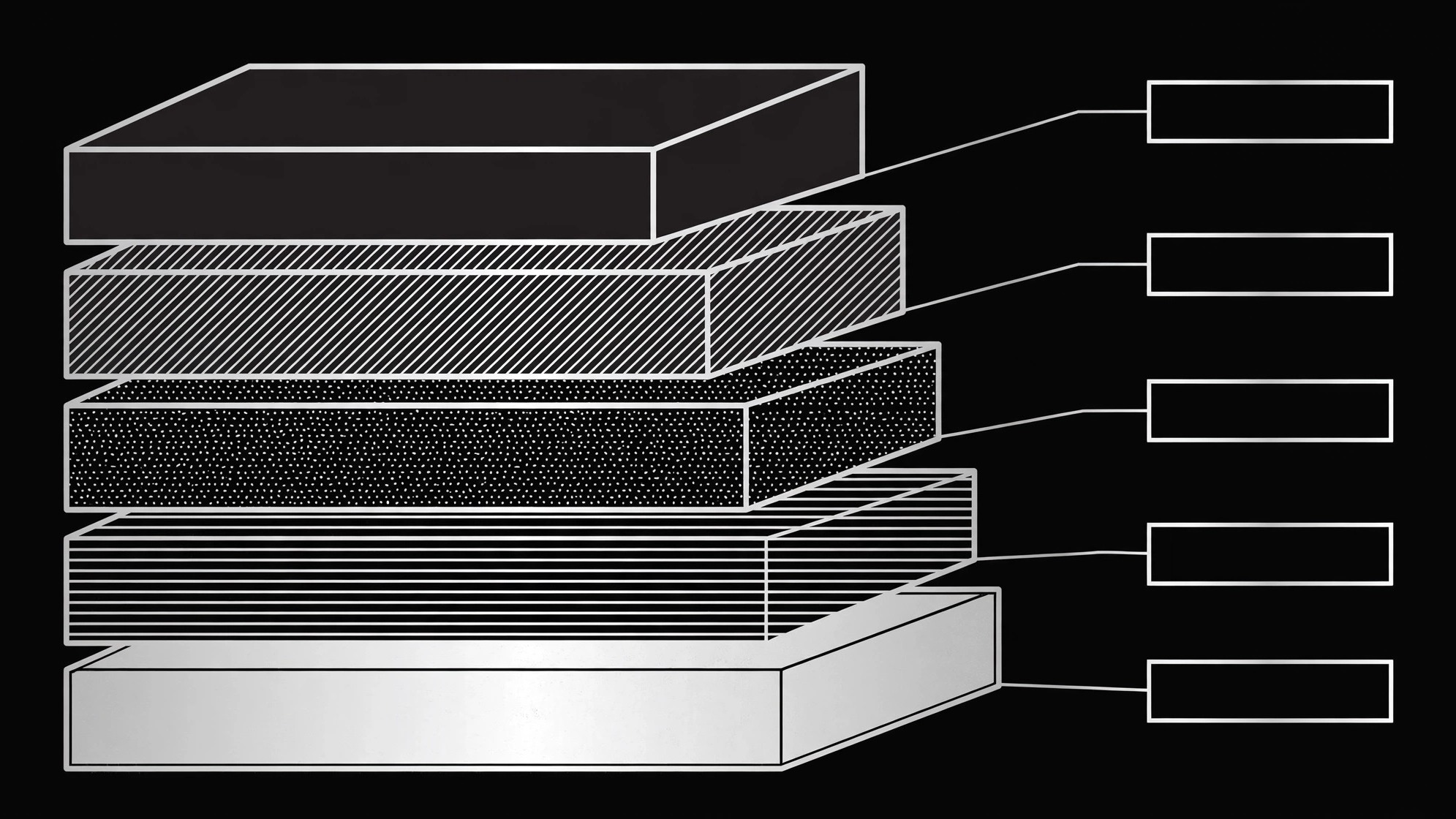
Transformez votre IA en conceptrice d'illustrations techniques — elle dessine une vue en coupe qui révèle les vraies couches d'un matériau ou d'un produit, dans l'ordre, avec chaque couche étiquetée et son épaisseur ou son rôle indiqué.
Installez-la en 3 étapes
Sans inscription. Sans outils en ligne de commande. Choisissez votre IA, copiez une ligne, collez-la.
Vous préférez le faire vous-même ? Achetez la compétence ($4.99), téléchargez le ZIP depuis votre confirmation d'achat, décompressez-le dans le répertoire indiqué ci-dessus, redémarrez votre session IA — même résultat. Vous l'avez déjà achetée ? Votre assistant IA peut la télécharger pour vous.
Contenu du pack
Un fichier SKILL.md (le guide pratique) + un modèle de départ. Aperçu :
Layered Material Cutaway
When to use
- A manual, datasheet, or lesson must show what is inside a layered thing — a wall assembly, a battery cell, a sandwich panel, a printed circuit board — and words alone keep failing
- A product page needs to explain why a product performs the way it does by showing its construction, layer by layer
- A training deck teaches assembly, repair, or inspection and the learner needs to picture the stack before touching the real thing
- A sales or pitch deck claims a material advantage that only makes sense once the audience sees the layers
- A museum label, exhibit, or explainer shows a cross-section of a natural or engineered layered structure
Workflow
- Get the real layer stack (input: spec sheets, teardown, or verified source → output: ordered layer list)
List every layer from outside to inside (or top to bottom), in the order they actually occur, with each layer's name, material, and thickness or relative proportion where known. Use the manufacturer's spec, a measured teardown, or a cited reference — never guess a layer's order, material, or thickness to make the drawing prettier. If a layer's thickness is unknown, say so and draw it as "not to scale" rather than inventing a proportion. One missing layer discovered after publication undoes the whole illustration's credibility. - Choose the cut (input: layer list → output: cut plan)
Decide how the cutaway reveals the stack: a straight cross-section slice, a stepped cut that exposes each layer like stairs, or a corner cut that shows two faces at once. Pick the cut that exposes the layers the reader most needs to see, and keep the cut geometry simple — one clean cut plane, not a puzzle. Show which direction the cut runs with a small orientation note ("cut through the panel's center, viewed from the front") so the reader knows what they are looking at. - Draw the layers in order (input: cut plan → output: cutaway illustration)
Draw every layer in the stack, in order, with a distinct fill or hatch per layer and a consistent scale within the drawing. Keep layer boundaries crisp and parallel where the real layers are parallel; where a real boundary is rough or wavy, draw it rough — the drawing should look like the thing, not like a striped flag. Include the surrounding context the reader needs: the outer surfaces, any fasteners or interfaces that cross layers, and nothing else. If the stack has more than about eight layers, group thin adjacent layers under one bracket and label the group, rather than drawing unreadable hairlines. - Label every layer (input: cutaway illustration → output: labeled illustration)
Label each layer with its name plus its thickness or role in one short line ("Aluminum skin — 0.8 mm, weather barrier"). Use leader lines that point to the layer itself, never to a neighbor, and keep labels outside the drawing on one or both sides so they do not cover the layers. Add a scale note ("layer thicknesses to scale" or "schematic — thicknesses not to scale") and a legend if you used hatching. Check every label against the layer list from step 1: same names, same order, same numbers. - Verify against the real thing (input: labeled illustration → output: verified illustration)
Have someone who knows the product or material check the illustration against the spec or a physical sample: layer order, materials, thicknesses, labels. Fix every mismatch, however small — a swapped pair of layers is the kind of error a knowledgeable reader spots instantly and never forgives. Then check the drawing at its final display size: labels legible, leader lines unambiguous, and the cut still readable when the image is small.
Aperçu du modèle
Layered Material Cutaway — Build Template
A cutaway is a factual diagram. Every layer must come from a spec, a teardown, or a cited source.
The thing
Subject: {what is being cut open, e.g. "exterior wall assembly"} Source for the stack: {spec sheet / teardown / reference + date} Verified by: {name of someone who knows the thing}
Layer list (outside → inside, in true order)
Unknowns (mark, never guess): {layer + what is unknown} Thin-layer grouping: {layers grouped under one bracket, if more than ~8 layers}
Cut plan
Cut type: [ ] straight cross-section · [ ] stepped cut · [ ] corner cut Cut direction: {where the cut runs}
Le pack de compétence lui-même (SKILL.md + modèle) est rédigé en anglais.
Vous aimerez aussi
 Images
Social Cover
Des couvertures de publication avec 3 recettes de composition — prêtes à l'emploi
 Images
Infographic
Transformez un paragraphe en une image — sans jamais inventer de données
 Images
Product Poster
Affiches e-commerce : arguments de vente, ancrage prix et appel à l'action en une fois