Grid with Priority Reveal
Une vignette mène — la grille se remplit autour d'elle.
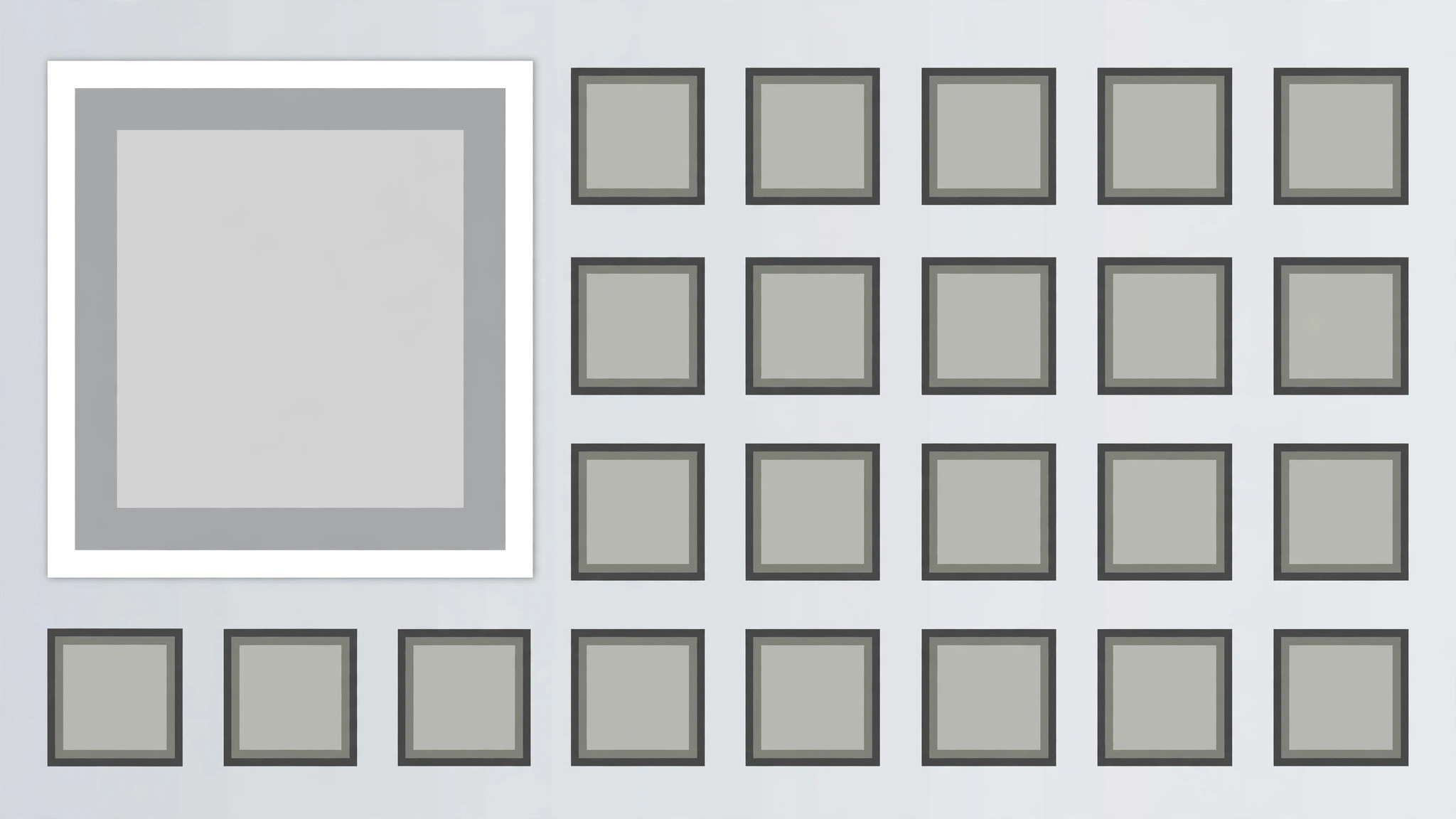
Une grille de vignettes où la vignette prioritaire se révèle d'abord en double taille et tient seule, puis les vignettes restantes apparaissent autour d'elle dans l'ordre de lecture, pour finir par une seule impulsion qui confirme la hiérarchie. Conçu pour les tableaux de bord, les sélections et les galeries avec un élément vedette clair.
Installez-la en 3 étapes
Sans inscription. Sans outils en ligne de commande. Choisissez votre IA, copiez une ligne, collez-la.
Vous préférez le faire vous-même ? Achetez la compétence ($4.99), téléchargez le ZIP depuis votre confirmation d'achat, décompressez-le dans le répertoire indiqué ci-dessus, redémarrez votre session IA — même résultat. Vous l'avez déjà achetée ? Votre assistant IA peut la télécharger pour vous.
Contenu du pack
Un fichier SKILL.md (le guide pratique) + un modèle de départ. Aperçu :
Grid with Priority Reveal
When to use
- A dashboard, gallery, or roundup video opens on a grid where one item is the headline
- A feature roundup shows many features but one is the reason to watch
- A portfolio or product grid leads with the flagship item and supports it with the rest
- A news or recap video presents a set of stories with one lead story
- A pricing or plan grid highlights the recommended option inside a full grid
- You have 5–12 tiles of comparable items and one tile that must read as first among equals
Workflow
- Choose the grid and the priority tile (input: your items → output: grid plan)
List 5–12 tiles, each with a short title (≤5 words) and a thumbnail or icon. Pick exactly one priority tile — the headline, the flagship, the recommended option. The priority tile must earn the size: it is the item the narration leads with. Size the grid: 3 columns × 2–4 rows for 6–12 tiles, or 2 × 2 + priority span for 5 tiles. The priority tile occupies a 2 × 2 block (twice the width, twice the height of a standard tile) at the top-left or top-centre of the grid — never buried in the bottom row, never centred in a way that breaks the reading order. - Lay out the grid (input: grid plan → output: layout)
Standard tiles are equal squares or 4:3 rectangles with 12–16px gaps. The priority tile spans 2 × 2 standard cells with the same gap rhythm — measure it as two cells plus one gap, not a free-floating larger box, or the grid looks broken. All tiles share one card style (same radius, same border, same shadow); the priority tile differs only in size plus one accent: a 2px accent border or an accent "Featured" tag in its corner — not both, and never a different card style. Titles sit on or below each tile in the same type size; the priority tile's title may be one step larger, matching its 2 × 2 scale. - Reveal the priority tile first (input: layout → output: priority keyframes)
The priority tile reveals first, alone, over 500ms: it scales 0.9 → 1.0 with ease-out, fades 0 → 100% over the same 500ms, and its accent border draws in (stroke draw 300ms starting at +100ms) or its tag pops (scale 0 → 1.1 → 1 over 200ms at +200ms). Hold the priority tile alone for 400ms — the viewer must register "this one first" before anything else appears. Never reveal the priority tile at the same time as the rest; simultaneous reveal makes it just the biggest tile, not the first. - Fill the remaining tiles around it (input: priority keyframes → output: fill choreography)
After the 400ms priority hold, the remaining tiles fill in around the priority tile in reading order (left to right, top to bottom, skipping the 2 × 2 block), staggered 70ms apart. Each tile pops: scale 0.85 → 1.0 over 220ms with ease-out back, opacity 0 → 100% over 180ms. Tiles adjacent to the priority tile reveal first within the fill order, so the grid appears to grow outward from the priority tile. The fill takes ≈700–900ms for 8–11 tiles. No tile slides across the grid to its slot — tiles pop in place; a sliding tile implies the grid is rearranging. - Settle and label the hierarchy (input: fill choreography → output: settle beat)
Once the grid is full, hold 300ms of stillness, then deliver one hierarchy cue: the priority tile gets a 250ms brightness pulse (100% → 108% → 100%) or a single soft shadow deepening, while the other tiles dim to 92% for the same 250ms and return. One pulse only — a looping pulse turns the priority tile into a blinking ad. If the narration names the priority tile, time the pulse to the name. After the pulse, hold the full grid ≥1.2s so the viewer can scan the whole set with the hierarchy understood. - Check the hierarchy reads instantly (input: finished motion → output: verified animation)
Show the final frame to the one-second test: can a viewer who sees it for one second point to the priority tile? If not, the priority tile is not big enough or its accent is too quiet — enlarge the span or strengthen the border, never add a second accent. Check the grid alignment: the priority tile's edges must align exactly with the standard tiles' grid lines (a 4px misalignment breaks the whole grid's geometry). Check on a phone screen: on narrow frames, use a 2-column grid with the priority tile spanning both columns on the top row.
Aperçu du modèle
Grid with Priority Reveal — Starter Template
Fill in every {placeholder}. Exactly one priority tile — two priorities is a split grid, not a hierarchy.
Grid plan
- Tiles (5–12):
- Why the priority tile earns it: {headline | flagship | recommended_option} — narration leads with it
- Grid size: {3_columns × 2–4_rows | 2 × 2 + priority span}
- Priority tile position: {top-left | top-centre} · Span: {exactly 2 × 2 standard cells}
- Priority tile size check: {2 cells + 1 gap} in each direction — not a free-floating box
Layout
- Standard tiles: {equal squares | 4:3 rectangles} · Gaps: {12–16px}
- Card style (same for all tiles): radius {…} · border {…} · shadow {…}
Le pack de compétence lui-même (SKILL.md + modèle) est rédigé en anglais.


