Card Row Status Badges
Un badge à la fois transforme un tableau en récit.
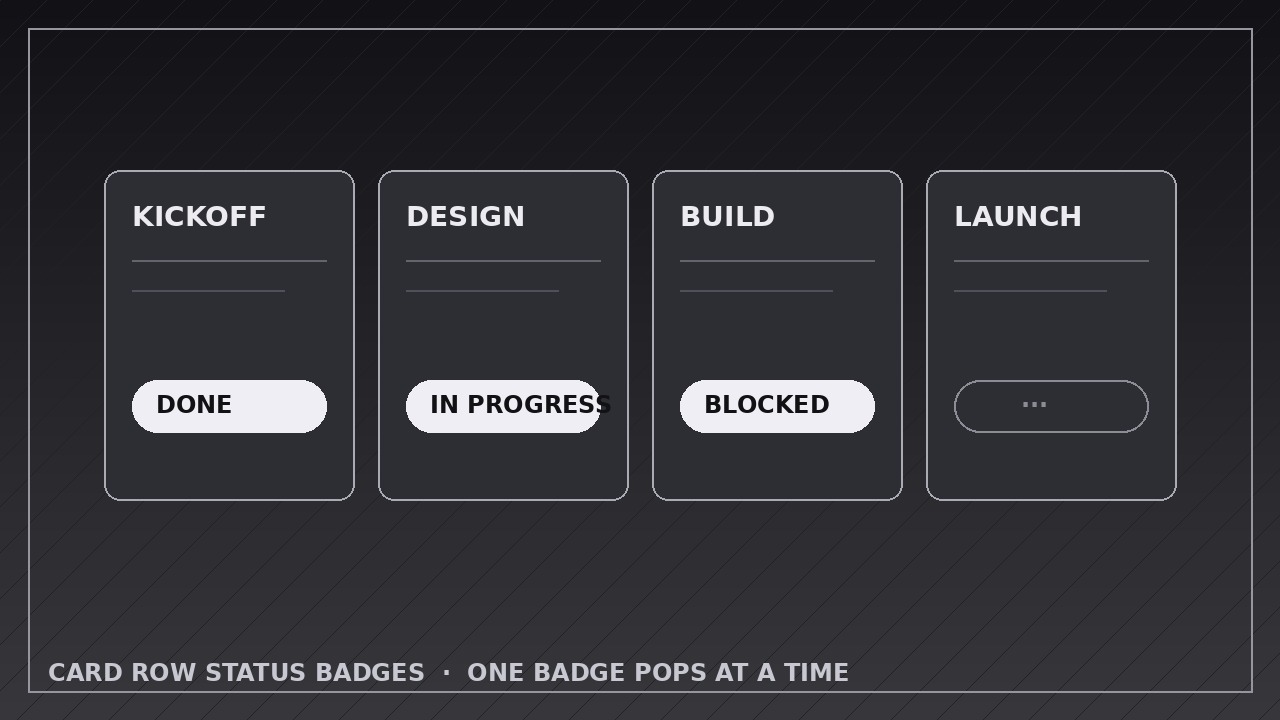
Apprend à votre IA à animer une rangée de cartes dont les badges de statut basculent ou apparaissent en séquence, une seule carte réagissant à la fois, avec un temps de synthèse qui fait tomber la conclusion.
Installez-la en 3 étapes
Sans inscription. Sans outils en ligne de commande. Choisissez votre IA, copiez une ligne, collez-la.
Vous préférez le faire vous-même ? Achetez la compétence ($4.99), téléchargez le ZIP depuis votre confirmation d'achat, décompressez-le dans le répertoire indiqué ci-dessus, redémarrez votre session IA — même résultat. Vous l'avez déjà achetée ? Votre assistant IA peut la télécharger pour vous.
Contenu du pack
Un fichier SKILL.md (le guide pratique) + un modèle de départ. Aperçu :
Card Row Status Badges
When to use
- Summarizing a sprint, project, or pipeline: a row of task cards, each landing on done, in-progress, or blocked
- Walking through a checklist or approval flow where each item's status resolves one by one
- Presenting a sales or hiring pipeline where each deal or candidate moves to its current stage
- Showing order tracking: placed, packed, shipped, delivered — each card's badge updating in sequence
- Reporting team or system health: each service card resolving to operational, degraded, or down
- Turning a static dashboard screenshot into a narrated status story
Workflow
- Define the cards and their final statuses (input: your items → output: card list with title, final status, and reveal order)
List every card: a short title (1–5 words), its final status, and its position in the reveal order. Use a small fixed status set — three to four statuses maximum (e.g. Done, In Progress, Blocked) — each with one color and one icon that never changes meaning mid-video. Reveal order is a storytelling choice: lead with the headline result (the big win or the blocker), then the rest in logical order. Cap the row at 6 cards; beyond that, use two rows or split the video. - Build the card row stage (input: card list → output: card row with neutral placeholder badges)
Lay out the cards in a single row (or a tidy grid for two rows) with identical size, spacing, and typography. Each card shows its title and a neutral placeholder where the badge will land — an outlined pill or a faint dashed badge reading "…" — so the badge slot is visible before anything resolves. Hold this unresolved row for 1 second: the viewer must see the "before" (all unknown) to feel the sequence of reveals. - Pop or flip each badge in sequence (input: staged row → output: per-badge reveal keyframes)
Reveal one badge at a time, in the order from step 1. Two reveal styles, pick one and use it for every card: pop (scale 0.6→1.0 with a fade over 0.35 seconds, ease-out with a slight overshoot) or flip (3D Y-rotation 90°→0° over 0.45 seconds, ease-in-out, badge face changing mid-flip). Never mix pops and flips in one row — one motion language per video. After each badge lands, hold 0.5–0.7 seconds so the viewer reads the card-plus-badge pair before the next one arrives. - Choreograph the card reaction (input: badge reveals → output: card micro-motion keyframes)
When a badge lands, give its card one subtle reaction: a 2–3 px lift, a soft shadow deepening, or a 2% scale pulse over 0.3 seconds, settling back to rest. The reaction ties the badge to its card — without it, badges feel pasted on. Keep it small: the badge is the star, the card reaction is the frame. Cards that haven't revealed yet stay perfectly still; already-resolved cards stay still too. One card moves at a time, always. - Add the summary beat (input: all badges revealed → output: summary keyframes)
After the last badge lands and its hold completes, add one summary beat: a total line ("4 done · 2 in progress · 1 blocked") fading in below or above the row over 0.4 seconds, or a highlight ring on the most important card (the blocker, the win) pulsing once. This is the takeaway frame — the one the viewer screenshots. Hold the completed row plus summary for 2.5–3 seconds. - Export and check the sequence (input: full animation → output: rendered video)
Export at the platform's native size (1920×1080 for YouTube, 1080×1080 or 1080×1920 for social), 30 fps, H.264. Watch at full speed and check: badges land in the intended order, no two badges ever animate simultaneously, every badge's color matches its status legend, and the final frame is readable as a complete status board.
Aperçu du modèle
Card Row Status Badges — Animation Spec Template
Fill in the cards, the fixed status legend, and the reveal order before animating. One badge at a time.
Board: {title — e.g. "Sprint 12 status"}
Canvas: {1920×1080 / 1080×1080 / 1080×1920} | Frame rate: 30 fps | Export: H.264 Layout: {single row / two rows} | Cards per row: {≤6} Reveal style (one for the whole row): {pop — 0.35 s, scale 0.6→1.0, ease-out + overshoot / flip — 0.45 s, Y-rotation 90°→0°, ease-in-out} Hold after each badge: {0.5–0.7 s} | Card reaction on landing: {2–3 px lift / shadow deepen / 2% pulse, 0.3 s, settles to rest}
Le pack de compétence lui-même (SKILL.md + modèle) est rédigé en anglais.


