Capacity with Anchored Callouts
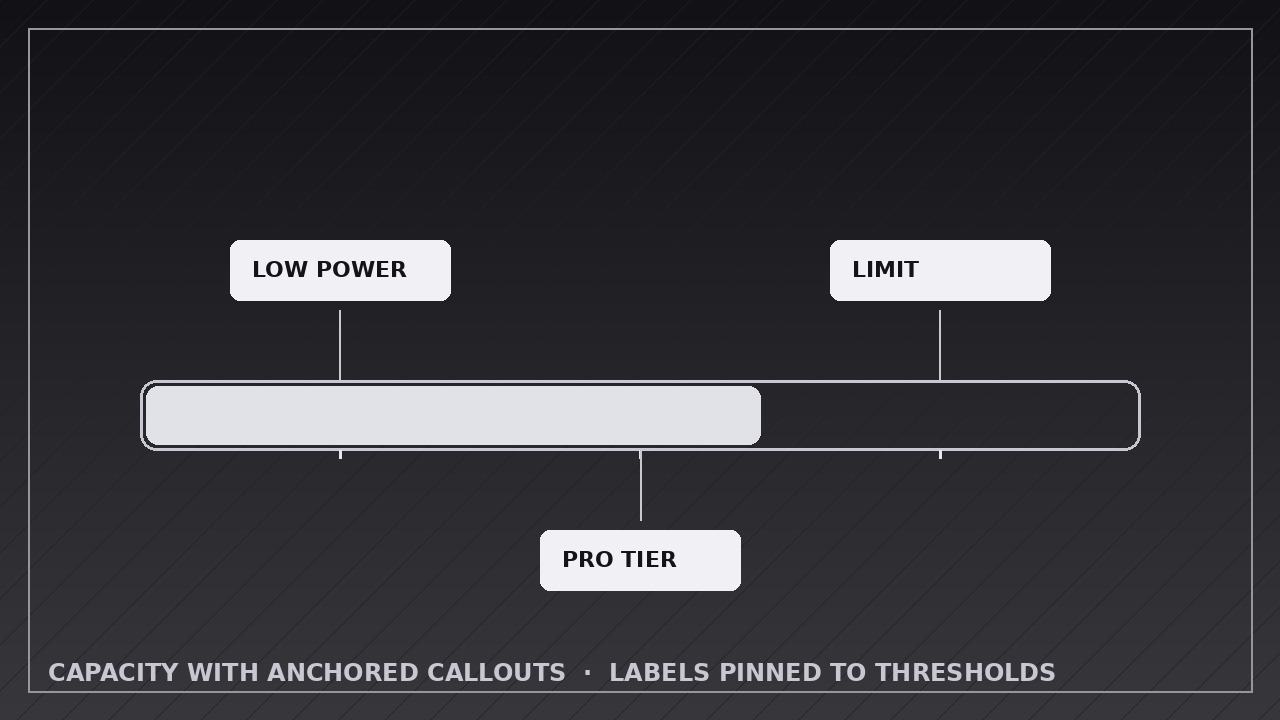
Les étiquettes de seuil apparaissent exactement au moment où la barre les dépasse.
Apprend à votre IA à construire une jauge de capacité avec des graduations de seuil fixes, où chaque étiquette apparaît ancrée à son repère au moment précis où le remplissage l'atteint — et reste pour l'image finale annotée.
Installez-la en 3 étapes
Sans inscription. Sans outils en ligne de commande. Choisissez votre IA, copiez une ligne, collez-la.
Vous préférez le faire vous-même ? Achetez la compétence ($4.99), téléchargez le ZIP depuis votre confirmation d'achat, décompressez-le dans le répertoire indiqué ci-dessus, redémarrez votre session IA — même résultat. Vous l'avez déjà achetée ? Votre assistant IA peut la télécharger pour vous.
Contenu du pack
Un fichier SKILL.md (le guide pratique) + un modèle de départ. Aperçu :
Capacity with Anchored Callouts
When to use
- Explaining pricing or quota tiers: free up to X, pro up to Y, enterprise beyond Z, with each threshold labeled on the bar
- Showing a battery, storage, or budget meter where specific levels mean something ("low power mode at 20%")
- Walking through fundraising, campaign, or project progress with milestone markers along the way
- Teaching safe operating ranges: green zone, warning zone, danger zone, each anchored to its threshold
- Visualizing a journey with checkpoints: each threshold crossed unlocks a label or reward
- Comparing "where we are" against "where the thresholds sit" in a single glance
Workflow
- Define the thresholds (input: your scenario → output: threshold list with value, label, and meaning)
List every threshold in ascending order: its exact value (e.g. 20%, 50 GB, $10k), a short label of 1–4 words ("Low power", "Pro tier", "Stretch goal"), and one line on what happens at that threshold. Cap the list at 5 thresholds — more than that and the callouts crowd each other. Space check: at the final render size, adjacent threshold labels must not overlap when all are visible; if they do, merge or cut thresholds before animating. - Build the meter with anchor marks (input: threshold list → output: meter with fixed threshold ticks)
Build the bar with every threshold marked from the start: a tick line, a small dot or notch on the bar, and a faint value label. These anchor marks are static — they are the map the viewer reads before the bar moves. The bar's container, scale, and anchor marks never move during the animation; only the fill and the callouts animate. Hold this empty-but-marked state for 1 second so the viewer can read the map. - Fill toward the first threshold (input: marked meter → output: fill keyframes to threshold one)
Animate the fill from 0 to the first threshold over 1.0–1.5 seconds, ease-in-out, with a numeric readout tracking the fill exactly. The fill stops precisely at the threshold tick — not past it, not short of it. A fill that overshoots its threshold and slides back reads as a bug, so land on the tick. - Pop the callout as the bar passes each threshold (input: fill reaching a threshold → output: callout pop keyframes)
The moment the fill touches a threshold, pop its callout: scale from 0.8 to 1.0 with a fade over 0.3–0.4 seconds, ease-out, with a small overshoot (the callout settles, not snaps). The callout is anchored to its threshold tick by a leader line or stem — the anchor line is drawn first (0.15 s), then the callout body pops at the end of the line. The callout stays visible for the rest of the animation; it never fades out to make room for the next one. After each pop, hold 0.5 seconds so the viewer reads the label before the fill resumes. - Continue through all thresholds (input: first callout → output: fill + pop sequence for remaining thresholds)
Repeat the same rhythm for every threshold: fill to the tick (0.8–1.2 s between thresholds), pop the anchored callout (0.3–0.4 s), hold 0.5 s. Keep the rhythm identical for every threshold — same fill easing, same pop timing, same hold — so the viewer learns the pattern after the first threshold and can anticipate the rest. If a threshold is the "current value" (where the bar stops), give it one extra emphasis: a slightly larger callout or a persistent highlight, applied once. - End on the full annotated meter, then export (input: complete sequence → output: rendered video)
When the fill reaches its final value, hold the fully annotated meter — bar, all callouts, readout — for 2–3 seconds so it can be studied or screenshotted. Export at the platform's native size (1920×1080 for YouTube, 1080×1080 or 1080×1920 for social), 30 fps, H.264. Verify: every callout's leader line points at exactly its threshold tick, no two callouts overlap, and the fill never covers a callout's text.
Aperçu du modèle
Capacity with Anchored Callouts — Animation Spec Template
Fill in the thresholds before animating. Ticks are visible from the start; callouts pop only as the fill touches each tick.
Meter: {what it measures — e.g. storage used, funding progress, budget spent}
Canvas: {1920×1080 / 1080×1080 / 1080×1920} | Frame rate: 30 fps | Export: H.264 Meter shape: {horizontal bar / vertical gauge} Final fill value: {value + unit — where the bar stops} Max thresholds: 5 | Callout placement: {all above / all below / alternating above-below}
Thresholds (ascending order)
Le pack de compétence lui-même (SKILL.md + modèle) est rédigé en anglais.


