AI Lab Poster
Un titre, un motif, quatre lignes de faits — pensé pour le mur.
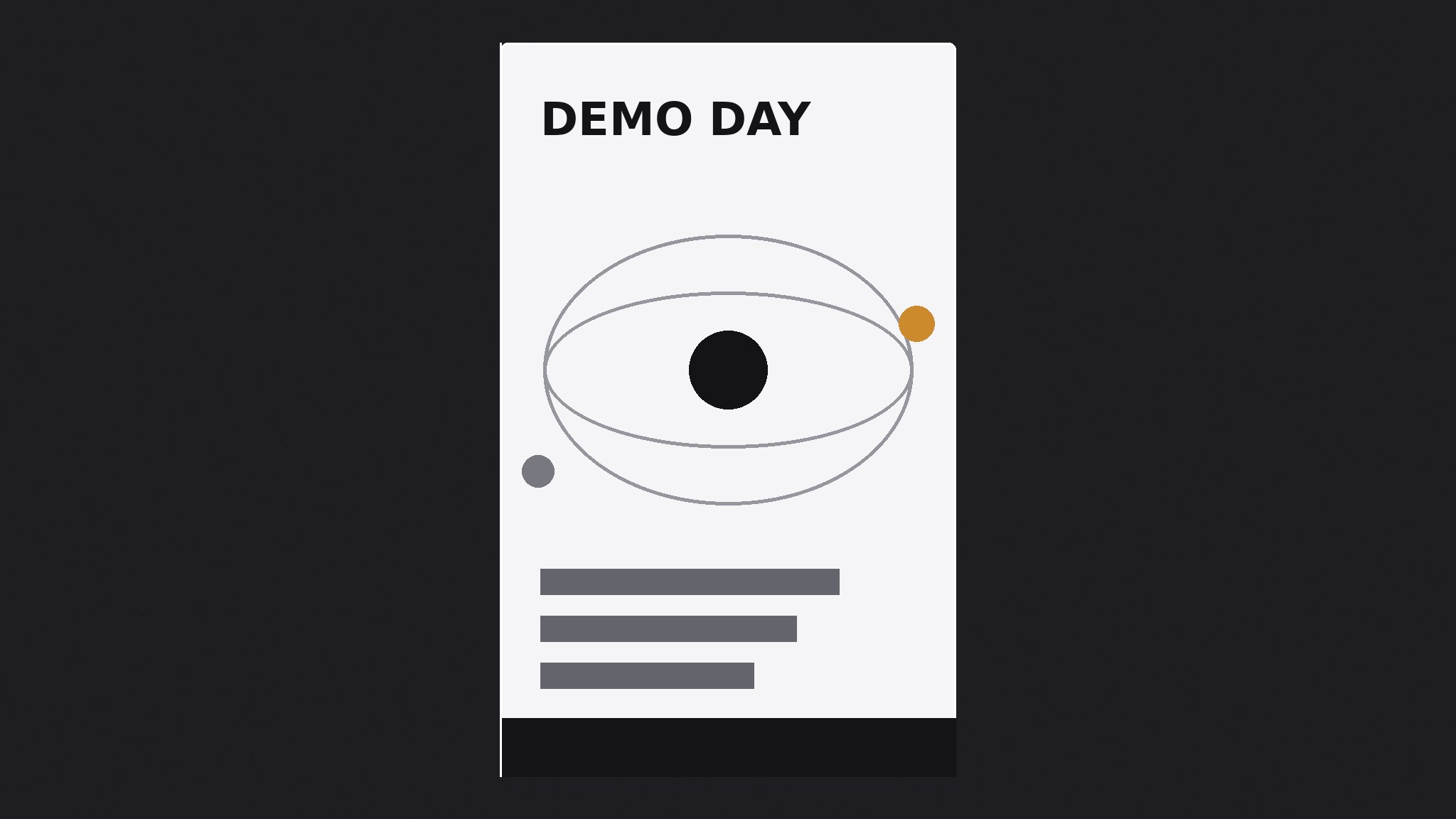
Transforme votre IA en designer d'affiches pour un laboratoire de recherche en IA — elle crée une affiche d'annonce prête à imprimer où un titre audacieux, un motif abstrait et les faits de l'événement ou de la sortie font tout le travail, sans rien qui vienne concurrencer le mur.
Installez-la en 3 étapes
Sans inscription. Sans outils en ligne de commande. Choisissez votre IA, copiez une ligne, collez-la.
Vous préférez le faire vous-même ? Achetez la compétence ($4.99), téléchargez le ZIP depuis votre confirmation d'achat, décompressez-le dans le répertoire indiqué ci-dessus, redémarrez votre session IA — même résultat. Vous l'avez déjà achetée ? Votre assistant IA peut la télécharger pour vous.
Contenu du pack
Un fichier SKILL.md (le guide pratique) + un modèle de départ. Aperçu :
AI Lab Poster
When to use
- Your AI lab is announcing a talk, a paper release, a demo day, an open house, or a hiring push and needs a poster for a wall, a hallway, or a social post
- A lab announcement currently lives only as a dense email or a link, and you want something people actually stop and read
- You need a poster that works both printed (A2/A3 on a wall) and posted (a single image in a feed) without a separate redesign
- A previous lab poster crammed in the abstract, the author list, the venue, the QR code, and three logos, and nobody read past the title
- You want the lab's announcements to look like they come from one lab — one system, reused — instead of a fresh layout improvised each time
Workflow
- Decide the one headline (input: the announcement → output: a poster headline)
A poster has one job: make a person stop. Write the headline as the single most interesting fact of the announcement in ten words or fewer — "A model that reads a full textbook," "Demo day: five models, one afternoon," "We're hiring research engineers." The headline is the poster; everything else is support. If the announcement has no single interesting fact, the poster will not invent one — fix the announcement or use a different format. Never headline with the lab's name alone: nobody crosses a hallway to read a logo. - Set the poster system (input: headline → output: layout + color rules)
Build the poster on one field color (dark charcoal or warm paper — pick one and keep it across all lab posters), one abstract motif (nodes, rings, branches, waves — the same family of gestures as the lab's other materials, drawn large and flat), and one typeface family in at most three sizes: headline, facts, small print. The layout is a strict vertical hierarchy: headline at the top third, motif in the middle, facts at the bottom, small print last. Nothing sits beside the headline competing with it. One motif, one headline, one facts block — a poster with two motifs is two posters fighting. - Write the facts block (input: announcement details → output: the facts block)
The facts block answers only what a reader needs to act: what, when, where, and how to find out more. Date, time, place, and one link or QR code — four lines at most. Author lists, abstracts, agendas, and sponsor logos do not belong on the poster; they belong on the page the link points to. If the event needs an agenda, print one line ("Five demos, Q&A after") and link the rest. A poster that tries to be the whole announcement becomes a document nobody reads on a wall. - Compose for two distances (input: headline + motif + facts → output: poster composition)
Design for the two distances a poster is actually read from: across the room (headline + motif must read in two seconds) and arm's length (facts block must be legible up close). Test both: shrink the composition to a thumbnail and confirm the headline still reads; print or view at full size and confirm the facts block is readable without squinting. Keep generous margins — text must never touch the trim edge — and keep the QR code (if used) at least 2 cm across on the printed size with quiet space around it, or phones will fail to scan it. - Export for wall and feed (input: composition → output: print + social files)
Export two files from the same composition: a print PDF at the intended size (A2 or A3, with bleed and trim marks if the printer needs them, fonts embedded or outlined) and a feed image (portrait, e.g. 1080×1350, JPEG under 2 MB) with the same layout, not a squashed landscape version. Check the print export on paper if possible — screens lie about dark fields and thin type. If the poster will live on a wall for weeks, date it visibly ("Demo day — 14 Nov") so an old poster is visibly old instead of silently stale.
Aperçu du modèle
AI Lab Poster — Brief Template
One poster = one headline, one motif, one facts block. Fill this in before designing.
Announcement: {talk / paper release / demo day / open house / hiring push}
Headline (≤10 words — the single most interesting fact)
> {headline}
Why it stops someone: {the fact worth crossing a hallway for}
Poster system
Field: {dark charcoal / warm paper — keep consistent across all lab posters} Motif: {nodes / rings / branches / waves} — one motif, drawn large and flat Typeface family: {one family, ≤3 sizes: headline / facts / small print}
Layout
- Top third: headline
- Middle: motif
- Bottom: facts block
Le pack de compétence lui-même (SKILL.md + modèle) est rédigé en anglais.
Vous aimerez aussi
 Images
Social Cover
Des couvertures de publication avec 3 recettes de composition — prêtes à l'emploi
 Images
Infographic
Transformez un paragraphe en une image — sans jamais inventer de données
 Images
Product Poster
Affiches e-commerce : arguments de vente, ancrage prix et appel à l'action en une fois