Slate Admin Console
Un back office que tu equipo sí puede operar.
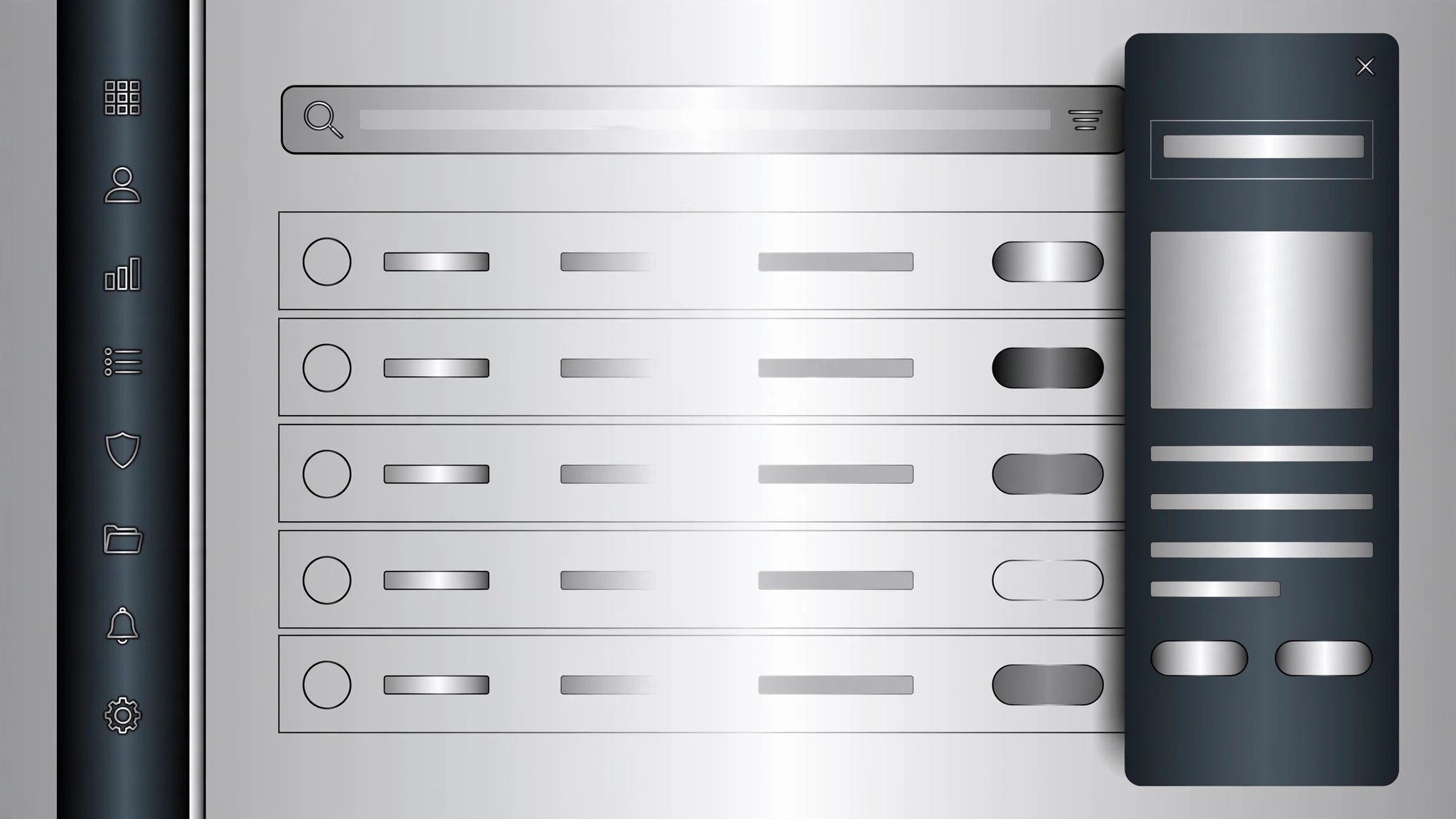
Diseña una consola de administración limpia en gris pizarra, con navegación lateral, tablas de datos filtrables, paneles de detalle deslizantes y una especificación de diseño completa de la que un desarrollador puede construir sin tener que adivinar nada.
Instálala en 3 pasos
Sin registro. Sin herramientas CLI. Elige tu IA, copia una línea y pégala.
¿Prefieres hacerlo tú mismo? Compra la habilidad ($4.99), descarga el ZIP desde la confirmación de compra, descomprímelo en el directorio que se muestra arriba y reinicia tu sesión de IA — el mismo resultado. ¿Ya la compraste? Tu asistente de IA puede descargarla por ti.
Qué incluye
Un SKILL.md (la guía paso a paso) + una plantilla inicial. Una vista previa:
Slate Admin Console
When to use
- You're building an internal admin console — users, orders, content moderation, support tickets — and the current UI is a pile of unstyled tables
- Your team keeps asking "where do I find X?" because navigation grew organically and nothing is grouped
- A dashboard shows the right numbers but nobody can act on them — no filters, no bulk actions, no drill-down
- You're redesigning a legacy back office that only its original author can operate
- You need a console design spec a developer can build from without a week of back-and-forth
Workflow
- Map the jobs (input: who uses the console → output: job list + primary screens)
List every user role (admin, support agent, moderator, finance) and the 2–3 jobs each does daily. Each job becomes a screen or a view: "find a user and refund an order" beats "user management module". Cut anything no role does weekly — admin consoles bloat because every edge case gets a permanent menu item. The output is a short job list with the primary screen for each, not a feature wishlist. - Structure the navigation (input: job list → output: sidebar map)
Group screens into 4–6 sidebar sections max, each with 2–5 items. Put the daily jobs at the top, settings and audit logs at the bottom. Use plain nouns ("Users", "Orders", "Content", "Settings") — no clever labels, no jargon. Add a global search in the top bar that jumps to any record by ID, email, or name: in a console, search is navigation. The sidebar collapses to icons on narrow screens but never hides search. - Design the list views (input: sidebar map → output: table spec per screen)
Every list screen follows the same pattern: filter bar on top (search + 2–4 most-used filters + date range), a table with the columns people actually scan, row actions on hover, and bulk actions when rows are selected. Default sort is newest-first or most-urgent-first — never alphabetical by ID. Cap visible columns at 6–8; the rest live in the detail panel. Status gets a colored pill (one color per status, consistent across the whole console), never bare text. - Design the detail panels (input: table spec → output: detail panel spec)
Clicking a row opens a side panel (slide-over), not a full page reload — the list stays visible behind it so context survives. The panel leads with identity (name, ID, status, created date), then the fields grouped in sections, then the timeline of everything that happened to this record, then the actions. Destructive actions (delete, ban, refund) sit at the bottom, require a confirmation step, and state exactly what will happen. Every action writes a line to the timeline: who, when, what changed. - Apply the slate system (input: screens + panels → output: complete design spec)
The visual language: slate-gray neutrals (background #f1f5f9-ish light or #0f172a-ish dark, panels white/slate-800, borders slate-200/700), one accent color reserved for primary actions and active states, one font family, 8px spacing grid, 4px radius on inputs and cards. Dense but not cramped: 14px base text, 40px row height, generous cell padding. Deliver the spec as: sidebar map, per-screen table spec (columns, filters, sorts, row/bulk actions), detail panel spec, and the color/type/spacing tokens — enough for a developer to build it without guessing.
Vista previa de la plantilla
Slate Admin Console — Design Spec Template
One document per console. A developer should be able to build from this without guessing.
Product: {console name}
Users & their daily jobs:
Cut list (requested but nobody does it weekly): {item} — {why it was cut}
Sidebar map (4–6 sections)
- {Section} — {Item}, {Item}, {Item}
- {Section} — {Item}, {Item}
- {Section} — {Item}, {Item}
- {Section} — {Item}
- Settings — {Item}, {Item}
- Audit log — {Item}
Top bar: global search — "Jump to {record}, {record}, {email}…" · Collapse: icons on narrow screens, search always visible.
List view spec (one per screen)
Screen: {name}
El paquete de la habilidad (SKILL.md + plantilla) está escrito en inglés.
También te puede interesar
 Otros
Otros
Continuity Asset Set
Un kit que hace que cada entregable parezca parte del mismo conjunto.
 Otros
Otros
Device-Canvas Product Launch
Un gran lienzo de dispositivo carga con toda tu historia de lanzamiento.
 Otros
Otros
Frame-Token Editorial Launch
Un solo conjunto de tokens, todos los materiales, cero desviaciones.