Raw Ink Storyboard
Viñetas de tinta áspera y notas de cámara con las que tu equipo puede grabar.
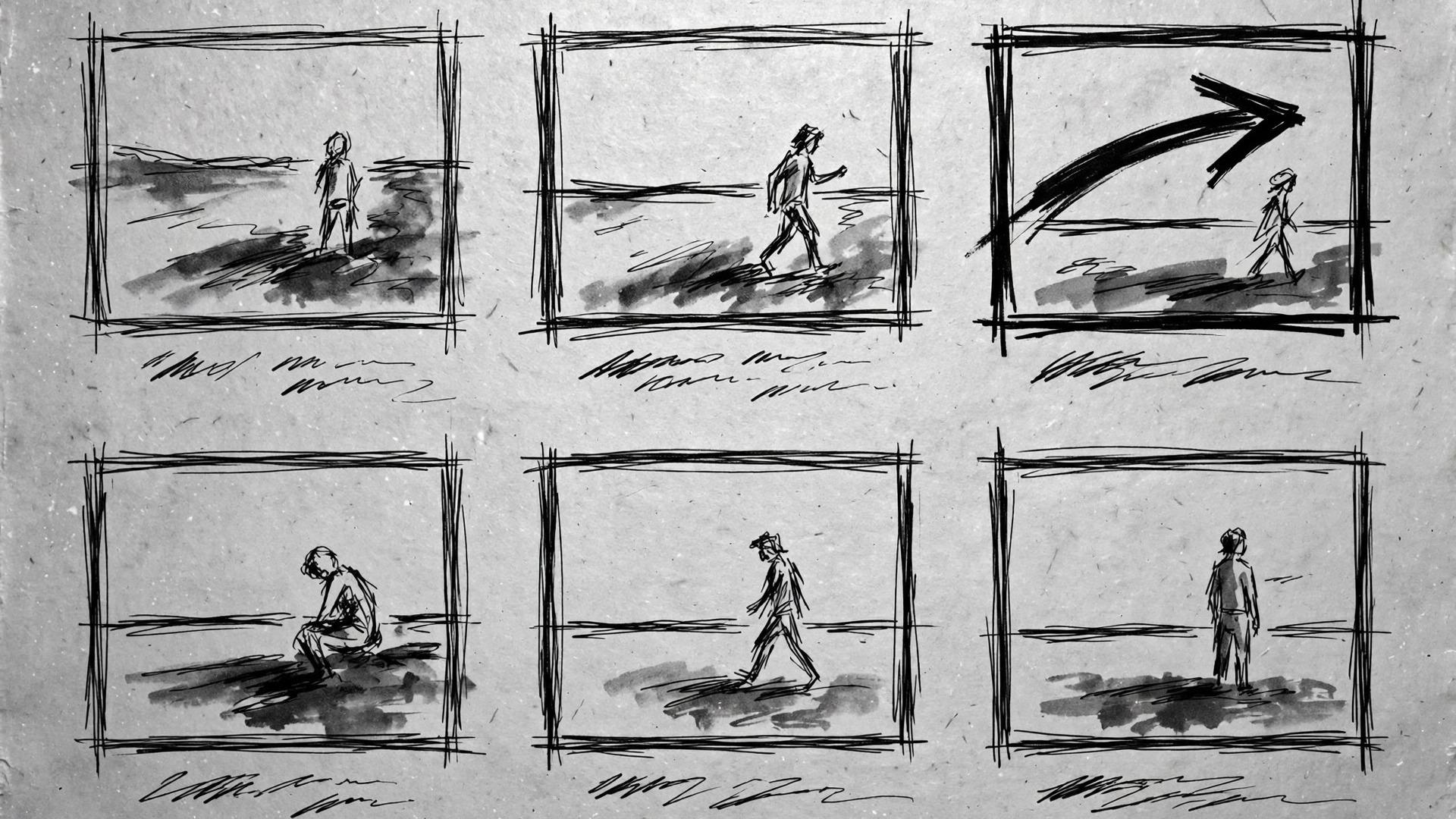
Convierte tu IA en artista de storyboards que esboza escenas de video con un estilo de tinta cruda: viñetas de pluma ásperas, sombreado con aguadas y notas de cámara con las que un equipo realmente puede grabar.
Instálala en 3 pasos
Sin registro. Sin herramientas CLI. Elige tu IA, copia una línea y pégala.
¿Prefieres hacerlo tú mismo? Compra la habilidad ($4.99), descarga el ZIP desde la confirmación de compra, descomprímelo en el directorio que se muestra arriba y reinicia tu sesión de IA — el mismo resultado. ¿Ya la compraste? Tu asistente de IA puede descargarla por ti.
Qué incluye
Un SKILL.md (la guía paso a paso) + una plantilla inicial. Una vista previa:
Raw Ink Storyboard
When to use
- You have a video script and need to see it before shooting — framing, pacing, and transitions, not just words on a page
- A client or collaborator keeps misunderstanding the shot you described, and a quick sketch would settle it in seconds
- You're planning a short film, ad, explainer, or music video and need a board the crew can carry on set
- Your animation or motion project needs key poses and camera moves locked before expensive frames get drawn
- You want a storyboard with a handmade feel — rough, energetic, honest about being a sketch — instead of polished renders that pretend the shoot is already done
Workflow
- Break the script into beats (input: script → output: beat list)
Read the script and mark every change that needs a new frame: a new shot, a camera move, a significant action, or a line of dialogue that changes the framing. One beat = one frame, with a rough duration ("~3s") and the script line it covers. A 60-second spot usually lands at 12–20 beats; a three-minute short at 30–50. If a beat needs two frames to be understood, split it — a board that confuses the crew is worse than a board with extra frames. - Sketch each frame in raw ink (input: beat list → output: ink frames)
Each frame is a rough 16:9 box drawn in loose pen strokes: a horizon line, the subject as a few gestural lines, and wash shading for mass and shadow — never a polished illustration. Keep the same hand throughout: same line weight, same wash density, same level of roughness. Draw what the camera sees, not what the scene "is": if the shot is a close-up, the frame shows a face filling the box, not a full figure with a circle around the face. Leave the inside of the frame for the image and put all words outside it. - Annotate camera and sound (input: ink frames → output: annotated frames)
Under each frame, write four short notes and no more: CAMERA (shot size + movement, e.g. "Wide, slow push-in"), ACTION (what happens, one line), DIALOGUE / SOUND (the line or the sound cue), and TRANSITION (cut, dissolve, whip pan, match cut). Use arrows inside the frame for camera and subject movement — a red or accented arrow reads instantly against black ink. If a note needs more than one line, the shot is doing too much; split it or simplify it. - Sequence and timing pass (input: annotated frames → output: timed board)
Lay the frames in order and read them as a film: does the eye travel smoothly from frame to frame, do the shot sizes vary (wide → medium → close, not six wides in a row), and does the total duration match the script? Mark pacing explicitly — hold frames that should linger ("HOLD 2s"), flag fast cuts with a slash. Cut any frame that repeats information the previous frame already gave; a storyboard earns its length by showing change, not by illustrating every syllable. - Export a shoot-ready board (input: timed board → output: printable / shareable board)
Export as a paginated PDF (four to six frames per page, with annotations legible at print size) plus a single scrolling image or deck for screen review. Number every frame, repeat the project title and date on every page, and include a one-page shot list at the end: frame number, shot description, location, and gear notes. A board that only lives as a chat image will get lost on set; a numbered PDF with a shot list gets used.
Vista previa de la plantilla
Raw Ink Storyboard — Build Template
One beat = one frame. Fill this in before sketching.
Project
Title: {project title} | Date: {date} | Format: {16:9}
Script source: {script file / link}
Beat list
_Total estimated duration: {sum} — must match the script length._
Frame sheet (repeat per frame)
Frame {N} — {beat description}
- Sketch: [rough 16:9 ink box — horizon, gestural subject, wash for mass/shadow; words stay OUTSIDE the frame]
- CAMERA: {shot size + movement}
- ACTION: {what happens, one line}
- DIALOGUE / SOUND: {line or sound cue}
- TRANSITION: {cut / dissolve / whip pan / match cut}
El paquete de la habilidad (SKILL.md + plantilla) está escrito en inglés.


