Grading Assistant
Trabajos calificados según tu rúbrica, con comentarios para cada estudiante
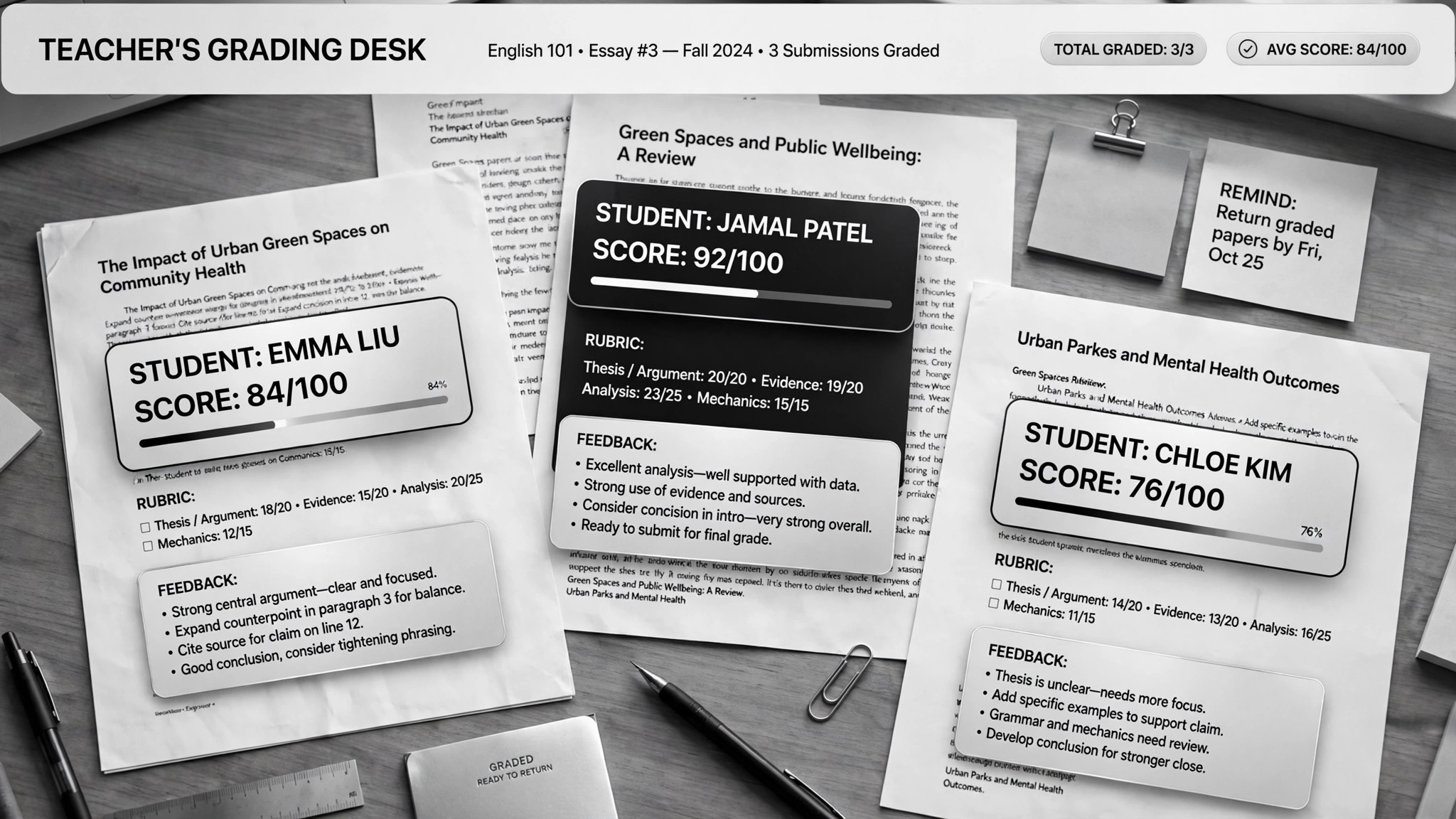
Ayuda a la IA a calificar trabajos según tu rúbrica y a escribir comentarios personalizados para cada estudiante, además de generar materiales de repaso a partir de los errores más comunes. Para docentes ahogados en ensayos que aun así quieren que cada alumno reciba comentarios útiles.
Instálala en 3 pasos
Sin registro. Sin herramientas CLI. Elige tu IA, copia una línea y pégala.
¿Prefieres hacerlo tú mismo? Compra la habilidad ($4.99), descarga el ZIP desde la confirmación de compra, descomprímelo en el directorio que se muestra arriba y reinicia tu sesión de IA — el mismo resultado. ¿Ya la compraste? Tu asistente de IA puede descargarla por ti.
Prueba en el mundo real
Gente real hizo este mismo trabajo con agentes de IA.
Grade papers and build lessons with Claude Cowork
Leer el caso →Caso de usoGrade papers and build lesson plans for teachers
Leer el caso →Qué incluye
Un SKILL.md (la guía paso a paso) + una plantilla inicial. Una vista previa:
Grading Assistant
When to use
- You have 30+ essays to grade against a rubric and the weekend is disappearing
- Every student should get real feedback, not a score and a "good job"
- You want to spot what the whole class got wrong and turn it into next week's review
- You teach the same course across sections and need grading to stay consistent
- You need lesson plans or review slides built from actual student mistakes, not your memory of them
Workflow
- Build the grading project (input: syllabus, rubric, sample answers → output: per-course project)
Set up one AI project per course and feed it the syllabus, your rubric, past exams, model answers, and course materials. One real case keeps a separate project per course so the grading stays anchored to that course's standards. A rubric written for a colleague, not for yourself, is the bar — the AI grades what it says, not what you meant. - Anonymize the submissions (input: student work → output: numbered, ID-free batch)
Strip names before grading: student papers get anonymous numbers. This keeps the grading honest and protects student privacy. Feed readable digital files — scans need to be legible or the grading degrades silently. - Grade criterion by criterion (input: rubric + submissions → output: scored batch + flagged borderlines)
The AI scores each submission against every rubric criterion separately, with a short justification per criterion. It doesn't invent the rubric as it goes — every score points at a criterion. Borderline and low-confidence grades get flagged for your review; the easy agreements flow through. - Write real feedback (input: graded batch → output: per-student feedback)
Each student gets personalized comments: what they did well (citing their actual words), what cost them points (citing the criterion), and one concrete thing to fix next time. A feedback comment that could apply to any student applies to none of them — send it back. - Mine the mistakes for teaching (input: full batch results → output: class trends + review materials)
Aggregate the criterion scores across the class to find the hot spots: the two rubric rows where everyone bled points. Turn those into next week's review — slides or a lesson plan built from the actual wrong answers, not from what you remember being hard. Never touch the original submission files; scores live in a separate sheet. - You set the final grades (input: scored batch → output: confirmed grades)
Review the flagged borderlines, spot-check a handful, then approve. The AI proposes; you dispose. Educational responsibility doesn't delegate — final grades are always the teacher's call.
Output spec
Vista previa de la plantilla
Grading Assistant — Rubric & Batch Template
One project per course. Anonymize first, grade second, approve last.
Course project
- Course: {name / term}
- Fed to the AI: [ ] syllabus [ ] rubric [ ] past exams [ ] model answers [ ] course materials
- Submissions format: {digital docs / legible scans}
The rubric (written for a colleague, not for yourself)
Grading scale: {e.g. A ≥ 90, B ≥ 80 …} | Late policy: {…} | Academic integrity notes: {…}
Batch tracking
Student feedback format (one per student)
Feedback — Student {anonymous #}
- What worked: {quote their actual words — "…"}
El paquete de la habilidad (SKILL.md + plantilla) está escrito en inglés.
También te puede interesar
 Flujos de trabajo
Grok Bot Routine Rescue
Find which scheduled routine is eating your weekly pool — and kill it
 Flujos de trabajo
Inbox Triage
Tu bandeja, leída de antemano: urgentes marcados, respuestas redactadas, tú solo pulsas enviar
 Flujos de trabajo
Bill Fighter
Impugna cobros indebidos y reclamos denegados con cartas respaldadas por pruebas