Cost Cards to Range
Entran muchos precios. Sale un rango honesto.
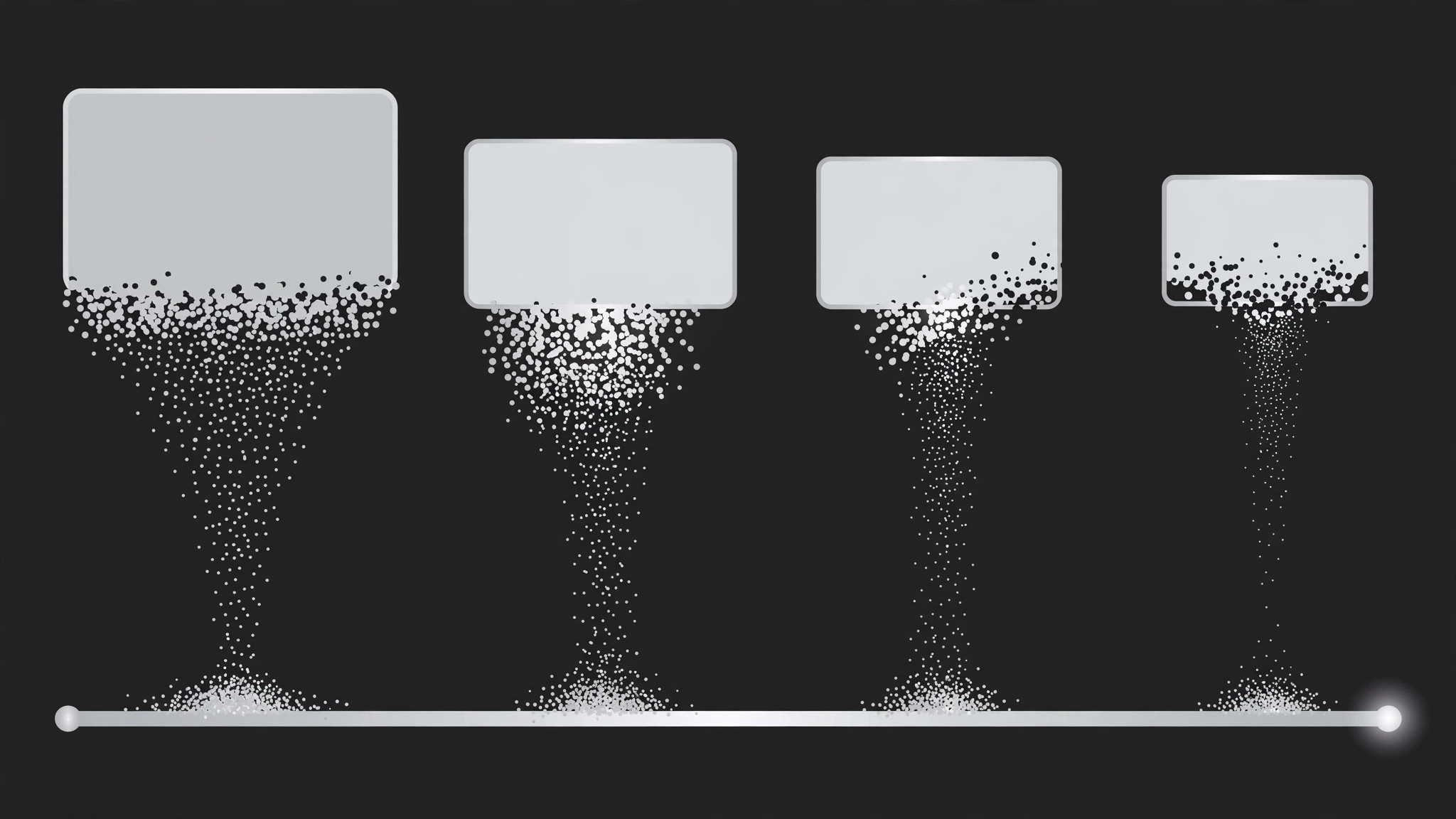
Tarjetas de costos separadas que se pliegan y se fusionan en una única barra de rango que muestra la horquilla de menor a mayor, con cada presupuesto aterrizando como un punto en su posición real: el rango que las tarjetas implican, mostrado en lugar de afirmado.
Instálala en 3 pasos
Sin registro. Sin herramientas CLI. Elige tu IA, copia una línea y pégala.
¿Prefieres hacerlo tú mismo? Compra la habilidad ($4.99), descarga el ZIP desde la confirmación de compra, descomprímelo en el directorio que se muestra arriba y reinicia tu sesión de IA — el mismo resultado. ¿Ya la compraste? Tu asistente de IA puede descargarla por ti.
Qué incluye
Un SKILL.md (la guía paso a paso) + una plantilla inicial. Una vista previa:
Cost Cards to Range
When to use
- A video or deck quotes several prices for the same thing and needs to land on "expect to pay between X and Y"
- A budget explainer must turn a pile of individual costs into one readable spread
- A comparison needs to show that quotes vary wildly — the range is the story, not any single price
- A sales or procurement walkthrough has 3–6 vendor or option prices and wants one honest summary
- A "how much does it cost" video must avoid the trap of quoting a single number that is wrong for half the audience
- You have 3–6 cost figures for the same purchase and want the viewer to hold the whole spread in mind
Workflow
- Collect the cost cards (input: your quotes or estimates → output: card set)
Gather 3–6 costs for the same purchase: vendor quotes, tier prices, or line estimates. Each card gets a short label ("Basic tier", "Mid quote", "Premium") and one number with its currency and unit ("$1,200 / project"). Check that every card is the same unit — mixing monthly and one-off figures on one range is the most common way this pattern lies. Note the lowest and highest; those two define the range ends. If two cards are nearly identical, keep both — near-duplicates show agreement, which is part of the story. - Design the card row and the range track (input: card set → output: layout)
The cards start as a horizontal row, equal size, centre-screen, one accent colour, each with label above and number below in large type. Below the row sits the range track: a horizontal bar with a labelled axis (currency + unit at one end), initially empty or faint. The track spans the full width the final range will occupy, so the audience sees the destination before the motion starts. Leave space for endpoint labels at both ends of the track — the range is useless if the ends are unreadable. - Choreograph the collapse (input: layout → output: timing map)
Total duration 4–6 seconds. Phase 1 (1–1.5s): cards hold, one beat each, so the viewer reads the individual prices — flash each card's number briefly in reading order (a 150ms brightness pulse per card). Phase 2 (1.5–2.5s): the collapse — each card shrinks, lifts, and flies down into the track, staggering one every 200–250ms. Phase 3 (1–1.5s): the range bar grows and settles, endpoints lock in, then a hold of at least 1 second. - Set keyframes for cards, dots, and bar (input: timing map → output: keyframe spec)
Card keyframes: 0% — full size, opacity 1; 60% — scale 0.55, translate toward its position on the track, opacity 0.8; 100% — scale 0.15, opacity 0, absorbed into the track. As each card lands, a dot pops onto the track at that card's position (scale 0 → 1.3 → 1.0 over 200ms, ease-out back), positioned by value: position = (value − min) / (max − min) across the track. Then the range bar draws itself between the lowest and highest dots: scaleX 0 → 1 over 500ms, ease-out, anchored at the low end. The dots stay visible on the bar as markers of the original quotes. - Label the range and land the takeaway (input: keyframe spec → output: finished motion)
Endpoint labels fade in at the bar's ends: "{min} — lowest" and "{max} — highest", over 300ms, followed by a centre label stating the range in one line ("Typical range: $1,200 – $4,800"). If one value sits far from the rest, add a small "outlier" tag above that dot — acknowledging the odd one out keeps the range honest. Then hold the finished range at least 1 second. Optional: a median or "most quotes cluster here" band highlights the middle 50% of the bar with a softer fill, fading in over 400ms after the endpoints land. - Check the math and the reading at full speed (input: finished motion → output: verified animation)
Watch at real speed: can you read each card before it collapses, watch each dot land on the track, and read the final range without pausing? Verify the dot positions against the numbers — a dot placed by eye instead of by formula will be wrong, and a wrong dot position is a false claim. Check the final frame alone: does it show the range, the endpoints, and the dots, with nothing left over? Any card still visible after the collapse means the absorb keyframes were cut short.
Vista previa de la plantilla
Cost Cards to Range — Starter Template
Fill in every {placeholder}. All cards must share one unit — normalise before animating.
Card set (3–6, same unit)
- Unit check: [ ] All cards share one unit
- Minimum: {value} — {card #} · Maximum: {value} — {card #}
- Near-duplicates kept: [ ] yes (they show agreement)
Layout
- Cards: {horizontal row, equal size, centre-screen}, label above + number below in large type
- Range track: {below the row, full width of final range}, axis labelled {currency + unit}
- Endpoint label space reserved at both ends: [ ]
Timing map
- Total duration: {4–6s}
- Phase 1 — read: {1–1.5s}, each card's number pulses {150ms} in reading order
El paquete de la habilidad (SKILL.md + plantilla) está escrito en inglés.


