Angled Gallery Hero
Un hero de revista que aun así vende
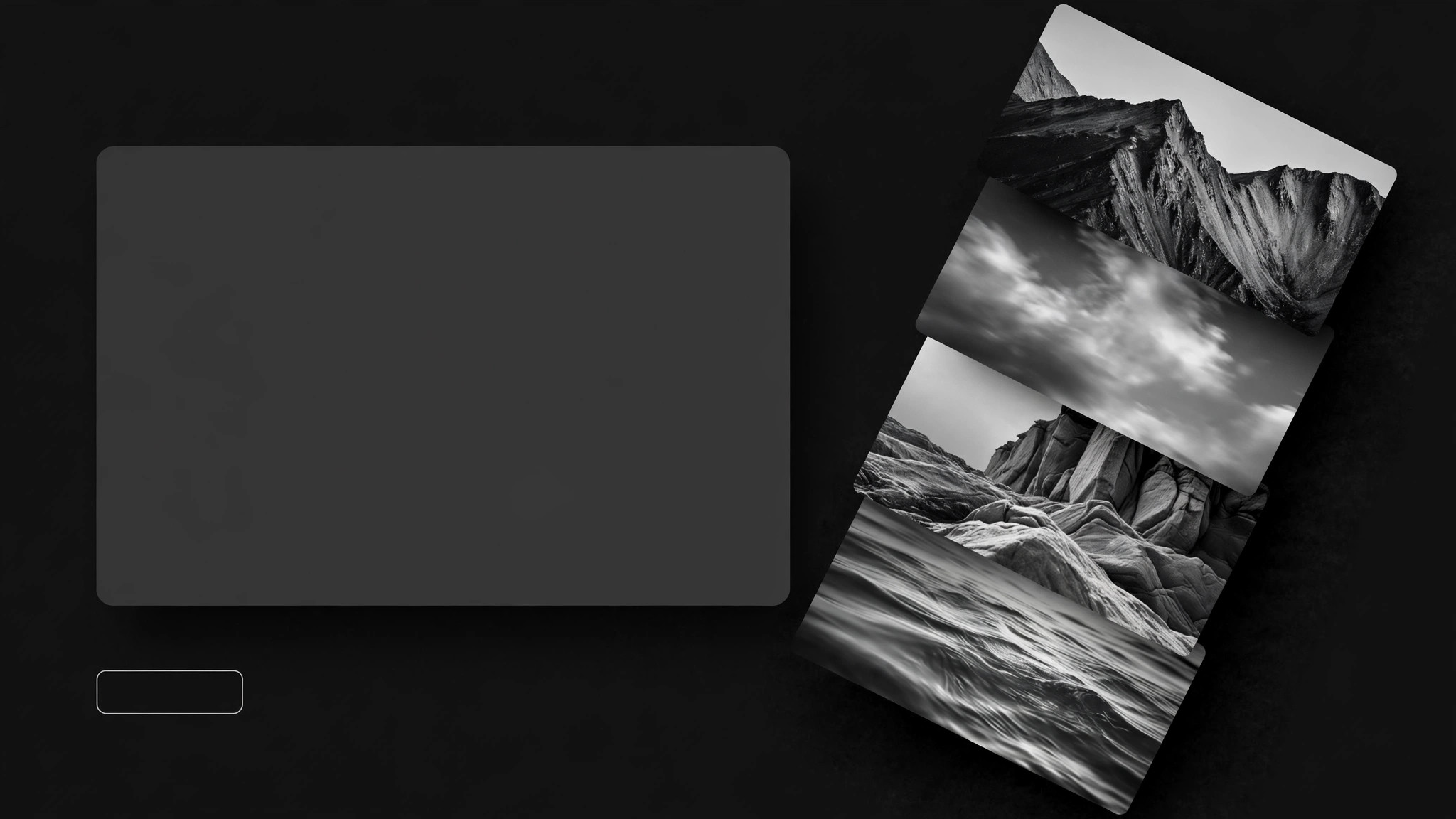
Diseña una sección hero con una galería de imágenes en diagonal y tarjetas superpuestas: energía editorial con el titular y el llamado a la acción protegidos sobre un fondo plano de alto contraste.
Instálala en 3 pasos
Sin registro. Sin herramientas CLI. Elige tu IA, copia una línea y pégala.
¿Prefieres hacerlo tú mismo? Compra la habilidad ($4.99), descarga el ZIP desde la confirmación de compra, descomprímelo en el directorio que se muestra arriba y reinicia tu sesión de IA — el mismo resultado. ¿Ya la compraste? Tu asistente de IA puede descargarla por ti.
Qué incluye
Un SKILL.md (la guía paso a paso) + una plantilla inicial. Una vista previa:
Angled Gallery Hero
When to use
- Your homepage hero is a single centered headline over one image and it looks like every other site in your category
- You have strong photography — a portfolio, a product range, a place, a team — and one hero image cannot carry it
- You want the first screen to feel editorial and dynamic, like a magazine spread, without sacrificing the headline or the call to action
- You are redesigning a hero for a creative, travel, product, or agency site where visual energy is part of the pitch
- Your current hero tries to show many images and ends up a cluttered grid with no focal point
Workflow
- Pick the story (input: brand + images → output: one hero message)
Choose the single message the hero must land: what you do, for whom, and the one action to take. Then pick 3–5 images that prove it — different subjects, complementary tones, no two near-duplicates. If the images do not share a rough color or light family, the diagonal will look like a collage of strangers; a quick consistent treatment (same crop ratio family, similar warmth) unifies them before any angle is applied. - Set the angle (input: hero message + images → output: diagonal geometry)
Choose one diagonal direction and one angle, and use it everywhere: typically 8–15 degrees off horizontal for the gallery strip, with cards rotated to match or counter-rotate slightly for energy. The diagonal should sweep the eye toward the headline and the call to action, not away from them. Sketch the geometry before building: where the strip enters and exits the viewport, where cards overlap, and — critically — where flat, unrotated space is reserved for the headline and button. The angle is the frame; the flat space is where the message lives. - Layer the cards (input: geometry → output: overlapping composition)
Arrange the images as overlapping cards along the diagonal: larger cards for the strongest images, smaller ones for support, with consistent overlap depth and a shared card style (border, radius, shadow). Overlap creates depth only when it is deliberate — every card should be at least 70% visible, and no card should cover another card's subject. Put the most important image where it is least covered. If a card exists only to fill space, remove it; three strong cards beat five forgettable ones. - Protect the message (input: composition → output: readable headline block)
Place the headline, subline, and call to action on flat, high-contrast ground — a solid panel, a clean area of the background, or a card of its own — never directly over busy image detail or across a card edge. Check the contrast of every word against what is actually behind it, not against the background color in your design file. The call to action must be a real button with a tap target, not text floating over a photo. If the diagonal fights the headline, the diagonal loses: shrink the gallery, widen the flat area, or reduce the angle. - Make it behave (input: finished hero → output: responsive, tested hero)
Test the hero at desktop, tablet, and phone widths. On narrow screens the diagonal usually needs to flatten (smaller angle, fewer cards, stacked order) — a 12-degree gallery that thrills on desktop becomes a jumbled pile on a phone. Check motion: if cards animate in, keep it to one subtle entrance and respect reduced-motion settings. Finally, check load: compress the images, serve sensible sizes, and confirm the headline renders before the images finish — a hero whose message waits on five photos is a hero that arrives late.
Vista previa de la plantilla
Angled Gallery Hero — Build Template
One hero, one angle, one message. Fill in before building.
Site: {name} | Hero message (one sentence): {what you do, for whom, one action}
Primary call to action: {button label} → {destination}
Diagonal geometry
Angle: {e.g. 12°} | Direction: {e.g. rising left → right} | Sweep: toward the headline + CTA, not away
Flat space reserved for headline + CTA: {e.g. solid panel, left third}
Gallery cards (3–5, in stacking order — top of list = on top)
Card style: border {…} · radius {…} · shadow {…} — same for all cards
Rule: every card ≥70% visible; no card covers another card's subject.
Headline block
El paquete de la habilidad (SKILL.md + plantilla) está escrito en inglés.


