Voice Transcript Handoff
Die Schlüsselformulierung leuchtet auf, während sie gesprochen wird — und übergibt dann den Staffelstab an das nächste Bild.
Synchronisiert das Bildschirm-Transkript Wort für Wort mit der Stimme des Sprechers, hebt die Schlüsselformulierung auf ihrem gesprochenen Takt hervor und trägt diese Wörter über den Schnitt hinweg ins nächste Bild. Behandelt Übergabe-Zeilen, Karaoke-Sync, die drei Übergabe-Varianten und den Stumm-Zuschauer-Test.
In 3 Schritten installieren
Keine Anmeldung. Keine CLI-Tools. Wählen Sie Ihre AI, kopieren Sie eine Zeile und fügen Sie sie ein.
Lieber selbst machen? Kaufen Sie den Skill ($4.99), laden Sie die ZIP-Datei aus Ihrer Kaufbestätigung herunter, entpacken Sie sie in das oben angezeigte Verzeichnis und starten Sie Ihre AI-Sitzung neu — gleiches Ergebnis. Haben Sie ihn schon gekauft? Ihr AI-Assistent kann ihn für Sie herunterladen.
Was ist enthalten
Eine SKILL.md (die Anleitung) + eine Startvorlage. Eine Vorschau:
Voice Transcript Handoff
When to use
- An interview, podcast, or voiceover contains a line worth quoting — and you want the audience to hear it and read it at the same time, then see what it means
- The video cuts between a speaker and visuals, and the cuts feel abrupt because nothing bridges the voice to the picture
- You are editing a documentary beat, a testimonial, or a narrated explainer where one sentence per scene does the heavy lifting
- The speaker's exact wording matters — a definition, a verdict, a promise — and paraphrasing it in a title card would weaken it
- You want an accessible video: on-screen text synced to speech serves viewers watching muted as well as viewers listening
Workflow
- Find the handoff lines (input: interview / voiceover → output: 1 handoff line per scene)
Listen through the audio and mark the lines that carry the scene — one per scene, maximum two for a long scene. A handoff line is a complete spoken sentence, 6–18 words, that the next visual illustrates, proves, or reacts to. Shorter than 6 words and there is nothing to hand off; longer than 18 and the text stays on screen so long the scene stalls. Write the line down word for word, including the speaker's phrasing — do not tidy it into written English. "We were basically out of money" hands off better than "We experienced a severe liquidity shortfall" because the audience hears the speaker's voice in the text. Note the exact timestamp where each line starts and ends, to the frame. - Set the transcript style (input: handoff lines → output: locked text style)
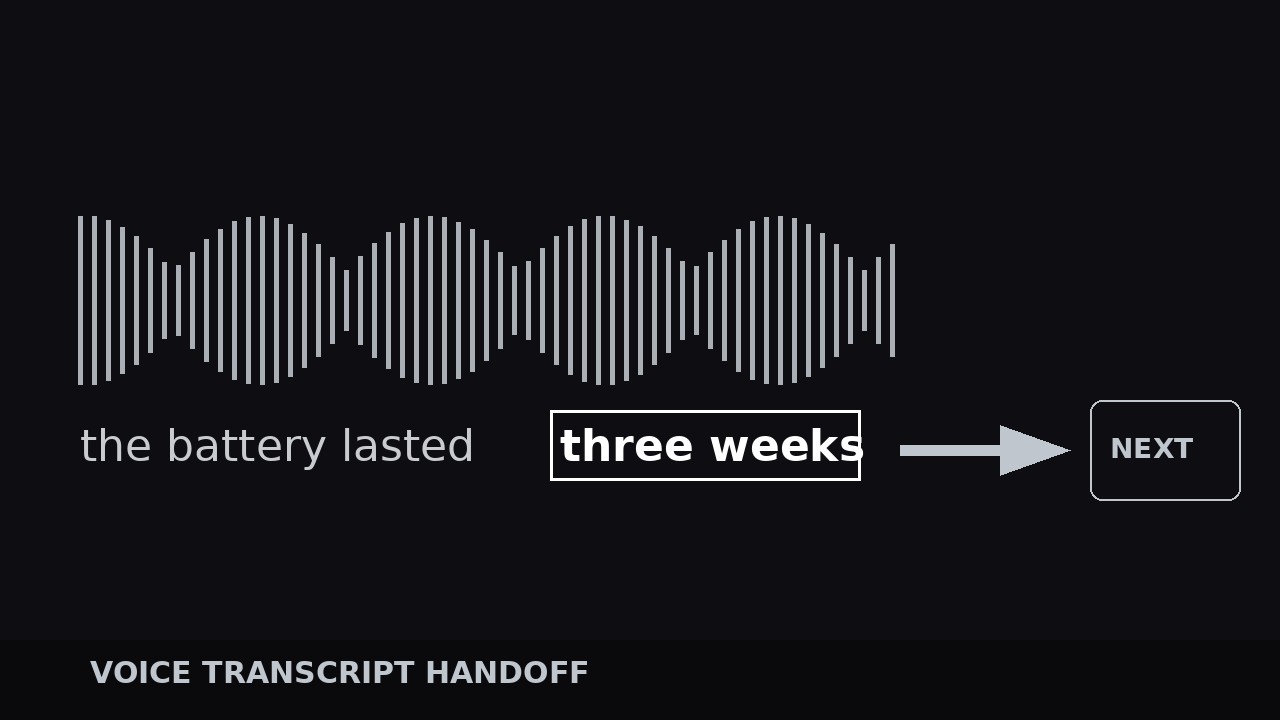
Choose one text style and use it for every handoff: a clean sans-serif at 5–7% of frame height, centered lower-third or centered frame, one or two lines maximum, with a soft dark backing bar or a subtle shadow so it reads over any footage. Highlight color: one accent color reserved for the key phrase — the 2–5 words inside the line that are the point. Everything else stays white or light gray. The key phrase is chosen by meaning, not by volume: it is the words the next visual responds to. If the line is "The battery lasted three weeks in the field", the key phrase is "three weeks", not "battery". Lock the style before timing anything — restyling mid-edit means retiming every cue. - Sync the words to the voice (input: audio + styled text → output: word-by-word synced transcript)
Reveal the transcript word by word in sync with the speech, not all at once. The standard is karaoke timing: each word appears (or brightens from 40% to 100% opacity) within 1–2 frames of the moment it is spoken. Build this by placing each word's entrance keyframe on its spoken onset — most editors' auto-caption tools get you 80% there; hand-fix the rest, especially the key phrase, which must land exactly on its spoken beat. The full line stays on screen until the speaker finishes it, plus a 0.3–0.4 s beat of silence after the last word so the sentence settles. Never let the text run ahead of the voice: text that arrives early spoils the line, text that arrives late feels like a bad dub. If the speaker pauses mid-sentence, hold the partial line through the pause — do not cut it away and bring it back. - Execute the handoff (input: completed line on screen → output: text passing the baton to the visual)
The handoff is the signature move: as the key phrase is spoken, it highlights in the accent color (and optionally scales 100% → 106% for one beat), and the moment the line ends, the key phrase — only the key phrase — detaches from the transcript and becomes the next visual's anchor. Three handoff variants, pick one per video and stay consistent: (a) the key phrase stays on screen and the footage cuts behind it to the illustrating clip; (b) the key phrase slides or scales into the position of the next graphic's headline, which then builds around it; (c) the key phrase fades out as the next scene's title fades in with the same words. In all three, the audience watches the same words cross the cut — that continuity is what makes the cut feel motivated instead of arbitrary. Time the cut 0.2–0.3 s after the line ends, on the beat after the key phrase's highlight peaks. - Polish for the muted viewer (input: finished handoffs → output: video that works with sound off)
Watch the whole video on mute with only the transcript handoffs visible. A muted viewer should get the argument's spine from the handoff lines alone: each key phrase should read as a headline of its scene. If a handoff line only makes sense with the surrounding audio, rewrite the on-screen text to be self-contained — add 1–2 words of context to the transcript that the speaker did not say, in brackets or a lighter weight, so the muted viewer is not lost. Check the timing once more at full speed with sound: the key phrase highlight must peak on the spoken beat, never before it. Keep handoffs to one per scene; two handoffs in one scene step on each other and the second one always feels like an echo.
Vorschau der Startvorlage
Voice Transcript Handoff — Build Template
One handoff line per scene. Fill this in from the audio before styling anything.
Video: {title} | Handoff variant for this video (pick one, use throughout): {key phrase stays over cut / key phrase slides into next headline / key phrase fades into next title}
Text style (locked for all handoffs)
Font: {clean sans-serif} | Size: {5–7% of frame height} | Lines: {1–2 max} Position: {centered lower-third / centered frame} | Backing: {soft dark bar / subtle shadow} Normal text color: {white / light gray} | Key-phrase accent color: {one accent color}
Handoff lines (verbatim speaker wording)
Sync (per line)
Das Skill-Paket selbst (SKILL.md + Vorlage) ist auf Englisch verfasst.


