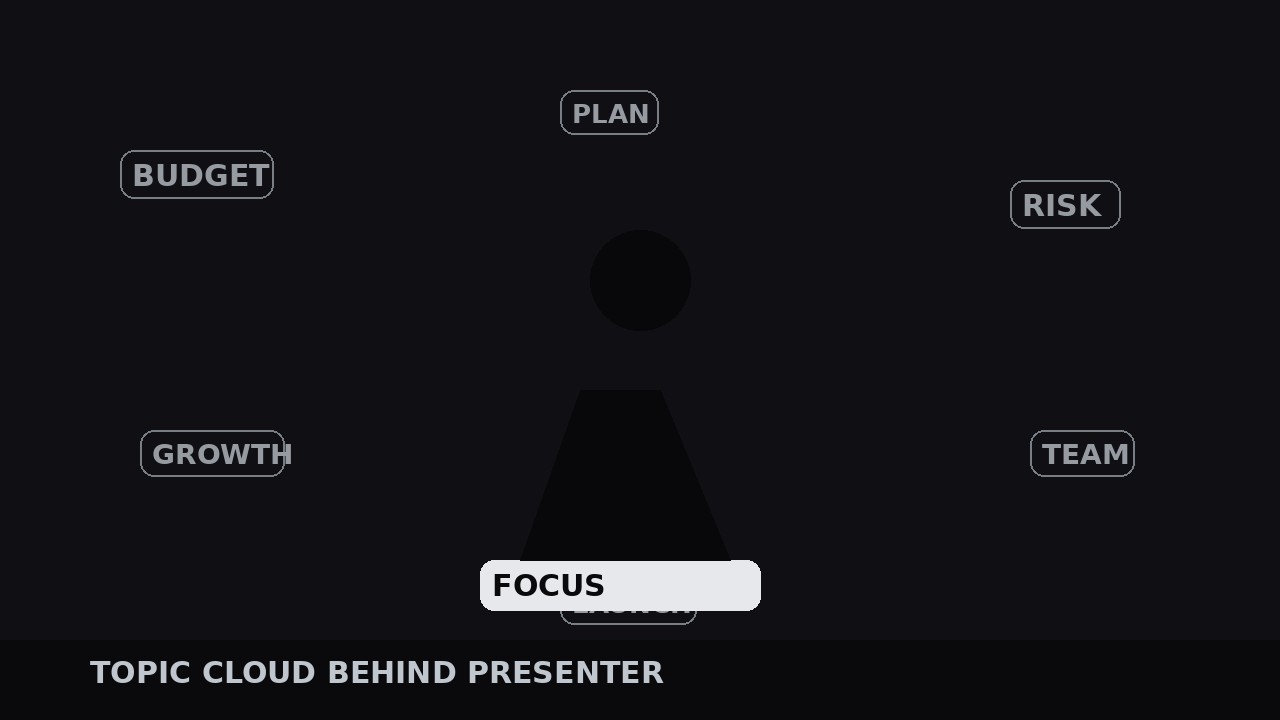
Topic Cloud Behind Presenter
Eine lebendige Wortkarte hinter dem Sprecher — das aktive Thema leuchtet, der Rest driftet gedimmt.
Lässt die Stichwort-Labels eines Vortrags als langsam driftende Wolke hinter dem Präsentator schweben und leuchtet jeweils ein Thema auf, während es besprochen wird. Behandelt Themen-Extraktion, Layout, Drift-Animation, Highlight-Signale und die abschließende Zusammenfassung.
In 3 Schritten installieren
Keine Anmeldung. Keine CLI-Tools. Wählen Sie Ihre AI, kopieren Sie eine Zeile und fügen Sie sie ein.
Lieber selbst machen? Kaufen Sie den Skill ($4.99), laden Sie die ZIP-Datei aus Ihrer Kaufbestätigung herunter, entpacken Sie sie in das oben angezeigte Verzeichnis und starten Sie Ihre AI-Sitzung neu — gleiches Ergebnis. Haben Sie ihn schon gekauft? Ihr AI-Assistent kann ihn für Sie herunterladen.
Was ist enthalten
Eine SKILL.md (die Anleitung) + eine Startvorlage. Eine Vorschau:
Topic Cloud Behind Presenter
When to use
- Your talk covers several named topics and viewers lose the thread halfway through ("wait, which point is this?")
- The presenter is on camera against a clean background — a studio wall, a blurred room, a solid backdrop — with space around them for words to float
- You want a visual table of contents that stays on screen without becoming a slide deck: the structure is ambient, not a bullet list
- The talk is 5 minutes or longer, with at least three distinct topics that get named out loud
- You are editing a lecture, a webinar, a podcast video, or a keynote where the presenter's face carries the energy and the cloud carries the map
Workflow
- Extract the topic list (input: script or transcript → output: 4–10 topic labels)
Read the script and pull out every topic the presenter names as a section: not every noun, just the labeled beats — the phrases the presenter says when starting something new ("Now the budget...", "The second risk is..."). Aim for 4–10 labels, each 1–3 words. Fewer than 4 and the cloud looks empty; more than 10 and it becomes wallpaper. Rank them in talk order, and give each a short form for display: "Supply-chain delays" becomes "Supply Chain". Write the labels exactly as the presenter says them — if the cloud says "Monetization" while the presenter says "making money", the mismatch nags the viewer. This list is the whole design; everything after this step is placement and timing. - Lay out the cloud (input: topic labels → output: static cloud composition)
Place the labels in the space around the presenter — sides and upper corners first, never over the face or the mouth. Vary the size by importance: the talk's central topic gets the largest size (roughly 5–6% of frame height), supporting topics 3–4%. Use one typeface in one weight, with size and opacity doing all the hierarchy work; mixing fonts turns a cloud into a ransom note. Keep every label inside a safe margin (5% from frame edges) and leave a clear halo around the presenter's head and shoulders — the cloud frames the person, it does not crowd them. Set the inactive state now: dim labels at 25–35% opacity in a neutral gray or silver, so the cloud reads as texture when nothing is active. - Animate the drift (input: static cloud → output: slowly drifting cloud)
Give the cloud life without giving it attention. Each label drifts on a slow loop: ±8–15 px horizontally and ±6–10 px vertically, one full cycle every 8–14 seconds, each label on its own phase so they never move in lockstep. Add a gentle opacity breathing of ±5% on the same cycle. The drift must be slow enough that a viewer who is not looking for it never notices it — if the words visibly swim, the cloud becomes the show and the presenter becomes background. Loop the drift seamlessly (start and end keyframes identical) so a 30-minute talk never shows a jump. Never rotate the labels; rotated text is harder to read and the cloud's job is to be readable at a glance. - Highlight the active topic (input: transcript timestamps → output: timed highlight cues)
Mark the timestamp where the presenter starts each topic, and build the highlight cue: 0.3 s before the presenter says the topic name, the matching label brightens from 30% to 100% opacity and scales from 100% to 108–112%, with a 0.4 s ease-out. It holds at full brightness while the topic is being discussed, and when the presenter moves on, it relaxes back to dim over 0.6 s. Only one label is ever fully lit — the cloud's whole point is "you are here". If the presenter returns to an earlier topic, re-light its label the same way; the cloud handles callbacks gracefully because the labels never leave. Preview the talk at 2x speed and watch only the cloud: the bright label should step through the talk in order, like a progress bar made of words. - Close the cloud (input: timed cloud → output: finished talk with cloud resolved)
In the final 10–15 seconds, when the presenter summarizes, light all labels together to 70–80% opacity — the full map, visible at once, as a visual recap. If the talk ends with a call to action, fade the cloud out over 1 s as the call to action appears, so the ending belongs to the ask, not the decoration. Check the whole talk on mute with the cloud on: a viewer who cannot hear should still be able to follow the talk's structure from the bright label alone. Check it again with the cloud off: the talk must still work — the cloud is a map, not a crutch, and a talk that only makes sense with its cloud on has a script problem, not a graphics problem.
Vorschau der Startvorlage
Topic Cloud Behind Presenter — Build Template
A living word map, not a slide. Fill this in from the script before placing any labels.
Talk: {title} | Runtime: {mm:ss} | Presenter frame: {center / left / right}
Topic list (4–10 labels, talk order, presenter's own wording)
Central topic (largest label): {label}
Layout
Typeface: {one family, one weight} | Central topic size: {5–6% of frame height} | Other topics: {3–4%} Inactive state: opacity {25–35%}, color {neutral gray / silver} Edge margin: 5% | Halo around head/shoulders: [ ] clear | No label over face/mouth: [ ]
Drift (per label, independent phase)
Das Skill-Paket selbst (SKILL.md + Vorlage) ist auf Englisch verfasst.


