Scattered Images to Presenter Wall
Verstreute Fotos fliegen zu einer ordentlichen Wand hinter Ihnen
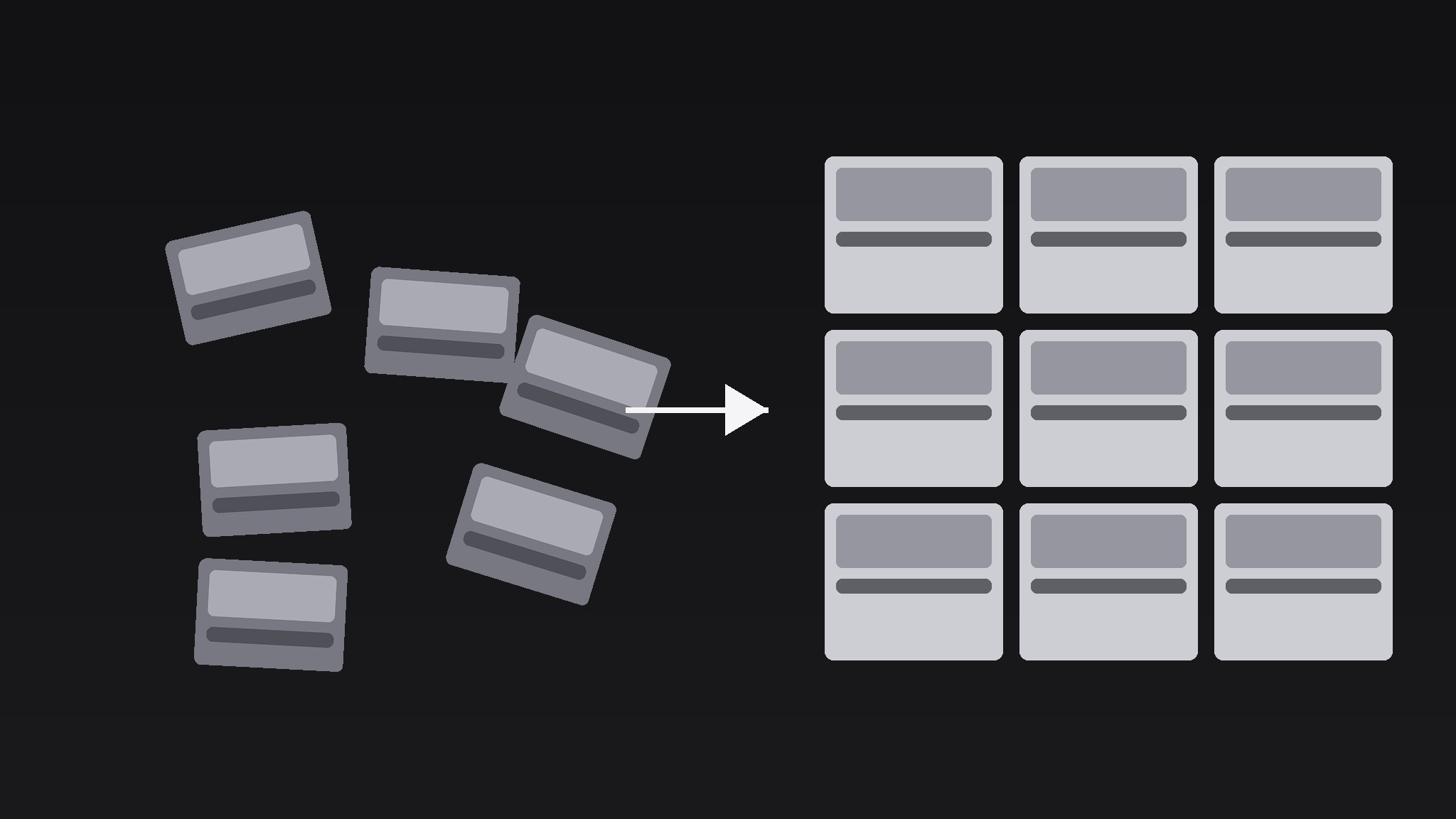
Verwandelt Ihre KI in einen Motion-Graphics-Regisseur für das Scattered-Images-to-Presenter-Wall-Muster — beginnt mit Fotos, die lose über das Bild verstreut sind, und lässt dann jedes einzelne in eine ordentliche Rasterwand hinter dem Präsentator fliegen, sodass aus Chaos sichtbar eine kuratierte Sammlung wird.
In 3 Schritten installieren
Keine Anmeldung. Keine CLI-Tools. Wählen Sie Ihre AI, kopieren Sie eine Zeile und fügen Sie sie ein.
Lieber selbst machen? Kaufen Sie den Skill ($4.99), laden Sie die ZIP-Datei aus Ihrer Kaufbestätigung herunter, entpacken Sie sie in das oben angezeigte Verzeichnis und starten Sie Ihre AI-Sitzung neu — gleiches Ergebnis. Haben Sie ihn schon gekauft? Ihr AI-Assistent kann ihn für Sie herunterladen.
Was ist enthalten
Eine SKILL.md (die Anleitung) + eine Startvorlage. Eine Vorschau:
Scattered Images to Presenter Wall
When to use
- A creator opens a video with a pile of reference photos and needs them tidied into a backdrop
- A portfolio intro shows scattered project stills that assemble into a showreel wall
- A mood-board segment starts messy and resolves into the collection the episode will use
- A case-study video gathers evidence photos from all over the frame into one organised board
- A presenter intro needs energy up front, then a clean background to talk against
Workflow
- Gather the images (input: image pool → output: 6–12 chosen images)
Pick 6–12 images: enough to feel abundant, few enough that each one is still recognisable at wall size. Crop every image to the same aspect ratio (4:3 or 1:1) — mixed ratios make the final wall look accidental. Rank them: the 2–3 strongest go in the centre of the wall, the rest fill the edges. If an image has text that must stay legible, it earns a centre slot; edge tiles shrink to ~15% of frame width and their text will not read. - Scatter them (input: chosen images → output: scattered opening frame)
Place the images loose across the frame: random rotations between −18° and +18°, random positions, 30–50% overlap between neighbours, sizes varying from 18% to 32% of frame width. Deliberate mess, not actual randomness — check that no image is more than 70% covered, and that the overall scatter roughly fills the frame edge to edge with no big empty corner. Add a soft drop shadow (blur 16px, opacity 30%) under each image so they read as physical prints lying on a table. Hold the scatter for 0.6–0.8s so the audience registers "mess" before the tidy-up starts. - Fly to the wall (input: scatter → output: assembly animation)
Animate over 1.6–2.2s: each image flies to its assigned grid slot in the wall, rotating from its scatter angle to 0°, scaling to the uniform tile size. Stagger the departures: images leave in waves of 2–3, 0.08–0.12s apart, centre tiles first, edge tiles last — the wall builds outward from the middle, which reads as intentional. Use ease-in-out on every flight path; add a slight arc (midpoint lifted 5–8% of frame height) so the motion feels like tossing prints onto a board rather than sliding them. No image should cross in front of the presenter's face zone if the presenter is already on screen — route flights around a reserved centre-bottom zone, or keep the presenter off-screen until the wall is built. - Snap and settle (input: in-flight images → output: aligned wall)
As each image reaches its slot, it snaps with a tiny overshoot: scale 103% for one frame, then settle to 100% over 0.12s, with a soft 1-frame "tick" implied by the snap (add a click sound at −18dB if the video has sound design). The last tile to land gets a 0.2s beat of stillness after it, so the audience feels the wall complete. Final wall: uniform grid, 3–4 columns, 2–3 rows, gaps of 1.5–2% of frame width, no rotation, shadows reduced to blur 8px / opacity 15%. - Reveal the presenter (input: finished wall → output: presenter + wall composition)
Bring the presenter in after the wall settles: fade or slide in from below over 0.5s, ease-out, positioned in front of the wall's lower-centre with the wall dimmed to 80–85% brightness behind them. The wall is now a backdrop, not the subject — if the wall stays at full brightness, it competes with the presenter's face. If the presenter was on screen throughout, dim the wall behind them instead of moving them.
Vorschau der Startvorlage
Scattered Images to Presenter Wall — Template
Mess first, wall second, presenter third.
The images (6–12, uniform aspect ratio)
Aspect ratio: {4:3 / 1:1} | Border: {2–3px white / none}
Wall grid: {3×3 / 4×2 / 4×3} — gaps {1.5–2}% of frame width
Scatter (opening frame)
Rotations: −18° to +18° | Overlap: 30–50% | Sizes: 18–32% of frame width Shadow: blur 16px, opacity 30% Hold: {0.6–0.8}s — check: no image >70% covered, no big empty corner.
Assembly (1.6–2.2s)
Stagger: 0.08–0.12s, waves of 2–3, centre tiles first, edge tiles last Path: ease-in-out, arc lift {5–8}% of frame height
Das Skill-Paket selbst (SKILL.md + Vorlage) ist auf Englisch verfasst.


