Polygon Scene Wipe
Eine Szene zersplittert in Scherben und landet als die nächste
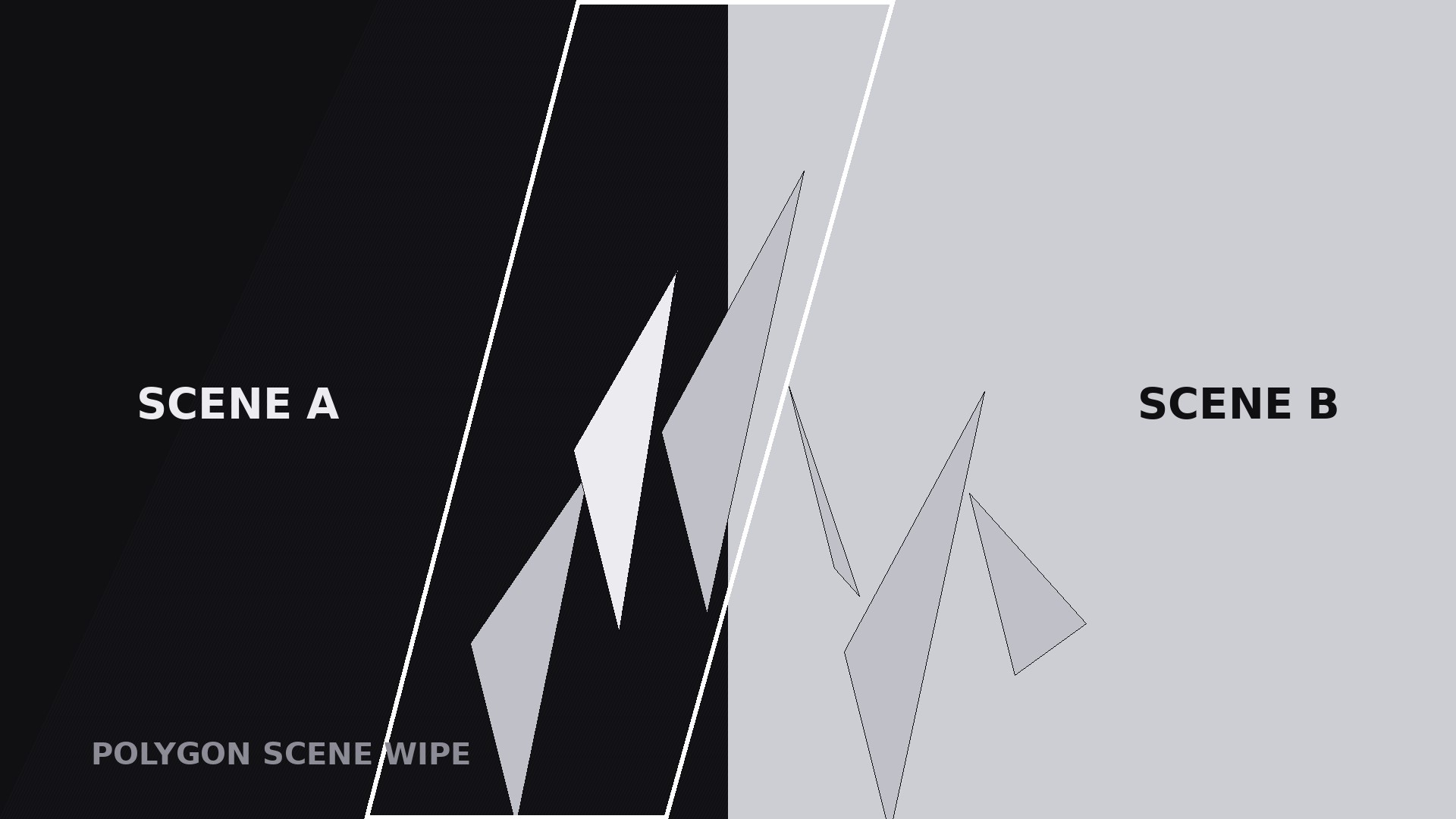
Verwandelt Ihre KI in einen Motion-Graphics-Regisseur für das Polygon-Scene-Wipe-Muster — eine Szene zersplittert in dreieckige Scherben, die über das Bild fegen und sich als nächste Szene wieder zusammensetzen, sodass sich ein Schnitt wie eine Verwandlung anfühlt statt wie ein Sprung.
In 3 Schritten installieren
Keine Anmeldung. Keine CLI-Tools. Wählen Sie Ihre AI, kopieren Sie eine Zeile und fügen Sie sie ein.
Lieber selbst machen? Kaufen Sie den Skill ($4.99), laden Sie die ZIP-Datei aus Ihrer Kaufbestätigung herunter, entpacken Sie sie in das oben angezeigte Verzeichnis und starten Sie Ihre AI-Sitzung neu — gleiches Ergebnis. Haben Sie ihn schon gekauft? Ihr AI-Assistent kann ihn für Sie herunterladen.
Was ist enthalten
Eine SKILL.md (die Anleitung) + eine Startvorlage. Eine Vorschau:
Polygon Scene Wipe
When to use
- A transition between two scenes that need to feel connected — before/after, problem/solution, old/new, sketch/finished — where a hard cut would feel abrupt
- A montage where each scene hands off to the next with energy: travel videos, process videos, product evolutions
- A reveal where the second scene is the payoff and the wipe builds a half-second of anticipation before it lands
- A stylised explainer where the visual language is geometric — low-poly art, data visualisation, architectural visualisation
- A title or chapter transition where the wipe itself carries the brand: the same shard pattern, reused, becomes a recognisable signature
Workflow
- Pick the two scenes (input: your video → output: scene A + scene B)
Choose two shots with a clear relationship: A becomes B, A contrasts B, or A hands off to B. The wipe works hardest when the two scenes differ visibly — different colour, different subject, different mood — because the shards carry the difference across the frame. If A and B look nearly identical, the wipe is decoration on a cut nobody needed; use a straight cut instead. Lock both shots' framing before building the wipe: same aspect, same horizon or subject position where possible, so the reassembly feels like the same world transforming rather than two unrelated images colliding. - Set the shard geometry (input: scenes → output: shard layout)
Divide the frame into triangles — 12 to 30 shards, never more than 30, or the wipe reads as static noise. Larger shards (12–18) feel bold and architectural; smaller shards (20–30) feel energetic and shattering. Draw the shard grid from a diagonal: shards should tile the frame along the wipe's travel direction, so each shard has a clear path from its A-position to its B-position. Keep one consistent shard style: all triangles, all the same stroke weight (or none), no mixed shapes. A useful rule: no shard smaller than 5% of the frame width — tiny shards alias and flicker on phone screens. - Choose the wipe direction and order (input: geometry → output: travel plan)
Pick one travel direction: left-to-right, right-to-left, diagonal (bottom-left to top-right reads most naturally), or centre-outward. Shards travel in sequence along that direction, not all at once: the leading edge carries scene B, the trailing edge still shows scene A, and the band of shards between them is the transition itself. Stagger the shards by 0.02–0.05 s each along the direction of travel, so the wipe reads as a wave rather than a wall. The leading shard should start moving first and the trailing shard last; if they all move together, it is a flash, not a wipe. - Choreograph the shatter and reassembly (input: travel plan → output: timed motion plan)
Standard timing, total 0.7–1.1 s: phase 1 (0–0.35 s), shards lift off scene A — each shard scales to 105–110%, rotates 3–8°, and shifts a few pixels along the travel direction, with an ease-out curve; the gaps between shards open slightly, revealing scene B underneath. Phase 2 (0.35–0.7 s), the shards carry across — each shard travels 15–30% of the frame width along the direction, still showing its piece of scene A, while scene B fills in behind. Phase 3 (0.7–1.1 s), the shards settle — each lands in place showing its piece of scene B, scale returning to 100%, rotation to 0°, with an ease-out that decelerates into the landing. The stagger means phases overlap across shards: while trailing shards are still lifting, leading shards are already landing. That overlap is what makes it a wipe rather than three separate moves. - Hold the landing and exit (input: finished wipe → output: hold plan)
Hold scene B for at least 1 s after the last shard lands — the wipe earns its keep only if the viewer gets to see the new scene stable. Add one small settle cue on landing: a 0.15 s brightness lift or a hairline edge fading out along the last shard seams, so the seams vanish cleanly instead of lingering as cracks. If the wipe is a recurring brand transition, keep the direction, shard count, and timing identical every time — repetition is what turns a transition into a signature. Never follow a wipe immediately with another transition; two wipes back-to-back read as indecision. - Render and check the seams (input: motion plan → output: final clip)
Render a draft and watch it at full speed and at half speed. At full speed it should feel like one continuous sweep; at half speed no shard should visibly pop, jump, or show the wrong scene's content. Check three things: shards never show a blank or mismatched interior (each shard shows the correct piece of whichever scene it currently carries), seams close fully at landing with no hairline cracks, and the wipe never exceeds 1.1 s — longer than that and the viewer starts waiting for the transition instead of watching the video. If shards flicker, reduce the count or enlarge the smallest ones.
Vorschau der Startvorlage
Polygon Scene Wipe — Starter Template
One scene becomes the next through shards. Pick the scenes first, then the geometry.
The two scenes
Scene A (outgoing): {shot description} — Scene B (incoming): {shot description}
Relationship: {A becomes B / A contrasts B / A hands off to B}
Framing check: same aspect [ ]; horizon/subject position aligned where possible [ ]
Voiceover bridge (optional, one line): "{line spoken across the wipe}"
Shard geometry
Shard count: {12–30} (12–18 bold/architectural, 20–30 energetic)
Smallest shard: ≥5% of frame width [ ]
Style: {all triangles / stroke weight / feather 0–2 px}
Motion plan
Das Skill-Paket selbst (SKILL.md + Vorlage) ist auf Englisch verfasst.


