Line and Trend Draw
Die Linie zeichnet sich selbst — und der Trend erzählt die Geschichte.
Verwandelt Ihre KI in einen Motion-Designer für sich selbst zeichnende Liniendiagramme — die Linie zeichnet sich synchron zur Erzählung über das Bild, damit der Trend sichtbar ist, bevor irgendeine Zahl erscheint. Für Daten-Explainer, Business-Updates und Präsentationen, bei denen die Form der Geschichte mehr zählt als die Tabelle.
In 3 Schritten installieren
Keine Anmeldung. Keine CLI-Tools. Wählen Sie Ihre AI, kopieren Sie eine Zeile und fügen Sie sie ein.
Lieber selbst machen? Kaufen Sie den Skill ($4.99), laden Sie die ZIP-Datei aus Ihrer Kaufbestätigung herunter, entpacken Sie sie in das oben angezeigte Verzeichnis und starten Sie Ihre AI-Sitzung neu — gleiches Ergebnis. Haben Sie ihn schon gekauft? Ihr AI-Assistent kann ihn für Sie herunterladen.
Was ist enthalten
Eine SKILL.md (die Anleitung) + eine Startvorlage. Eine Vorschau:
Line and Trend Draw
When to use
- A data explainer where the audience needs to feel the trend (rising, flat, collapsing) before hearing any numbers
- A business update or earnings recap where one line — revenue, users, costs — carries the quarter's story
- A presentation slide that would otherwise be a static chart the speaker reads aloud while the audience reads ahead
- A news or policy segment where a single series over time is the evidence for the argument
- A tutorial that teaches chart reading by showing the line being built, not by showing the finished chart
- A social clip where a chart screenshot would get skipped, but a line drawing itself in two seconds gets watched
Workflow
- Pick one line (input: your data → output: the single series)
One chart, one line. If the story needs two lines, it needs two charts in sequence — two lines drawing at once split the eye and neither trend registers. Choose the series that carries the claim (revenue, not revenue-plus-costs-minus-churn), and define its range honestly: the y-axis starts at zero unless you explicitly label a truncated axis, and the time range covers exactly the period the narration discusses. Cut the data to the story's window — a 10-year series for a story about the last 18 months buries the relevant movement in flat history. - Set the axes before the line (input: the single series → output: chart frame)
Draw the axes and gridlines first, static, before any line appears. The audience needs the frame's scale to judge the line's movement — a line that rises means nothing if the viewer does not know whether the axis runs 0–100 or 0–10,000. Label the y-axis with 3–5 ticks (round numbers only), label the x-axis with the time range, and keep gridlines faint — visible enough to read against, quiet enough that the line owns the frame. The axes appear with a simple 200ms fade, not a build; the line is the star, the frame is the stage. - Draw the line in sync with narration (input: chart frame + narration → output: draw-on keyframes)
The line draws itself left to right using a stroke-dashoffset (or trim-path) animation: the path is fully drawn in the file, then revealed progressively, so the line appears to be drawn by an invisible pen. Pace the draw to the narration — the line should reach each turning point at the moment the voice mentions it. Total draw time: 2–4 seconds for a simple line, up to 6 seconds for a long series with several turns. Use linear easing for the draw itself: ease-in-out on a draw makes the pen appear to speed up and slow down for no reason, and the audience reads that as the data hesitating. The pen tip may carry a small dot at the leading edge — a 6–8px dot in the line's colour — so the eye always knows where the drawing is. - Mark the turning points (input: draw-on keyframes → output: annotated line)
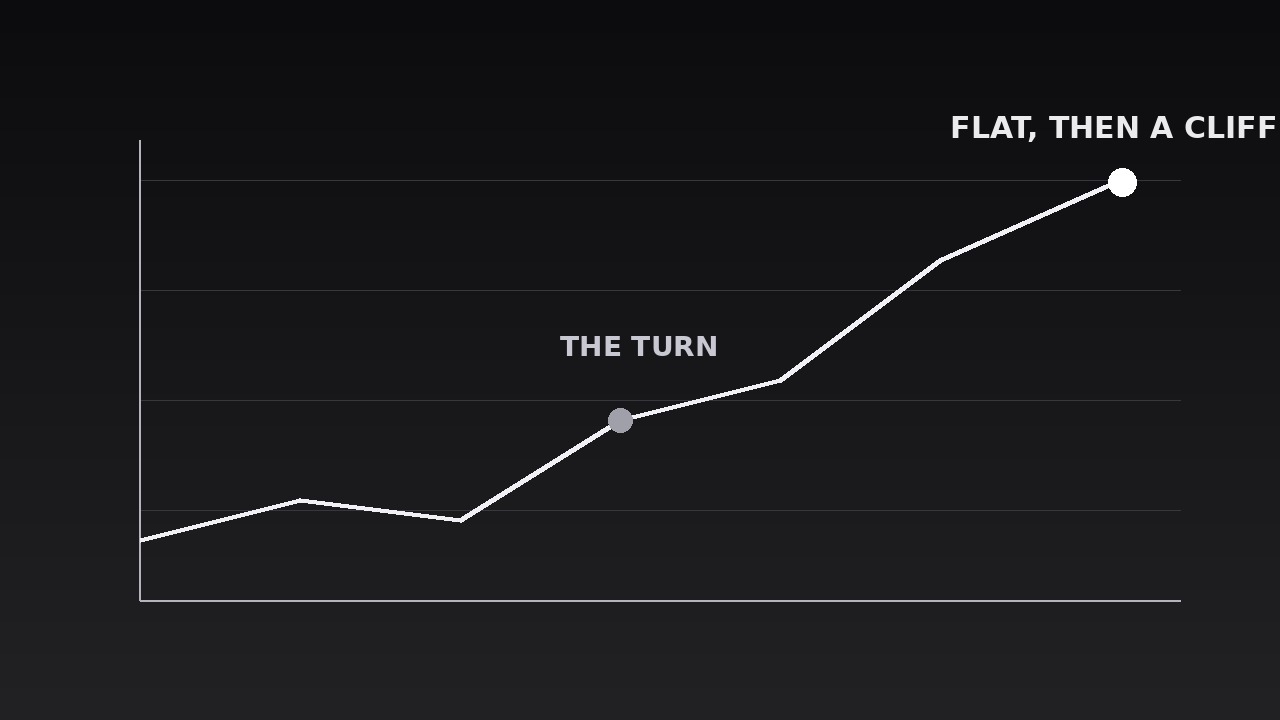
As the pen reaches each turning point — a peak, a trough, a sudden change of slope — drop a marker: a small node on the line plus a short label (≤4 words) and, only where the narration gives one, a number. Labels appear with a 150ms fade, placed above the line at peaks and below it at troughs so they never cover the line itself. Maximum three annotated points per line: the start, the one turning point that matters most, and the end. Annotating every wiggle turns the chart into a labelled mess; the audience remembers one turn, so mark one turn. The endpoint gets the largest marker and its final value — the number the narration lands on. - Name the trend (input: annotated line → output: trend callout)
Once the line is fully drawn, state the trend in words: a short callout (≤6 words — "Steady growth, then a cliff", "Flat for three years") placed in the chart's empty space, appearing with a 200ms fade after a 300ms beat of stillness. The callout describes the shape, not the numbers — numbers already live on the axis and the endpoint. If the trend callout and the line disagree (the line looks flat but the callout says "soaring"), the axis is lying; fix the axis, never the callout. The callout stays on screen for the rest of the beat, so a viewer who joins late still gets the takeaway. - Hold, then move on (input: trend callout → output: finished chart beat)
Hold the completed chart — line, annotations, trend callout — for 1.5–2 seconds of stillness so the audience can absorb it and check it against the narration. Then move on with a clean cut or a 250ms fade to the next beat; never erase the line backward or rewind the draw, which reads as the data being taken back. If the video needs a second series, build a second chart with the same frame and the same draw language — same line weight, same marker style, same callout position — so the two charts read as siblings, not strangers. Total beat: axes (200ms) + draw (2–6s) + callout (500ms) + hold (1.5–2s) ≈ 4.5–9 seconds.
Vorschau der Startvorlage
Line and Trend Draw — Starter Template
One chart, one line. The trend must be visible before any number appears.
Chart: {title} | Series: {metric} | Period: {start} → {end}
Claim this line supports (one sentence): "{The shape shows...}"
Data (the story's window only)
Y-axis: starts at [ ] zero [ ] truncated at {value} — truncation labelled on axis: [ ] Y-ticks (3–5, round numbers): {0, ..., ..., ...} X-axis labels: {time range}
Annotations (max 3)
Trend callout (≤6 words, describes the shape, not the numbers)
> "{Flat, then a cliff. / Steady climb. / Rise, peak, collapse. / ...}"
Motion plan
Das Skill-Paket selbst (SKILL.md + Vorlage) ist auf Englisch verfasst.


