Folder Grid Filing
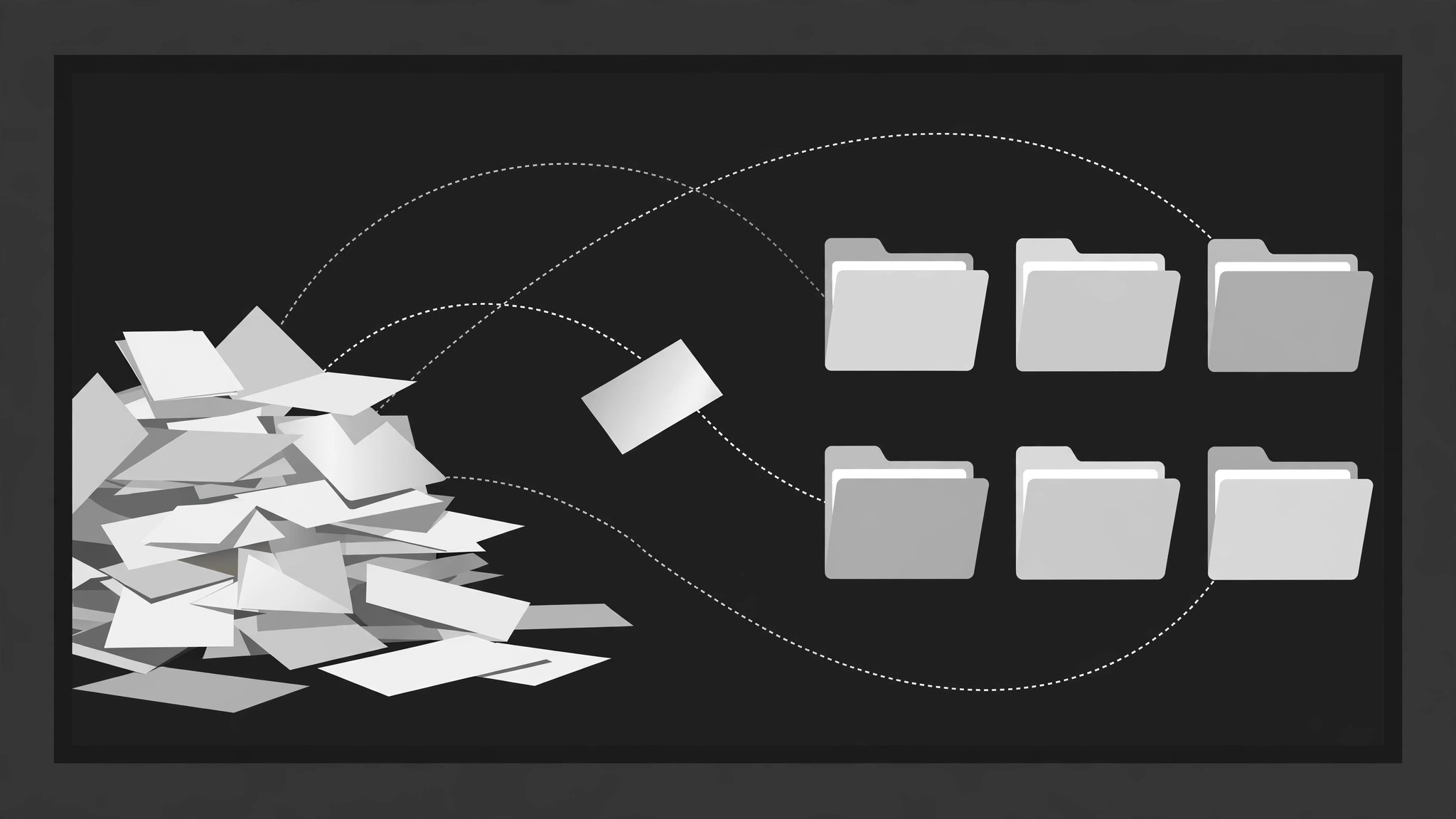
Ein chaotischer Stapel sortiert sich selbst in ein ordentliches Raster.
Lose Dateien, Karten und Clips fliegen eines nach dem anderen auf sanften Bögen in ein Raster beschrifteter Ordner, wobei das Zähler-Badge jedes Ordners beim Landen hochtickt, bis der Stapel weg ist und das System offen daliegt. Gebaut für Ordnungs-Explainer und digitale Aufräum-Videos.
In 3 Schritten installieren
Keine Anmeldung. Keine CLI-Tools. Wählen Sie Ihre AI, kopieren Sie eine Zeile und fügen Sie sie ein.
Lieber selbst machen? Kaufen Sie den Skill ($4.99), laden Sie die ZIP-Datei aus Ihrer Kaufbestätigung herunter, entpacken Sie sie in das oben angezeigte Verzeichnis und starten Sie Ihre AI-Sitzung neu — gleiches Ergebnis. Haben Sie ihn schon gekauft? Ihr AI-Assistent kann ihn für Sie herunterladen.
Was ist enthalten
Eine SKILL.md (die Anleitung) + eine Startvorlage. Eine Vorschau:
Folder Grid Filing
When to use
- A digital declutter or organisation video shows a messy pile of files becoming a tidy system
- A tutorial explains a filing structure (by project, by client, by year) by filing example items into it
- A recap or case-study video sorts scattered assets — clips, docs, screenshots — into categories
- A product video demonstrates auto-filing, smart folders, or tagging by filing items on screen
- An explainer introduces a taxonomy: the folders are the categories, the filing is the proof
- You have 6–16 loose items and 3–6 categories, and the transformation from pile to system is the point
Workflow
- Define the folders and the items (input: your material → output: filing plan)
Define 3–6 folders, each with a short tab label (1–3 words: "Receipts", "Contracts", "Photos"). Then list 6–16 items, each assigned to exactly one folder before animating — no item files into two folders, no item is left unfiled. Each item gets a 2–5 word label and a visual type (doc, image, clip, note) with a distinct icon or thumbnail. If an item genuinely fits two folders, decide the primary one now and say so in the narration — the animation must not imply an ambiguity you have not resolved. - Stage the mess (input: filing plan → output: pile layout)
Open on the pile: items scattered in a loose heap on one side of the frame (left or bottom), at random rotations of −12° to +12°, overlapping, slightly messy but every item ≥60% visible. The folder grid sits on the other side: folders in a clean grid (2 columns × 2–3 rows, or 3 × 2), equal size, closed, tabs visible, labels legible. The contrast between the messy pile and the tidy grid is the setup — keep the grid visibly empty at the start so the filing has somewhere to go. - File one item at a time (input: pile layout → output: filing choreography)
File items one at a time, 450–650ms apart, in an order that teaches the system (all of one folder's items in a run, or one item per folder cycling — pick one pattern and keep it). Each item's flight has three beats over 400ms, ease-in-out: (a) the item lifts — scale 1.0 → 1.08, shadow deepens, rotation straightens to 0° over 120ms; (b) it flies along a gentle arc (never a straight diagonal — an arc reads as "picked up and placed") to its folder over 280ms; (c) it shrinks to slot size and drops into the folder with a 100ms settle (translateY +4px → 0). The target folder opens as the item approaches — its tab lifts and its mouth opens 150ms before arrival — and closes 150ms after the item lands, with a tiny 80ms folder jiggle (rotate ±1°) on close. Never file two items at once: simultaneous flights look like a magnet, not filing. - Stack visibly inside each folder (input: filing choreography → output: stack rules)
Filed items do not vanish: each folder shows a growing stack — the last-filed item's label peeks out from the folder's mouth, plus a count badge ("3") on the tab that increments on each landing. The stack inside the folder is represented by a small fan of 2–3 item thumbnails visible above the folder edge, or by the count badge alone if the grid is small. The badge pop is 120ms scale 1 → 1.4 → 1 with each increment. A folder that swallows items invisibly is a black hole, not a filing system. - Sweep the last item and reveal the system (input: stack rules → output: reveal beat)
After the last item files, hold 500ms on the full grid: every folder closed, tabs labelled, count badges showing the totals. Then the reveal: each folder opens in turn (left to right, 200ms apart) to flash its contents — a quick fan of its items spreading 12px apart for 400ms — then closes. Or, if the grid is the end state, a single summary line fades in below the grid ("16 files → 5 folders"). Hold the final grid ≥1.2s. The pile area is now empty — if a stray item remains there, it is a filing error; every item must have a folder. - Check the system reads as a system (input: finished motion → output: verified animation)
Freeze the final grid and ask: can a viewer name each folder's category and count from the badges alone? If a folder's items are invisible and its badge is the only trace, the filing feels like deletion — add the thumbnail fan. Check the flight arcs: if two arcs cross, stagger the timing or reroute — crossing flights read as collisions. Check on a phone screen: folders smaller than ~120px wide make tab labels unreadable; on vertical video, use a 2-column grid and a smaller pile.
Vorschau der Startvorlage
Folder Grid Filing — Starter Template
Fill in every {placeholder}. Every item gets exactly one folder before animating — no item files twice, none left behind.
Filing plan
Folders (3–6)
Items (6–16)
- Filing order pattern (pick one, keep it): {all_of_one_folder_per_run | one_per_folder_cycling}
- Filing order: {item sequence, e.g. 1 → 4 → 2 → 5 → 3 → 6}
Pile layout (the mess)
- Pile position: {left | bottom} · Grid position: {opposite_side}
- Item rotations: {−12° to +12°} each · Overlapping, every item ≥{60%} visible
- Grid: {2_columns × 2–3_rows | 3 × 2} · Folders equal size, closed, tabs visible, labels legible
- Grid at start: {visibly_empty}
Das Skill-Paket selbst (SKILL.md + Vorlage) ist auf Englisch verfasst.


