Comment Emphasis
Holen Sie einen Kommentar aus dem Feed und machen Sie ihn zum Moment.
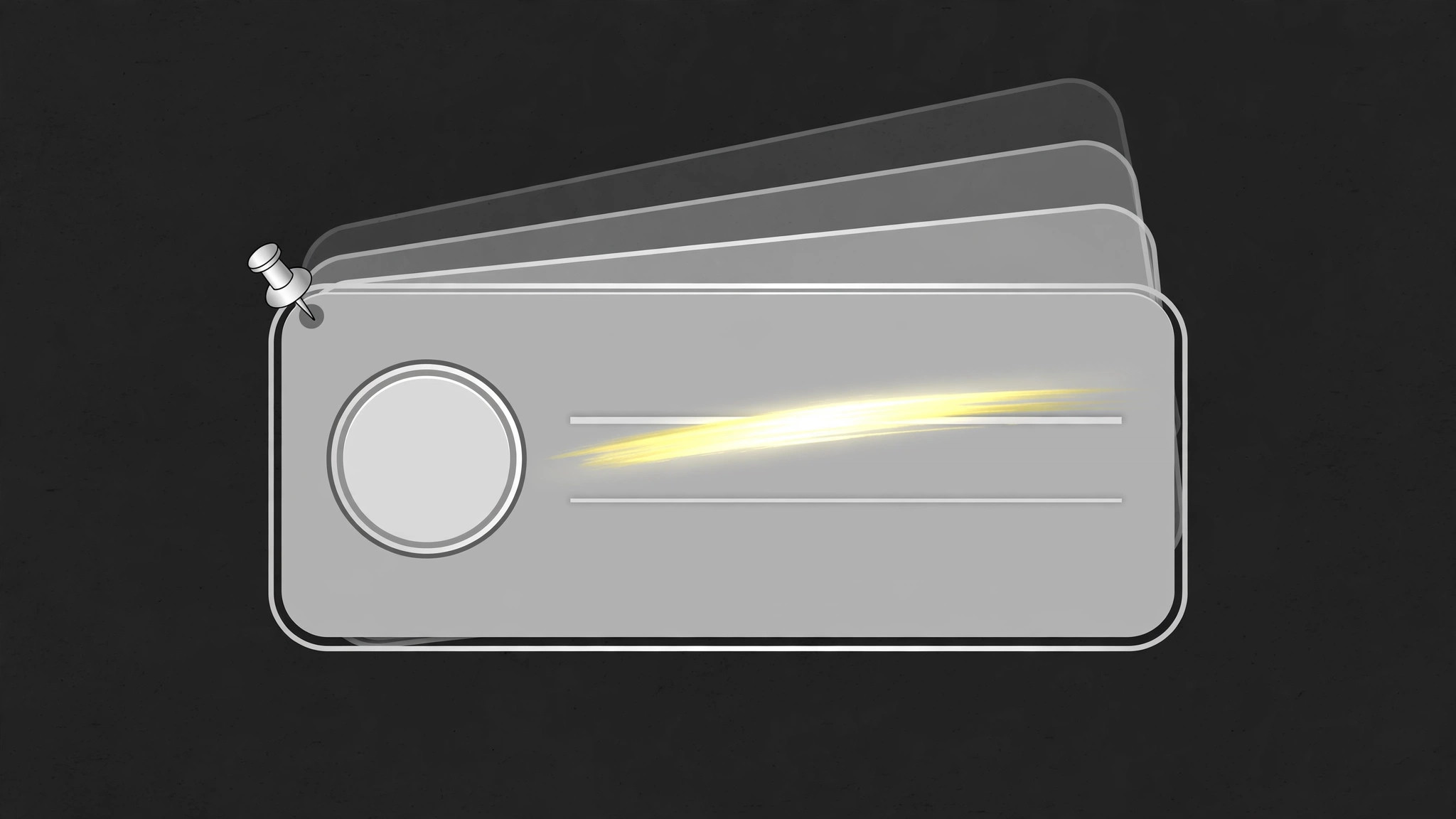
Ein einzelner Zuschauer-Kommentar, in eine eigene Karte gehoben, mit einer Marker-Wischbewegung über seiner Schlüsselaussage, dann absolut still fixiert, während das Video darauf reagiert. Die Fixierung löst sich in dem Moment, in dem das Segment endet.
In 3 Schritten installieren
Keine Anmeldung. Keine CLI-Tools. Wählen Sie Ihre AI, kopieren Sie eine Zeile und fügen Sie sie ein.
Lieber selbst machen? Kaufen Sie den Skill ($4.99), laden Sie die ZIP-Datei aus Ihrer Kaufbestätigung herunter, entpacken Sie sie in das oben angezeigte Verzeichnis und starten Sie Ihre AI-Sitzung neu — gleiches Ergebnis. Haben Sie ihn schon gekauft? Ihr AI-Assistent kann ihn für Sie herunterladen.
Was ist enthalten
Eine SKILL.md (die Anleitung) + eine Startvorlage. Eine Vorschau:
Comment Emphasis
When to use
- A video answers, reacts to, or corrects one specific viewer comment and that comment should be visible while it happens
- A "comment of the video" or pinned-comment segment where the comment is the star, not background dressing
- A correction or clarification: a comment spotted an error, and the video needs to show exactly which comment and what it said
- A shout-out: one commenter's words get featured on screen with credit
- A comment thread has one reply that changes the discussion and you want to freeze it before it scrolls away
Workflow
- Pick one comment (input: comment feed → output: one comment + emphasis reason)
One comment per emphasis. Choose the comment the segment is actually about: the correction, the question being answered, the joke being featured. The comment is ≤40 words as shown — trim quoted context, keep the commenter's own words intact. Write the emphasis reason in one line ("it corrects the date," "it asks the question everyone asks") — if you cannot write the reason, the comment does not need emphasis, it needs a scroll-past. - Isolate the comment (input: feed screenshot or layout → output: isolated comment card)
Lift the comment out of the feed into its own card: avatar, name/handle, timestamp, and the comment text, nothing else. Drop the surrounding comments, the reply counts, and the feed chrome — the card is the comment, not a screenshot of an app. Keep the commenter's name and avatar attached: an emphasized comment without credit reads as the creator's own words. - Emphasize with the highlighter sweep (input: comment card → output: sweep animation)
The emphasis is a highlighter sweep, not a zoom: a translucent marker band (yellow or a brand accent, 45–60% opacity) sweeps across the key phrase of the comment over 0.5–0.7 s, left to right, following the reading direction, then stays as a static highlight. The sweep covers only the key phrase (≤10 words) — highlighting the whole comment highlights nothing. If the comment's key phrase is a number or a name, the sweep starts exactly on that word; the sweep's start point is the emphasis. - Pin the card (input: highlighted card → output: pinned hold)
After the sweep, the card pins: it scales to its reading size (if it entered smaller), centers or docks to its reserved zone, and a small pin icon or "pinned" tag fades in at its top corner over 0.25 s. Then it holds dead still for the whole reaction — ≥3 s minimum, longer if the response is long. The pinned card is a stable reference: the viewer glances back at it while listening. Any motion during the hold (pulsing, shimmering, floating) breaks the reference and pulls eyes away from the speaker. - Release the pin (input: pinned card → output: exit)
When the segment ends, release the pin: the pin tag fades out, the card shrinks slightly (to ~95%) and fades to 0% over 0.35 s, and the video cuts or dissolves to the next shot. Never leave a pinned comment up while the video moves to an unrelated topic — a stale pinned comment silently claims the next topic is still about it. If the comment will be referenced again later, re-emphasize it fresh at that moment rather than leaving it pinned across segments.
Vorschau der Startvorlage
Comment Emphasis — Production Template
One comment, one emphasis. Fill in per featured comment.
Comment: {commenter name / handle} — {timestamp}
Full comment as shown (≤40 words, commenter's own words intact):
> "{comment text}"
Emphasis reason (one line): "{it corrects… / it asks… / it is the joke…}"
Card
- Avatar: [ ] Attached | Name/handle: [ ] Attached | Timestamp: [ ] Attached
- Feed chrome / surrounding comments: [ ] Removed
- Private information in comment: [ ] None [ ] Blurred / cut before build
Key phrase (≤10 words — the only highlighted part)
"{key phrase}"
Sweep: {0.5–0.7 s}, left-to-right, {45–60%} opacity {yellow / brand accent}
Das Skill-Paket selbst (SKILL.md + Vorlage) ist auf Englisch verfasst.


