Chapter Grid Flip
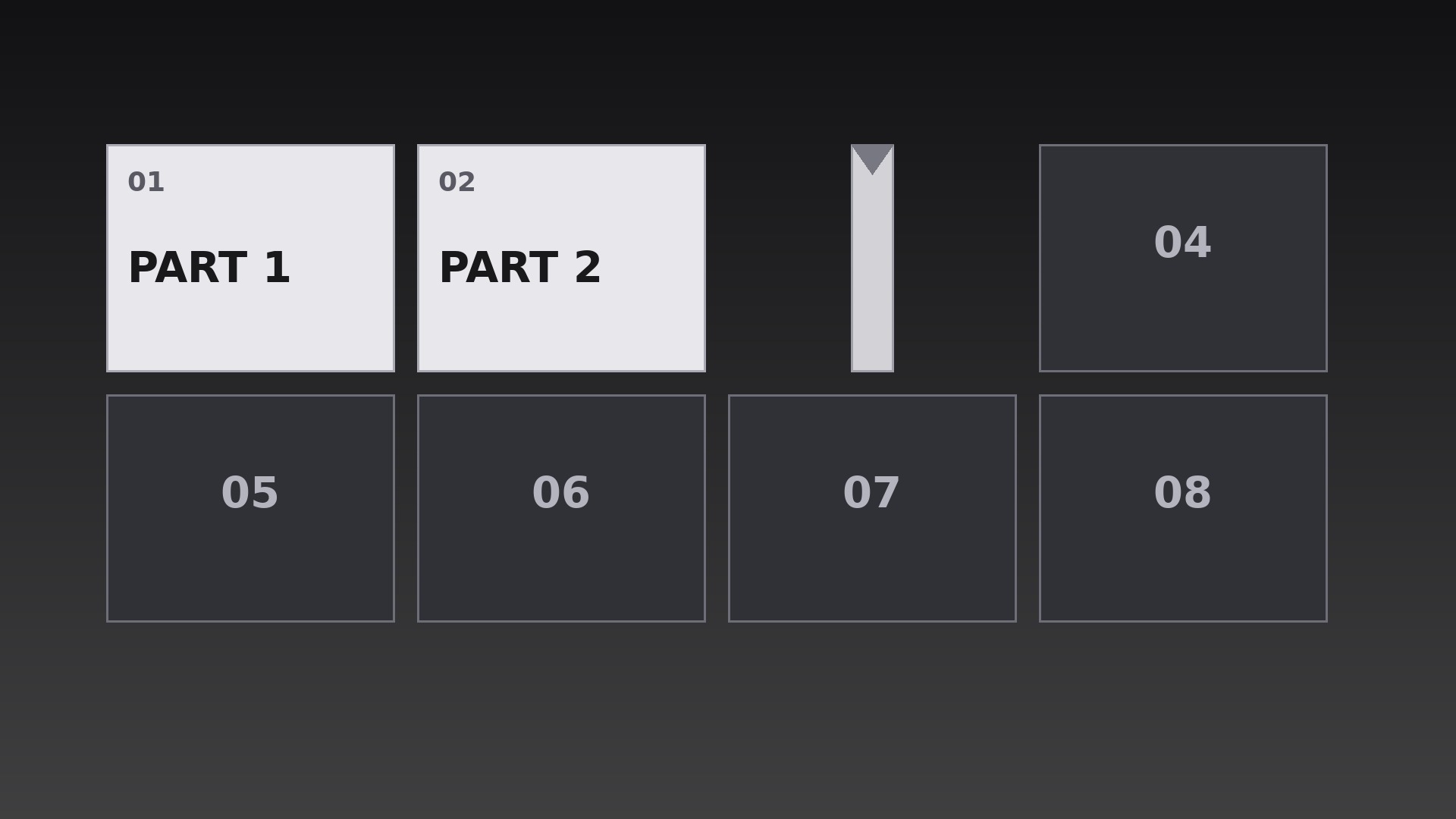
Ein Raster aus Kapitelkacheln klappt eine nach der anderen um, bis die ganze Karte offen daliegt.
Bringt Ihrer KI bei, ein Kapitelraster zu bauen, bei dem jede Kachel einen echten 3D-Y-Achsen-Flip in Leserichtung-Kaskade ausführt — mit verdecktem Bildwechsel in der Mitte und sauberem, ruhigem Landen.
In 3 Schritten installieren
Keine Anmeldung. Keine CLI-Tools. Wählen Sie Ihre AI, kopieren Sie eine Zeile und fügen Sie sie ein.
Lieber selbst machen? Kaufen Sie den Skill ($4.99), laden Sie die ZIP-Datei aus Ihrer Kaufbestätigung herunter, entpacken Sie sie in das oben angezeigte Verzeichnis und starten Sie Ihre AI-Sitzung neu — gleiches Ergebnis. Haben Sie ihn schon gekauft? Ihr AI-Assistent kann ihn für Sie herunterladen.
Was ist enthalten
Eine SKILL.md (die Anleitung) + eine Startvorlage. Eine Vorschau:
Chapter Grid Flip
When to use
- A course or series menu where the viewer should see every chapter laid out as a grid before choosing one
- A video's table of contents where each chapter tile flips to reveal its title in sequence
- A season or episode index where each tile flips to show its episode art and number
- A workshop agenda where the day's sessions appear tile by tile as the host previews them
- A documentary with distinct segments where a flipping grid recaps what has been covered and what is next
- A compilation video where each segment gets its own tile and flips open as its segment begins
Workflow
- Define the grid (input: chapter list → output: grid layout + tile contents)
Lay out one tile per chapter in a grid that fits the frame with comfortable gutters — 3×2 or 4×2 for six to eight chapters, never more than 12 tiles on screen at once (merge or paginate beyond that). Each tile carries exactly three things: chapter number, a short title (1–4 words), and one small visual cue (icon, number, or still). Tiles start face-down showing a uniform back: a neutral panel with the chapter number only. Write all tile contents before animating — a flip that reveals unfinished copy is the most common failure of this pattern. - Set the flip mechanics (input: grid layout → output: flip spec)
Each tile flips around its vertical center axis (a Y-axis 3D flip, like a card turning over), rotating from 0° to 180° over 0.55s with an ease-in-out curve — fast in the middle, settled at both ends. At 90°, the tile is edge-on and invisible for one frame; swap the back face for the front face exactly at that midpoint so the change is hidden in the edge-on moment. Add a subtle perspective: tiles further from the frame center skew very slightly, but keep the effect restrained — a grid that looks like a casino card trick has gone too far. - Choreograph the flip order (input: flip spec → output: flip sequence timeline)
Flip tiles one by one in reading order — left to right, top to bottom — at 0.18s stagger intervals, so the flips cascade like a wave across the grid rather than firing all at once. Each flip lasts 0.55s, so consecutive flips overlap: tile 2 is mid-flip as tile 1 lands. The full grid resolves in roughly (tiles × 0.18s) + 0.55s — for 8 tiles, about 2.0s. After the last tile lands, hold the complete grid still for at least 1.5s so the viewer can scan the whole map before anything else happens. - Land each tile (input: sequence timeline → output: landing treatment)
When a tile lands at 180°, give it a tiny settle: scale 1.00 → 1.03 → 1.00 over 0.15s, plus a soft shadow that grounds it on the background. The shadow is the detail that sells the flip — a tile with no shadow looks pasted on; a tile with a heavy drop shadow looks like a sticker. Use a short, soft, downward shadow at 20–30% opacity. No bounce, no wobble, no sound effect louder than a soft paper tick — the flip is crisp, not playful, unless the video's tone is explicitly playful. - Connect flips to chapters (input: landed grid → output: navigation behavior)
Decide what the grid does after it resolves. In a menu context, the grid stays and the viewer picks a tile (highlight the selected tile with a border, never by re-flipping it). In a linear video, the grid is a preview: after the 1.5s hold, the camera pushes into the first chapter's tile (a 0.6s scale-up) and the chapter begins — the grid was the map, now the journey starts. In a recap context, already-covered tiles stay face-up while upcoming tiles flip, so the grid doubles as a progress map. Pick one behavior per video and keep it consistent. - Export and check (input: finished grid animation → output: verified renders)
Render at the source frame rate with true 3D transforms (never fake the flip with a horizontal scale squeeze — the eye can tell, and the midpoint face-swap will look wrong). Verify by stepping through frame by frame at one flip's midpoint: the tile must be a clean vertical edge, not a smeared smudge. Check the smallest target screen: tile titles must remain legible — if they are not, cut words, never shrink the grid to fit more tiles.
Vorschau der Startvorlage
Chapter Grid Flip — Starter Template
Fill in every {placeholder}, then hand this spec to your video tool or motion designer.
Project
- Video title: {video_title}
- Frame size: {width}x{height} @ {fps}fps
- Grid purpose: {menu / linear_preview / recap_progress} (pick one)
Grid layout
- Grid dimensions: {columns}x{rows} (3×2 or 4×2 typical; max 12 tiles on screen)
- Tile size: {tile_width}x{tile_height}px, gutters {gutter}px
- Tile back (face-down): neutral panel + chapter number only, fill {back_color}
- Tile front: chapter number + title (1–4 words) + one visual cue (icon, number, or still)
Tiles (reading order: left to right, top to bottom)
Das Skill-Paket selbst (SKILL.md + Vorlage) ist auf Englisch verfasst.


