Branch by Branch
Lassen Sie das Diagramm Ast für Ast wachsen, damit niemand den Faden verliert.
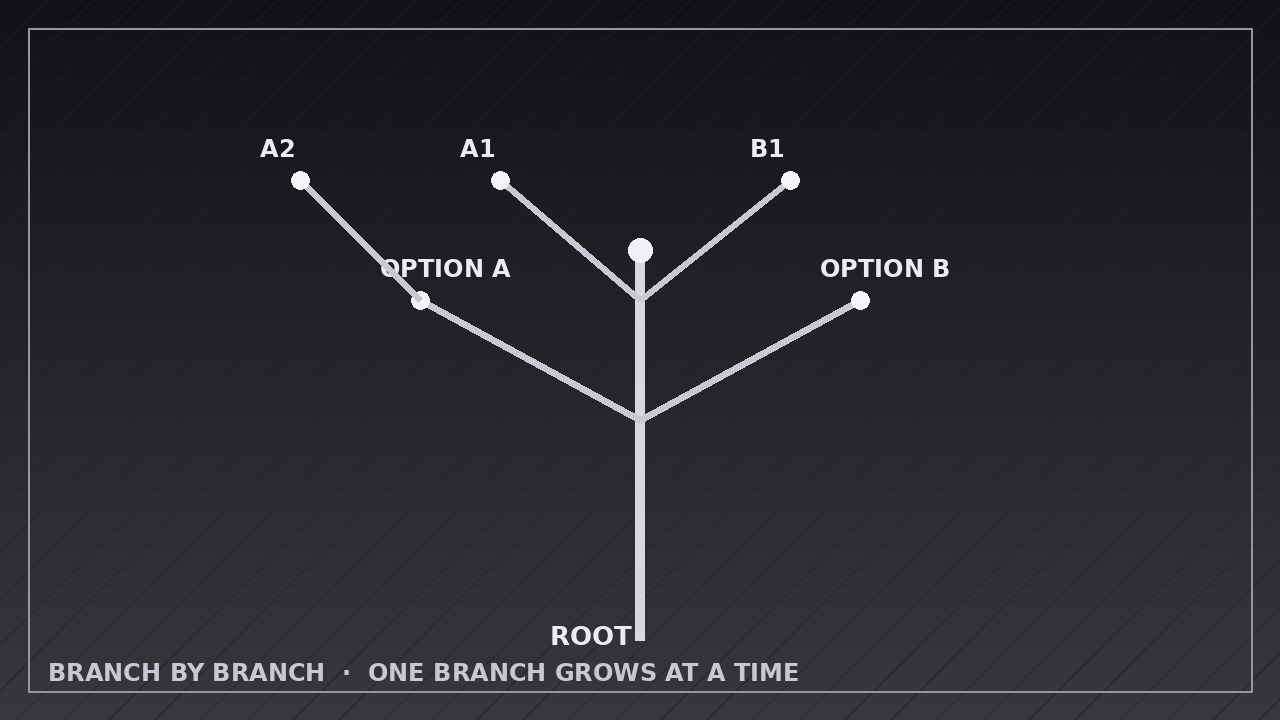
Bringt Ihrer KI bei, Bäume und Entscheidungsdiagramme zu animieren, die einen Ast nach dem anderen wachsen lassen, jeder beim Landen beschriftet, mit Pausen, die den Zuschauern wirklich Zeit zum Folgen geben.
In 3 Schritten installieren
Keine Anmeldung. Keine CLI-Tools. Wählen Sie Ihre AI, kopieren Sie eine Zeile und fügen Sie sie ein.
Lieber selbst machen? Kaufen Sie den Skill ($4.99), laden Sie die ZIP-Datei aus Ihrer Kaufbestätigung herunter, entpacken Sie sie in das oben angezeigte Verzeichnis und starten Sie Ihre AI-Sitzung neu — gleiches Ergebnis. Haben Sie ihn schon gekauft? Ihr AI-Assistent kann ihn für Sie herunterladen.
Was ist enthalten
Eine SKILL.md (die Anleitung) + eine Startvorlage. Eine Vorschau:
Branch by Branch
When to use
- Explaining a decision tree where each choice splits into two or more outcomes and the viewer needs to see one split at a time
- Walking through an org chart, product taxonomy, or file structure that would overwhelm as a single static diagram
- Teaching a classification (types of X, causes of Y) where each branch deserves its own moment of attention
- Presenting scenario planning: a base situation branching into best case, base case, and worst case
- Animating a flowchart or troubleshooting path where the next branch depends on the previous answer
- Opening a lesson or pitch with a "map of what's coming" that grows as you speak
Workflow
- Map the tree on paper first (input: your topic and branches → output: branch list with parent, label, and order)
Write out every node before animating anything: the trunk (the starting question or root idea), each branch (a choice, category, or sub-topic), and each leaf (the outcome or example). Give every branch a short label of 1–5 words and a growth order — the order the viewer should meet them, which is a teaching decision, not alphabetical order. Cap the tree at roughly 7 first-level branches and 3 levels deep; beyond that, split it into two diagrams. A tree that fits on one screen when fully grown is the goal — sketch the final layout so no branch overlaps another. - Set the stage and trunk (input: branch list → output: trunk keyframes)
Start with an empty frame or a single root node, then grow the trunk over 0.5–0.8 seconds with an ease-out curve so it lands firmly rather than snapping in. The trunk is a tapered line or rounded bar, 6–10 px thick at 1080p, growing upward or left-to-right depending on orientation. Add the root label as the trunk finishes growing — never before — so the eye has one thing to read at a time. Hold 0.3 seconds of stillness before the first branch; that pause tells the viewer "the tree is about to grow." - Grow one branch at a time (input: trunk keyframes → output: per-branch grow keyframes)
Each branch grows from its parent node over 0.6–1.0 seconds using ease-out (fast start, gentle landing), with a subtle overshoot of 2–4% on the tip if your tool supports it — the tiny settle makes the growth feel organic rather than mechanical. While a branch grows, everything else stays perfectly still: no other branch moves, no label fades in early, no camera drift. One branch, one motion, one read. Sequence branches in the teaching order from step 1, not all at once and not in a random sweep. - Label each branch as it lands (input: grown branch → output: timed label reveal)
The label appears only after its branch has finished growing — a 0.1–0.2 second beat, then the label fades or slides in over 0.3 seconds from the branch tip outward. Place labels at the branch tip or just above the branch midpoint, never crossing another branch. If a branch has sub-branches, its label lands first, then its children grow one at a time following the same rule. Keep labels to one line; if a label needs two lines, shorten the label — a growing diagram is no place for paragraphs. - Choreograph the pauses and emphasis (input: timed labels → output: full timing pass)
Insert a 0.4–0.8 second hold after each branch-plus-label completes so the viewer can read before the next growth starts — the hold is what makes this pattern readable, and cutting it is the most common failure. When a branch is the "answer" or the recommended path, give it a beat of emphasis: a brief highlight pulse, a slightly thicker stroke, or a color shift that persists, applied once, not flashing. If the narration names a branch, its growth should start on that word, not a second before or after. - End on the full tree, then export (input: full timing pass → output: rendered video)
Hold the completed tree for 2–3 seconds so it can be screenshotted or studied. Add a soft zoom-out of no more than 5% during the final hold only if the tree feels cramped — never zoom while branches are still growing. Export at the platform's native size (1920×1080 for YouTube, 1080×1920 vertical for Shorts/Reels with the tree re-laid-out vertically, not cropped), 30 fps, H.264, with a 1-second fade or clean cut at the end. Check the export at full speed: if any two labels are ever on screen unread, lengthen the holds.
Vorschau der Startvorlage
Branch by Branch — Animation Spec Template
Fill in one tree per video. One branch grows at a time; its label lands only after the branch finishes.
Tree: {topic / title of the diagram}
Orientation: {vertical (trunk bottom → top) / horizontal (trunk left → right)} Canvas: {1920×1080 / 1080×1920 / 1080×1080} | Frame rate: 30 fps | Export: H.264
Root
Branches (in growth order — teaching order, not alphabetical)
Hold after each branch + label: {0.4–0.8 s} Branch tip overshoot: {2–4% settle / none} Emphasis treatment (one only): {highlight pulse / thicker stroke / color shift — applied once to the recommended path}
Layers (bottom → top)
Das Skill-Paket selbst (SKILL.md + Vorlage) ist auf Englisch verfasst.


